
If you're new to crypto or don't already hold digital assets elsewhere, buying directly on BloFin is the simplest way to get started. You convert fiat currency into crypto using your preferred payment method, and the purchased assets go straight into your BloFin account, ready to trade or earn with.
If you already hold crypto on another wallet or exchange, depositing is the faster and usually cheaper route. That process is covered in How to Make a Deposit on BloFin.
This guide covers all the ways to buy crypto on BloFin, including one-time purchases with a card or bank transfer and automated recurring buys for those who want to build a position gradually over time.
Payment methods available on BloFin
BloFin supports several payment methods for buying crypto directly:
Credit and debit card (Visa, Mastercard)
Apple Pay
Google Pay
SEPA bank transfer
SWIFT bank transfer
Payments are processed through third-party gateways such as Alchemy and Simplex.
How to buy crypto with a card, Apple Pay, or Google Pay
This is the quickest method. Most purchases complete within minutes.
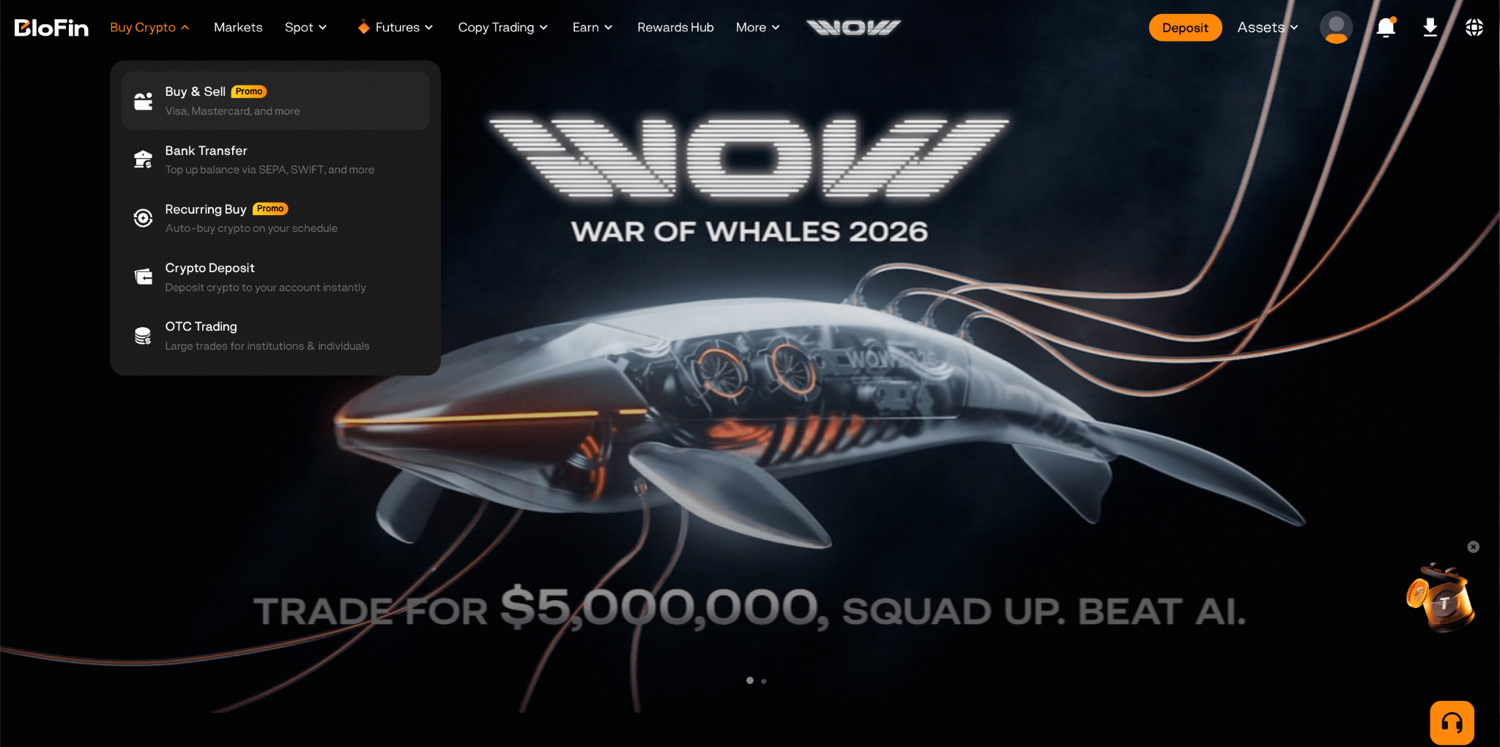
Step 1: Log in to your BloFin account and hover your cursor over the Buy Crypto button in the top left corner of the navigation bar. Then, select Buy & Sell.
Step 2: Select the fiat currency you want to spend and the crypto asset you want to receive.
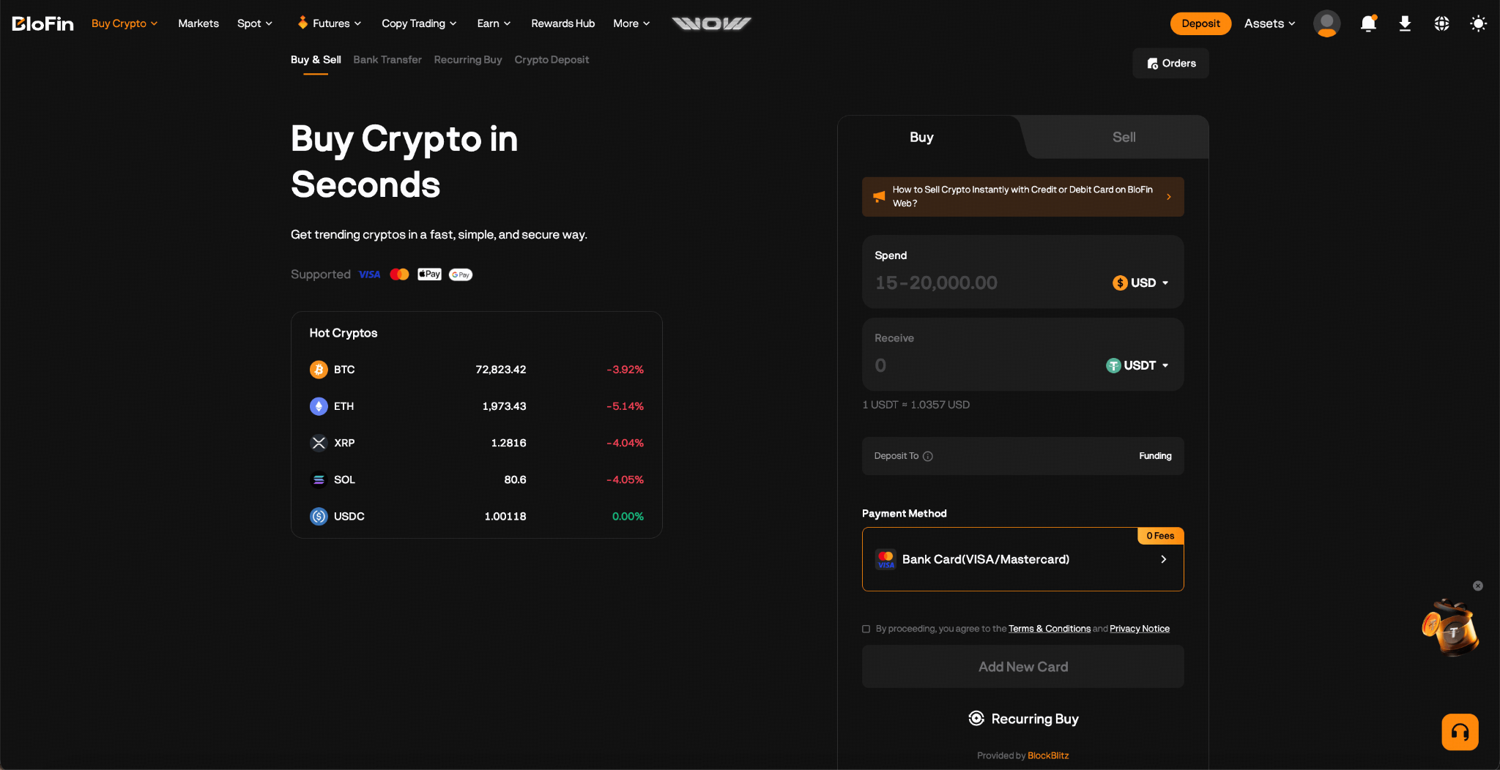
Step 3: Enter the amount you want to spend.
Step 4: Select your payment method: credit/debit card, Apple Pay, or Google Pay. You may also choose to use a third-party gateway such as Simplex or Alchemy.
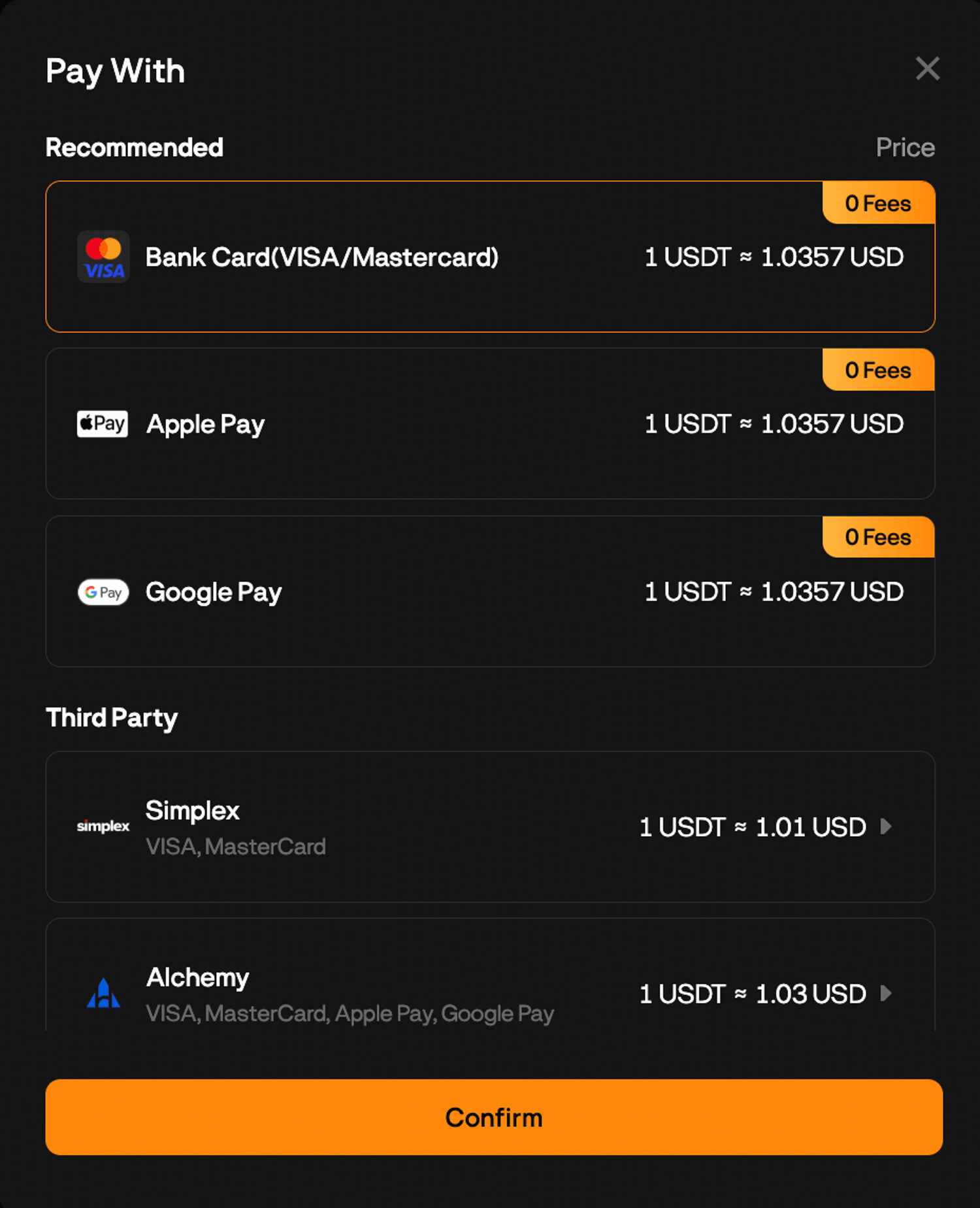
Step 5: Review the exchange rate, fees, and the estimated amount you will receive. Make sure you also agree to the terms and conditions before clicking Add New Card.
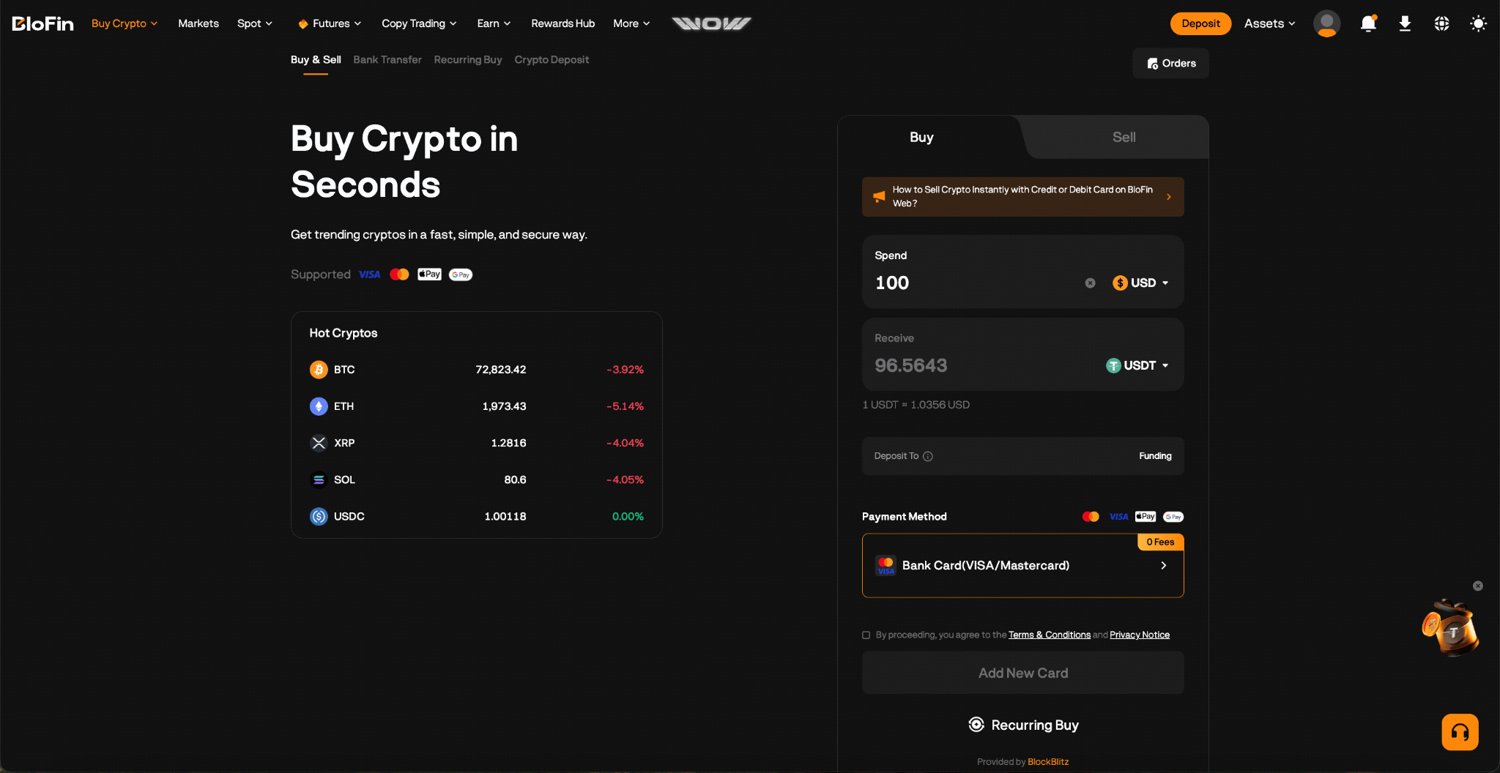
Step 6: You will then be prompted to verify your BloFin account. Click Start Now and complete the verification before proceeding.
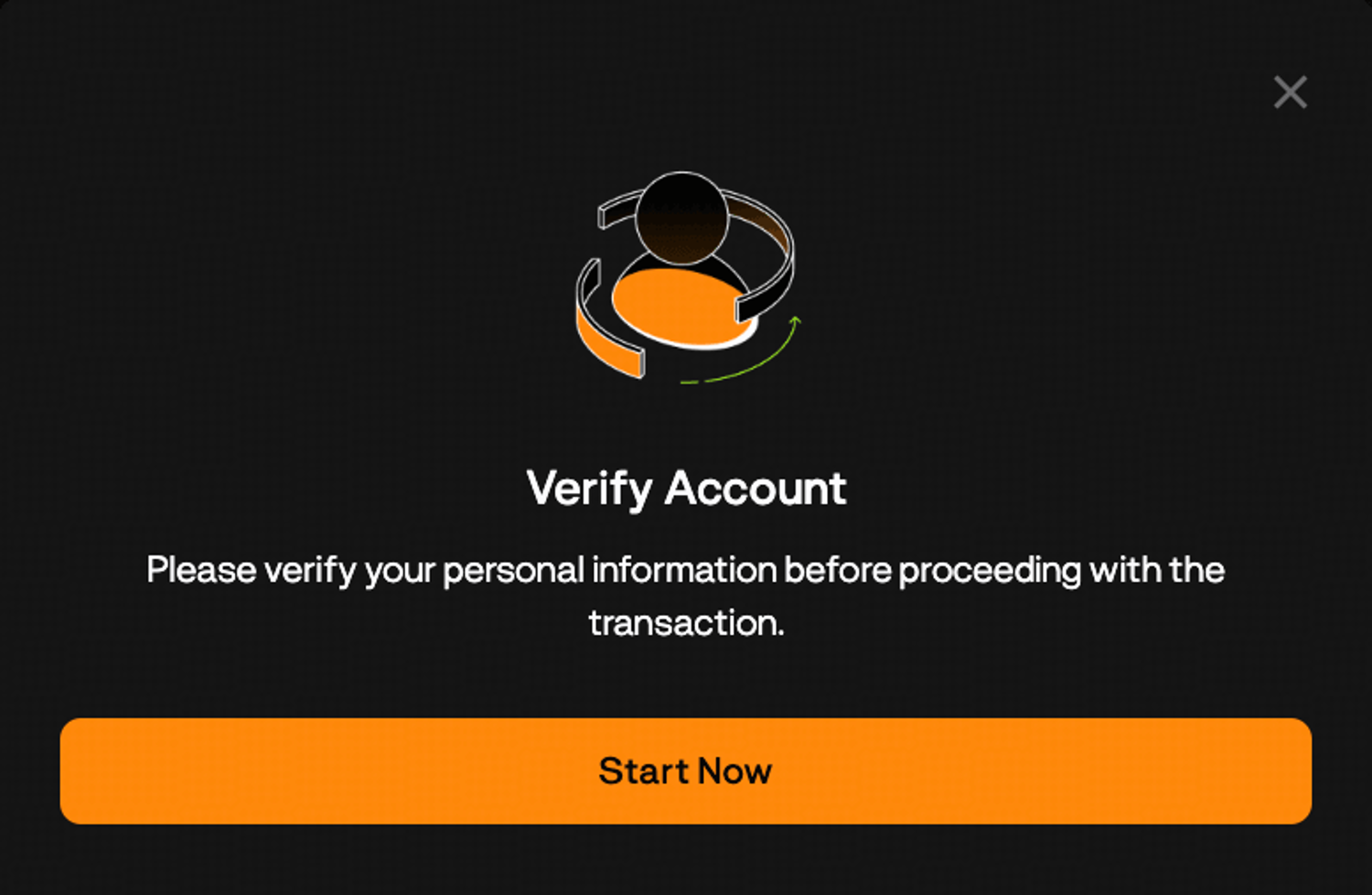
Step 7: Once your account has been verified, you’ll be prompted to key in your credit card details and complete the payment. The purchased crypto will be credited to your BloFin Funding Account.
Recurring Buy: Building a position automatically
One of BloFin's more useful features for longer-term holders is Recurring Buy. Instead of timing a single purchase, you set up an automated plan that buys a fixed amount of crypto at regular intervals: daily, weekly, bi-weekly, or monthly. The idea is to average your entry price over time rather than trying to pick the right moment.
There's no extra fee for Recurring Buy beyond the standard purchase costs. The minimum per purchase is $15 USD or equivalent.
Setting up a Recurring Buy on web
Step 1: Log in to your BloFin account and hover your cursor over the Buy Crypto button in the top left corner of the navigation bar. Then, select Recurring Buy.
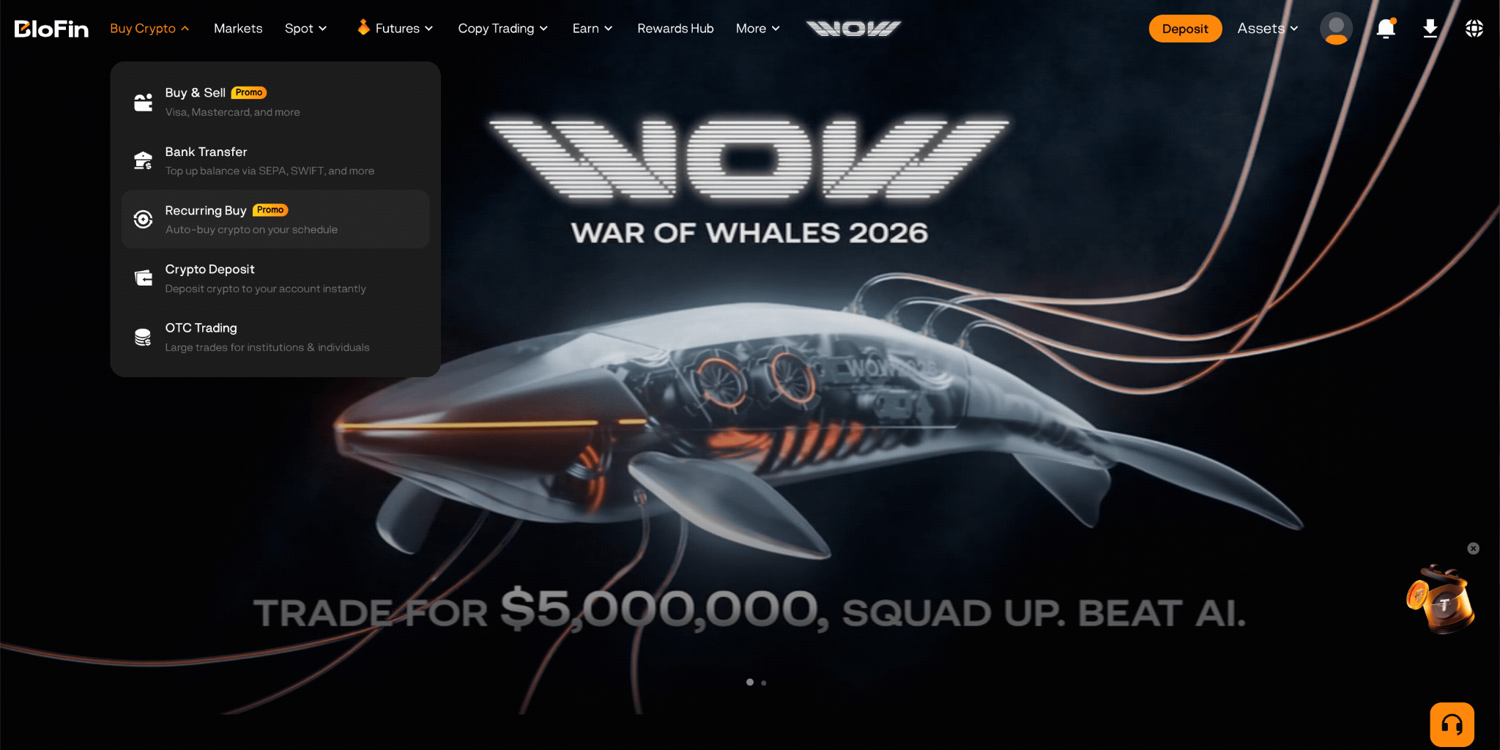
Step 2: Choose the crypto asset you want to accumulate.
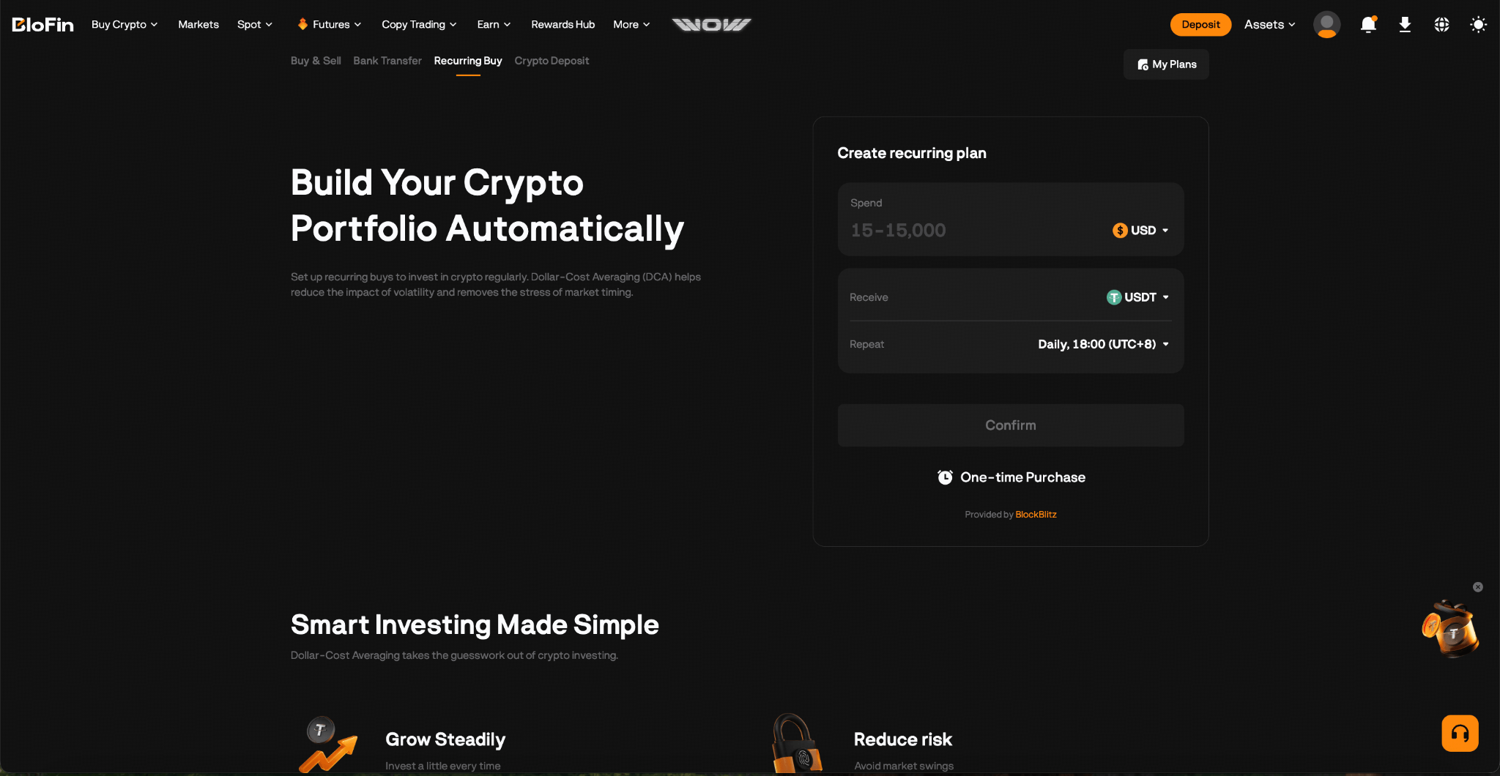
Step 3: Enter the amount you want to spend per purchase.
Step 4: Select your frequency: daily, weekly, bi-weekly, or monthly.
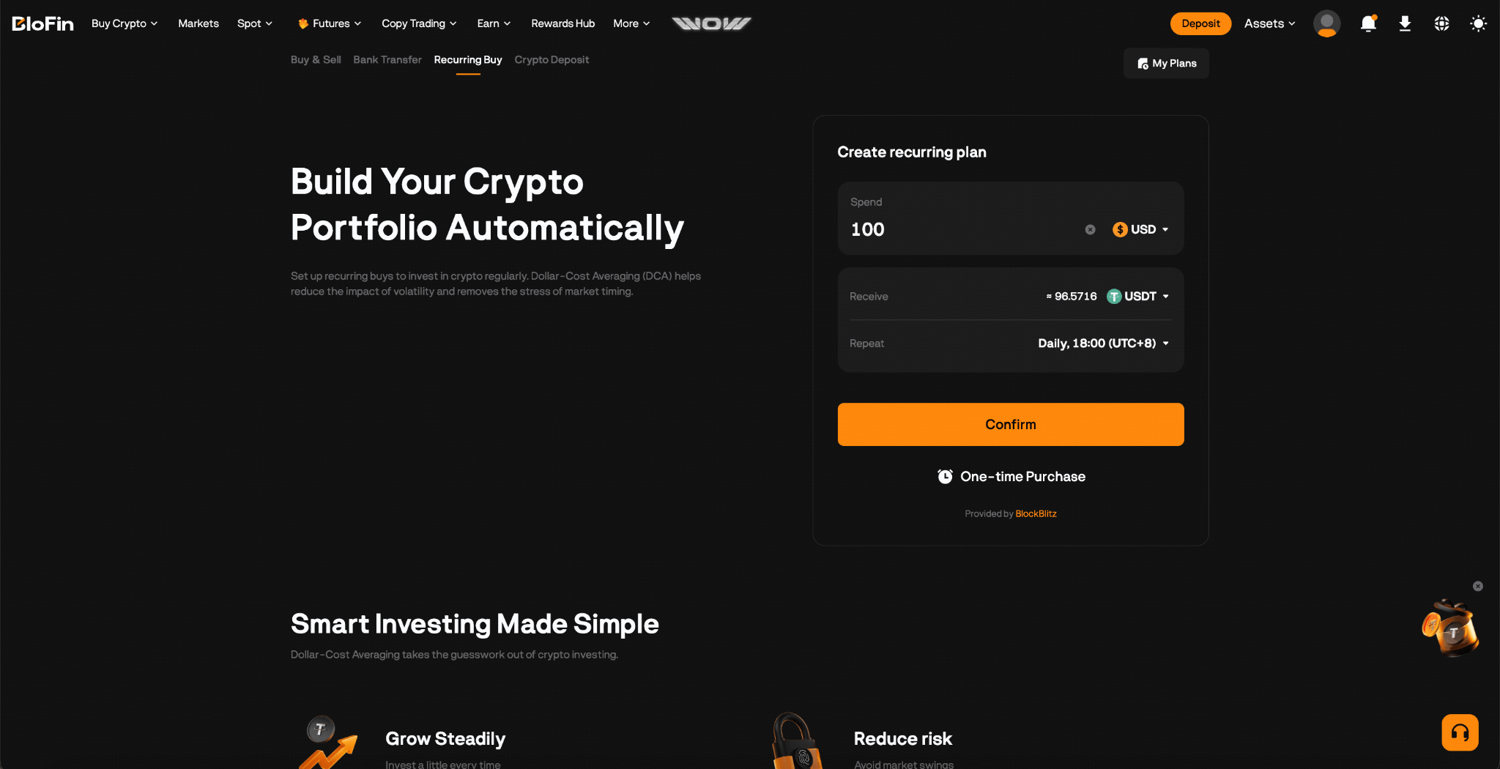
Step 5: Choose your payment method and confirm the plan.
Your purchases will run automatically on the schedule you set. You can modify the frequency, pause the plan, or cancel at any time with no penalties.
The 24-hour security hold
After any purchase on BloFin, a 24-hour security hold applies before the purchased crypto can be withdrawn. This is a standard fraud prevention measure and applies across all payment methods.
During the hold period, you can still trade with the funds. You just can't withdraw them off the platform until the 24 hours have passed. For most users who intend to trade on BloFin rather than immediately move funds elsewhere, this won't affect anything.
After you buy: What to do next
Once your purchase is complete, the crypto lands in your Funding Account. What makes sense from here depends on what you bought and what you're trying to do with it.
If you want to hold and earn on your purchase: BloFin Earn lets you put idle USDT, ETH, or BTC to work earning daily interest without needing to trade. Simple Earn runs on flexible terms so you can withdraw whenever you're ready. What Is BloFin Earn covers how it works.
If you want to swap into a different asset: BloFin's Convert feature lets you exchange one token for another instantly at the current market rate with zero trading fees. No need to go through the spot market for a straightforward swap.
If you want to understand what you just bought: BloFin Academy has educational guides on Bitcoin, Ethereum, and other major assets that break down what each one is, how it works, and what drives its price. Worth reading before putting more in.
If you want to keep buying gradually: Setting up a Recurring Buy plan means your purchases run automatically at whatever interval suits you. It's an easy way to build a position over time without having to time the market.
If you're wondering whether your funds are safe: BloFin maintains 1:1 proof of reserves, verified through a Merkle tree system that you can check yourself. Proof of Reserves: How BloFin Secures Your Crypto Assets covers exactly how this works and how to verify your balance independently.
Frequently asked questions
Which payment method should I use?
Card, Apple Pay, and Google Pay are the fastest options, usually completing within minutes.
Is there a minimum purchase amount?
For Recurring Buy, the minimum is $15 USD per purchase. For one-time purchases, the minimum may vary by payment method and third-party payment provider. The exact minimum is shown during checkout before you confirm the purchase.
Are there fees for buying crypto on BloFin?
BloFin's third-party payment providers charge a processing fee, which is shown clearly before you confirm the purchase. There are no hidden charges beyond what's displayed at checkout. Recurring Buy does not carry an extra fee.
Why can't I withdraw immediately after buying?
A 24-hour security hold applies to all purchases. This is a standard fraud prevention measure across the industry. You can trade freely during this period, but withdrawals are restricted until the hold clears.
How does Recurring Buy work?
Recurring Buy automatically purchases a fixed amount of crypto at the interval you set (daily, weekly, bi-weekly, or monthly). It's a way to build a position gradually using a dollar-cost averaging approach rather than committing everything at once. You can pause, modify, or cancel the plan at any time.
Where does my purchased crypto go?
Purchased crypto is credited to your BloFin Funding Account. To trade, transfer it to your Spot or Futures Account. To earn on idle funds, keep it in the Funding Account and subscribe through BloFin Earn.
Disclaimer: This content is for educational purposes only and does not constitute financial, investment, legal, or tax advice. Crypto assets are highly volatile and carry significant risk of loss. Always verify local regulations and consult a qualified professional before making financial decisions.