
Beware of Phishing: How to Protect Yourself from Scams
January 2, 2025 at 05:48 PMDear BloFin Users,
Phishing scams are a widespread form of online fraud in which attackers replicate legitimate websites to steal sensitive information, such as bank details, passwords, and personal data. These fake links are often distributed via SMS, email, and social media to deceive users. Here, we will explore common phishing techniques and offer practical tips to safeguard your assets. Stay vigilant and take proactive measures to protect yourself from these phishing email scams.
Common Phishing Techniques
- Email Phishing: Attackers send deceptive emails with links to fake websites or malware downloads. Emails may appear to come from the official website but often use slight misspellings or unofficial domains. If users click these links or download malicious files, sensitive information like passwords and financial details may be stolen.
- Pharming: By exploiting system vulnerabilities, attackers modify DNS files on users' devices, redirecting legitimate web addresses to phishing sites. Users may unknowingly enter personal data on these fake sites.
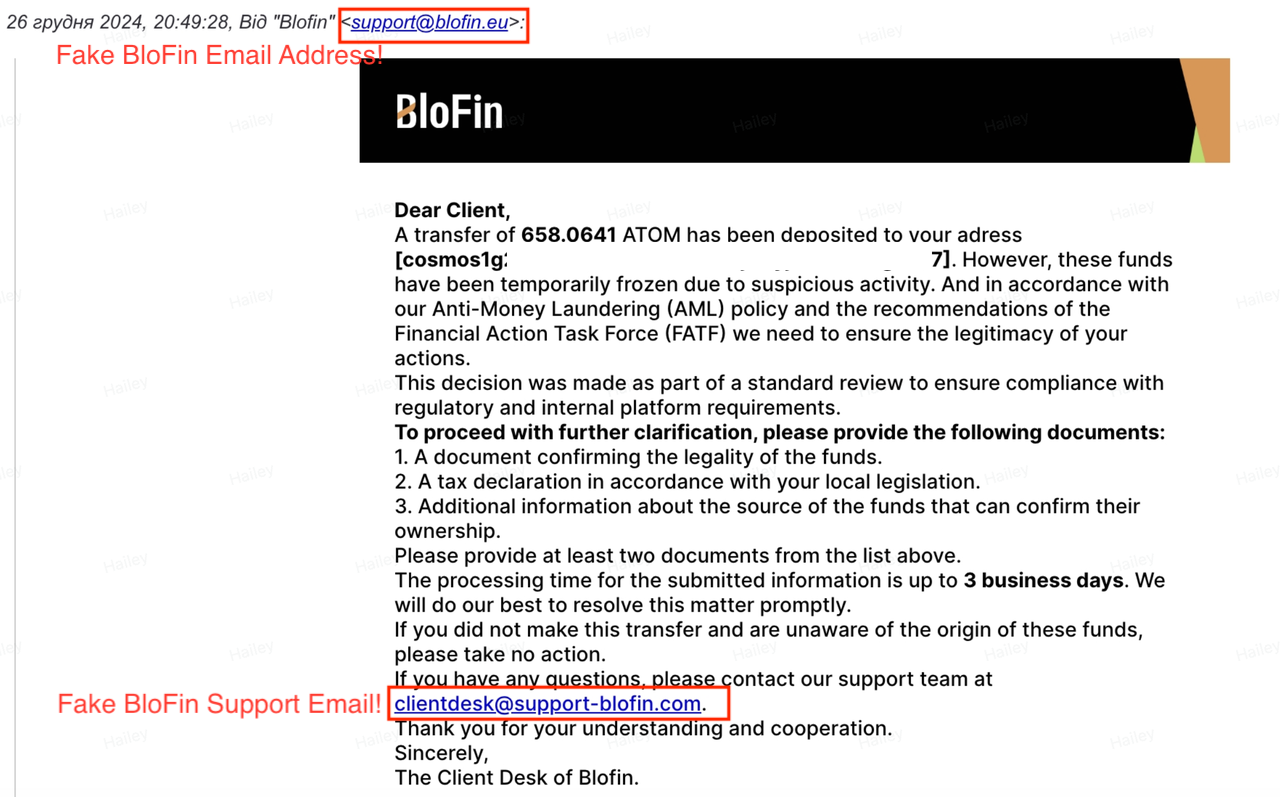
Tips to Prevent Phishing Scams
1. Be Wary of Unsolicited Emails: Treat unexpected emails with caution, especially those urging immediate action. Scammers often create urgency to pressure you into hasty decisions. Users can check the authenticity of BloFin channels at https://blofin.com/official-verification
2. Verify Sender Email Addresses: Phishing emails may appear genuine, but the sender's email address often reveals the truth. Be cautious of slight variations or misspellings that mimic official exchange addresses.
3. Don't Click on Suspicious Links: Always navigate to the exchange's website by typing the URL directly into your browser instead of clicking on links in emails. If you suspect a link is malicious, visit the official BloFin site (https://blofin.com) to change your login and fund passwords, and contact our official service ([email protected]) immediately.
4. Enable Two-Factor Authentication (2FA) and Passkeys: Strengthen your account security by requiring a second form of verification. This makes unauthorized access significantly harder.
5. Protect Your Personal Information: BloFin will never ask for your passwords, private keys, or sensitive account details via email.
6. Stay Updated: Phishing tactics constantly evolve. Keep informed about the latest scams to better safeguard your assets.
7. Set Up an Anti-Phishing Code on BloFin: Setting up an anti-phishing code ensures that all legitimate emails from the BloFin exchange include a specific identifier. This helps you distinguish genuine communications from fraudulent ones.
Here is a guide on how to set up anti-phishing code on BloFin:
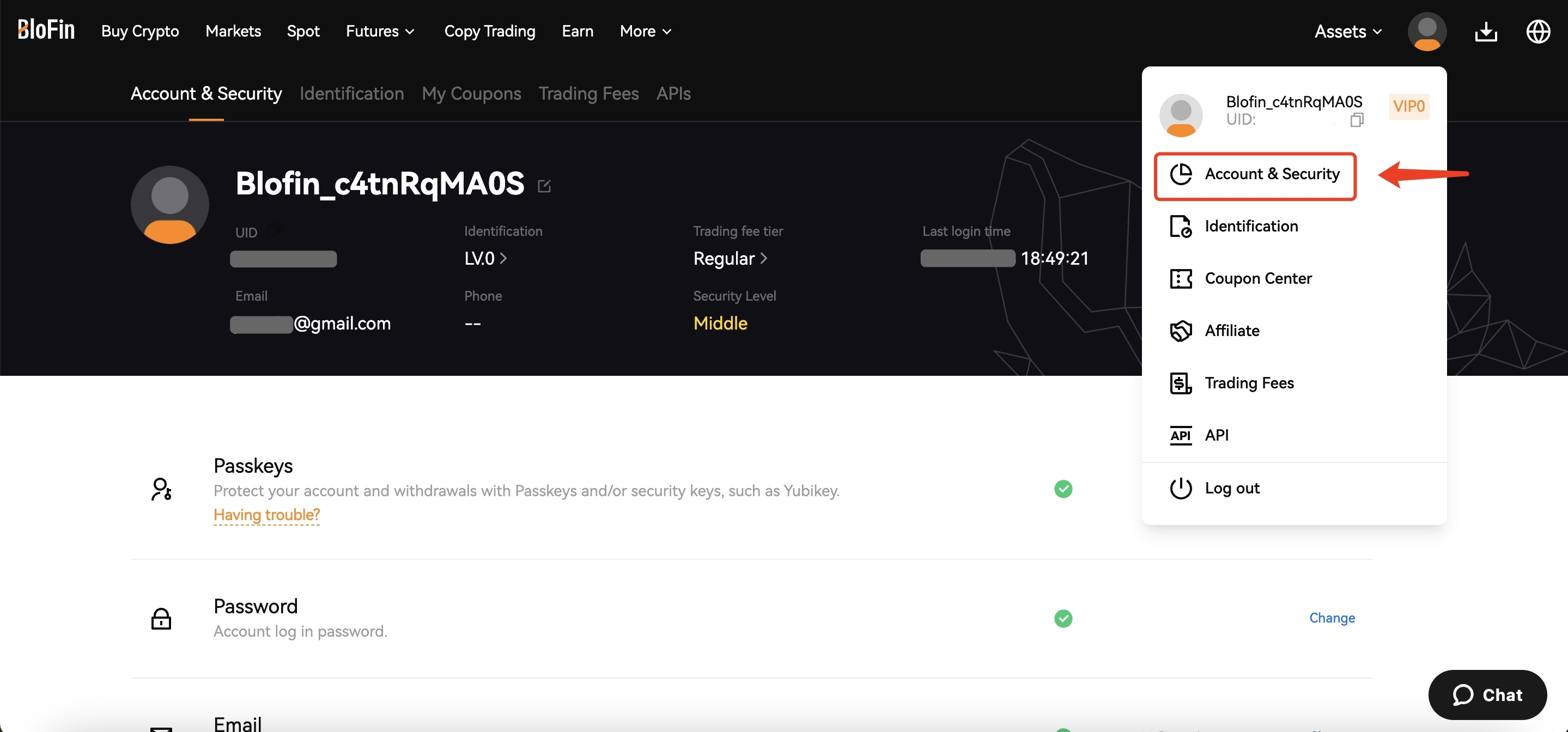
- Click the avatar in the upper right corner and select [Account & Security].
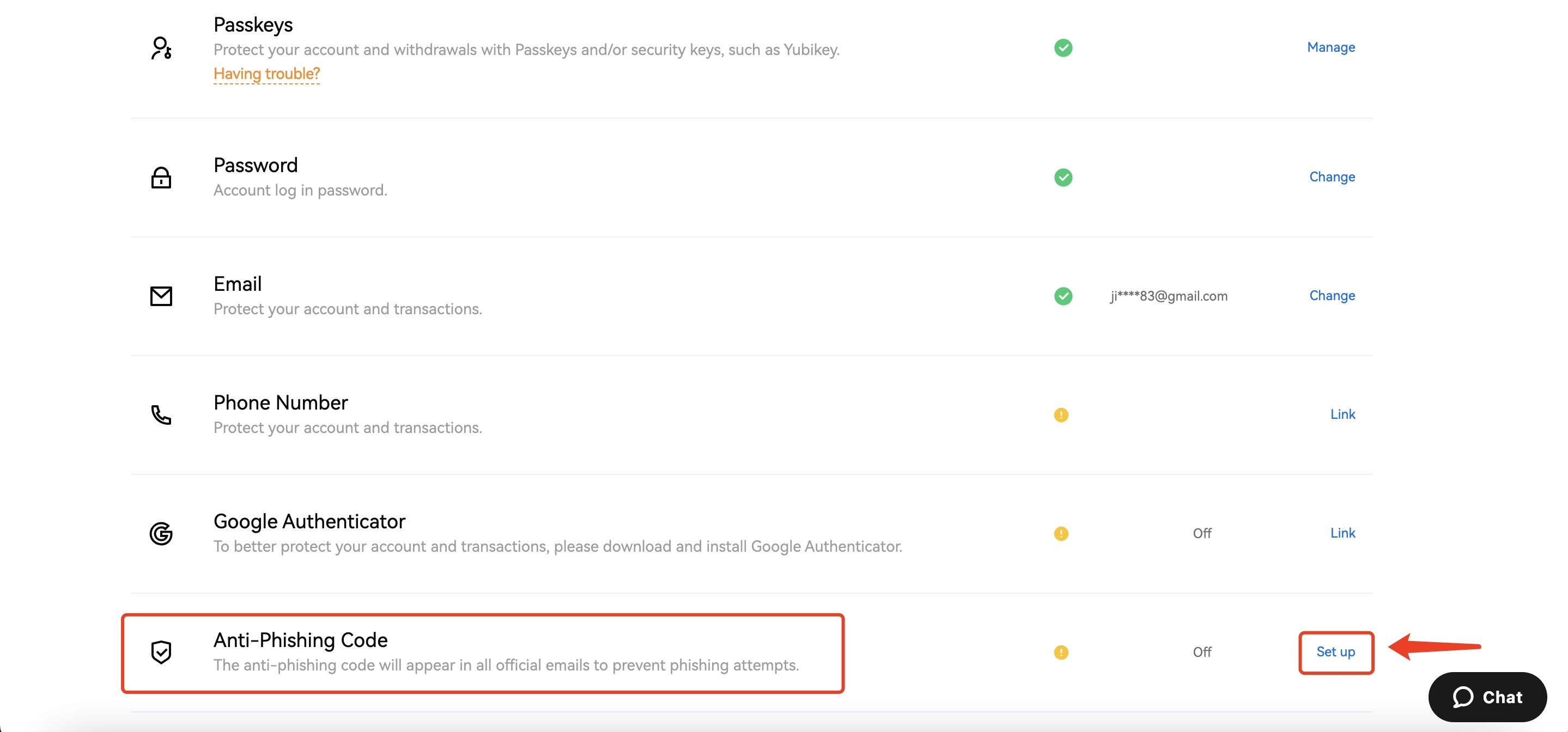
- Scroll down the page, find the Anti-Phishing Code, and click [Set up] to set up your anti-phishing code.
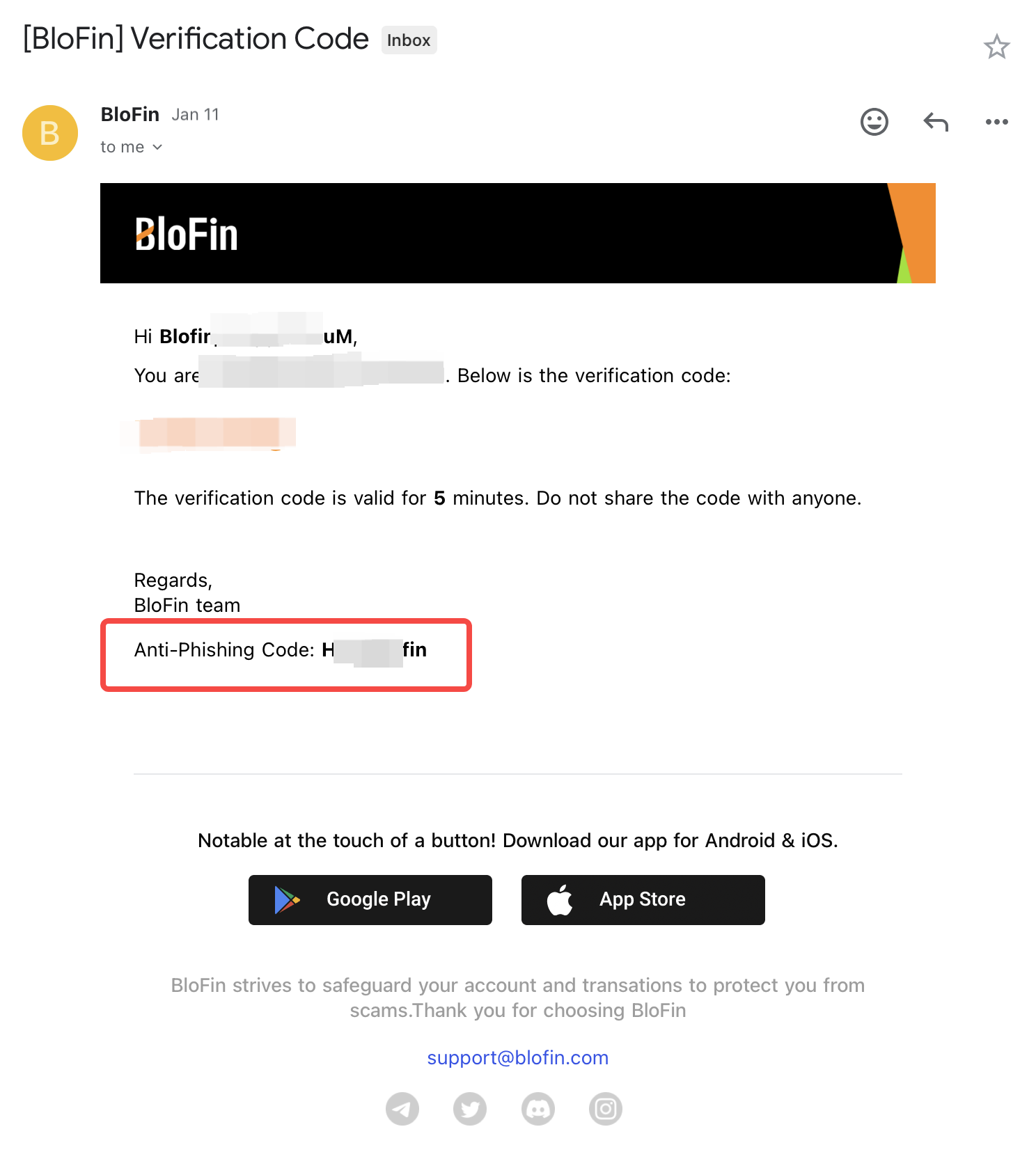
- After the anti-phishing code is set successfully, the code will be present in all official emails from BloFin. Kindly verify its presence whenever you receive emails from BloFin.
If You’ve Been Scammed
- Report the Scam: Contact our support team at [email protected].
- If you’ve fallen victim to a scam, be cautious of further attempts by the same fraudsters. Avoid processing any withdrawals or transfers initiated by strangers.
Further Reading:
- Risk Warning: Recent Fake BloFin Platform Scam
- How to Set Anti-Phishing Code?
- How to Link Google Authenticator (2FA)?
- How to Create a Passkey?
Thanks for your attention and support!
BloFin Team
Jan 2, 2025
Share
Latest Articles
- BloFin Partners with Koinly to Simplify Crypto Tax Reporting
- BloFin Partners with WunderTrading to Expand Advanced Trading Automation and Strategy Management
- BloFin Launches Pre-IPO in Partnership with Realta, Polymarket as the First Listing
- Trade Futures Grid: Unlock 50,000 USDT Rewards
- Copy Trading Rewards: 30,000 USDT + 20% Fee Rebates