
Spot Copy Trading Guide (Lead Traders)
January 16, 2026 at 05:00 PM1.What is spot copy trading?
Spot copy trading is an innovative feature that enables users to copy real-time trades of experienced traders, also known as lead traders. This allows lead traders to showcase their trading skills and decision-making expertise, enhancing their professional reputation and credibility. Additionally, they can unlock extra rewards from ongoing campaigns and earn a share of profits from traders who copy their trades.
2.How to manage spot copy trading assets?
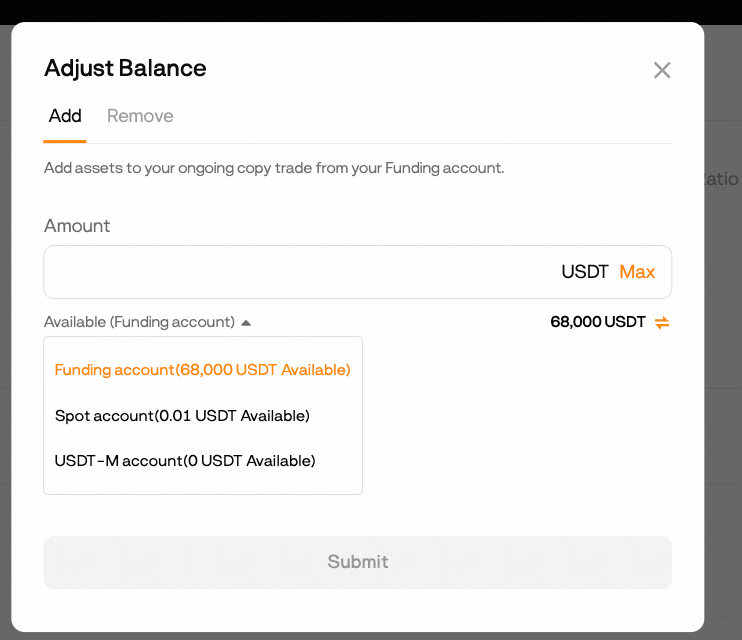
To begin spot copy trading as a Lead Trader, you must first transfer the assets you wish to use from your Spot, Funding, or USDT-M Account into your dedicated Spot Copy Trading Account.
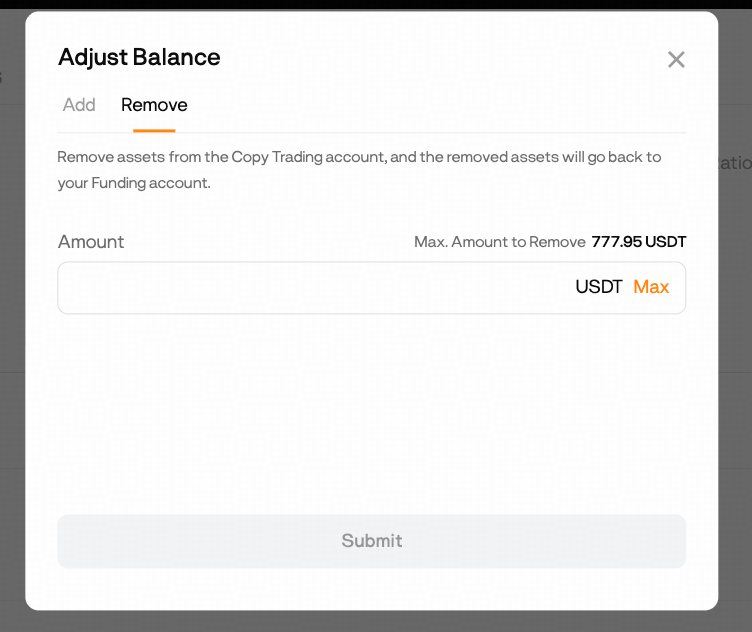
This transfer isolates your copy trading capital. Once transferred, these assets cannot be withdrawn, transferred out, or used for any other trading activities for the duration of the copy trading session.
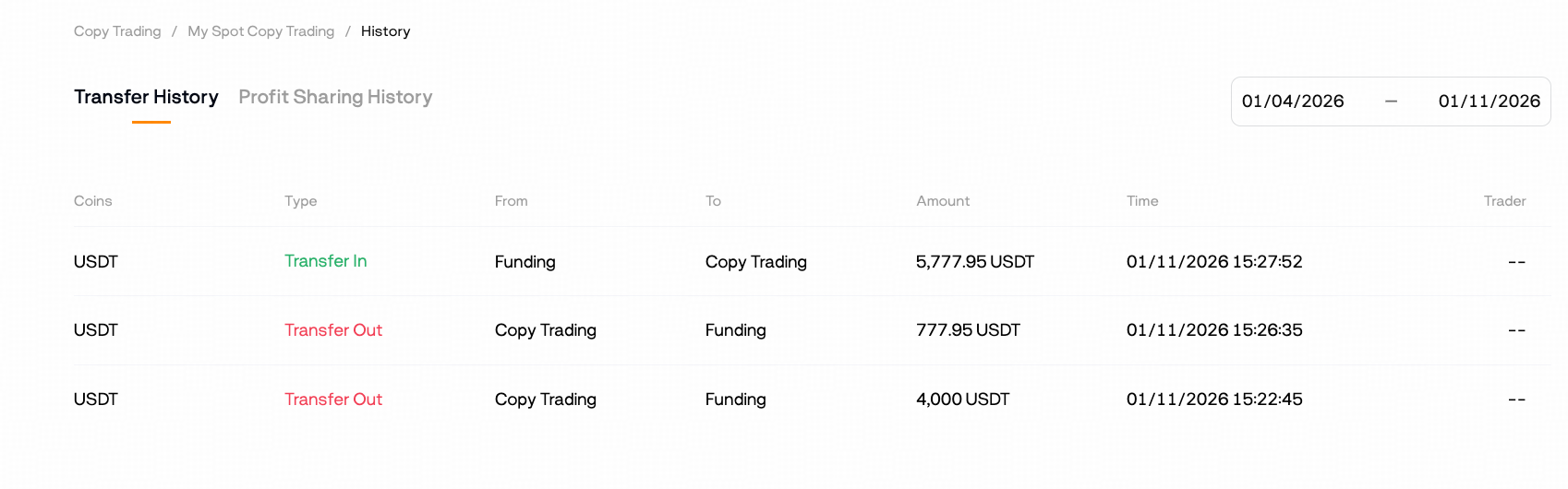
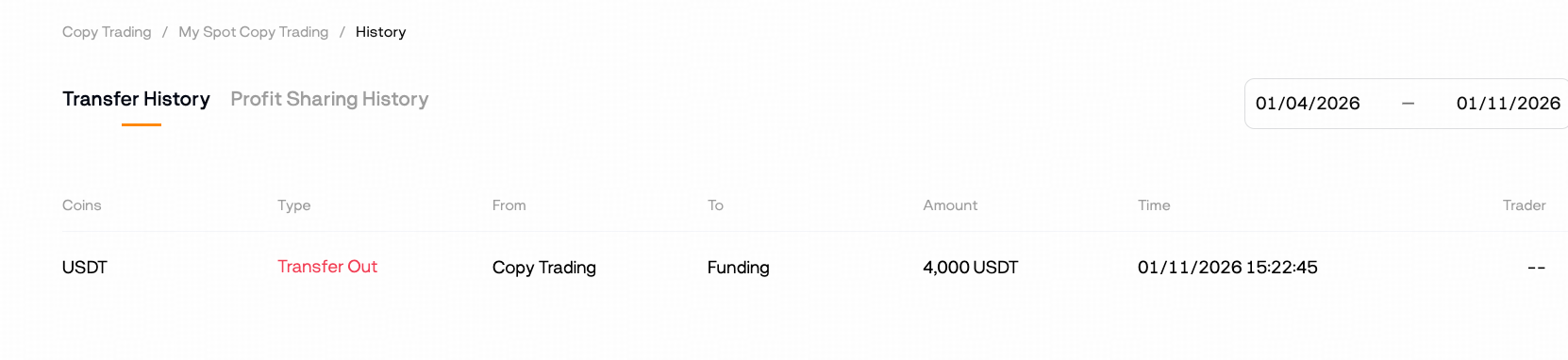
Important: Assets in your spot copy trading account are not directly withdrawable. To withdraw funds, you must first transfer them back to your Funding Account once your copy trading session has ended; all transfer activity can be verified in your Transfer History.
3.How to become a Lead Trader for spot copy trading?
To qualify as a Lead Trader, you must first have a verified BloFin account. Once verified, follow these steps:
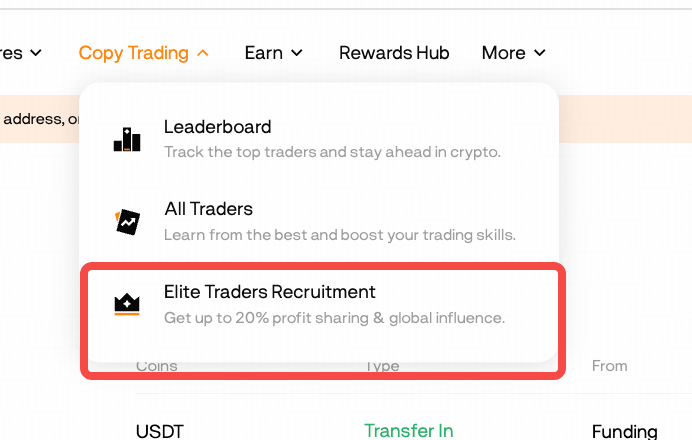
a. Log into your account and navigate to [Copy Trading].
b. Select [Elite Traders Recruitment] and then click [Become a Lead Trader] to begin the application process.
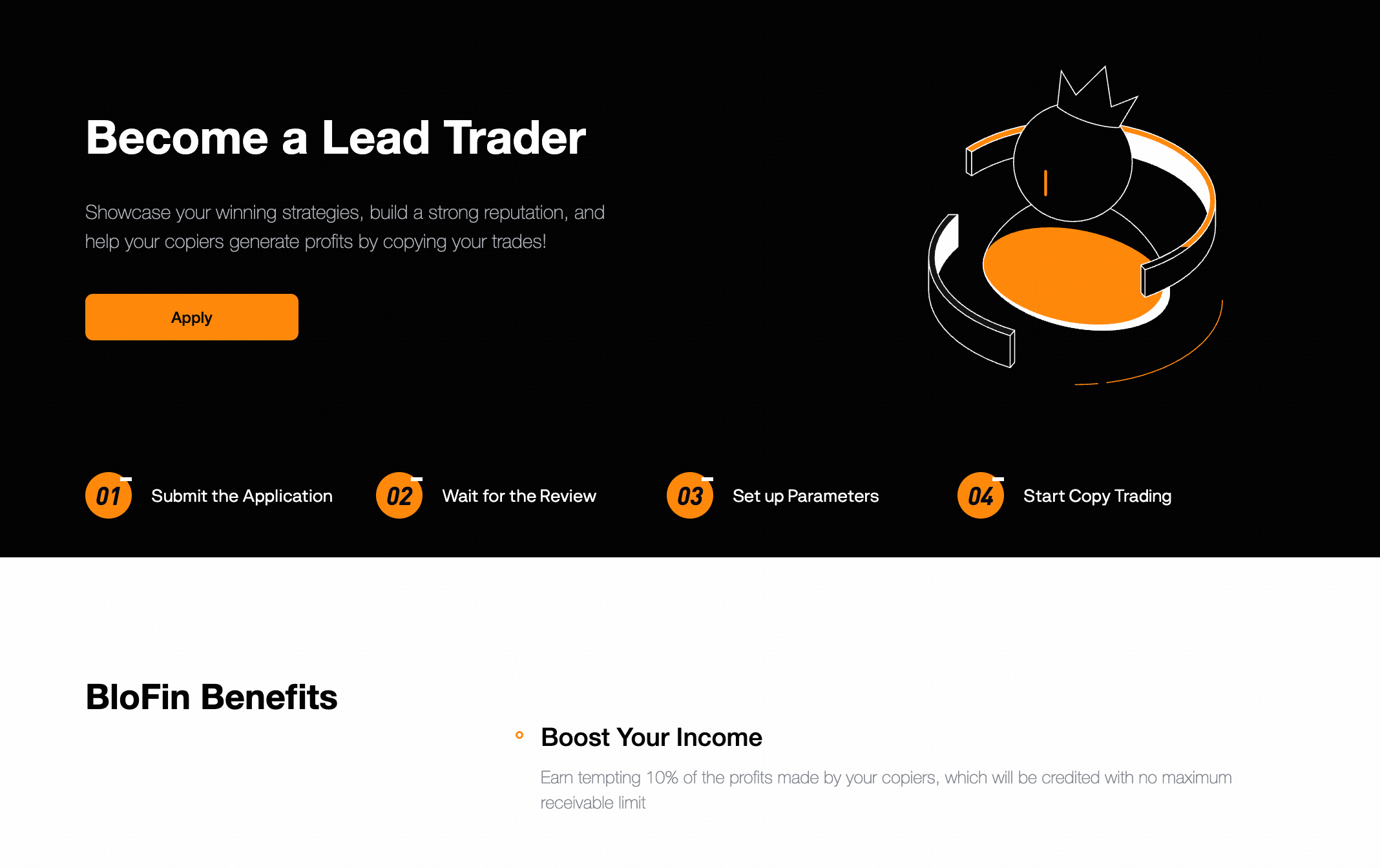
c. Select your focus (Futures or Spot Lead Trader) and set up your profile.
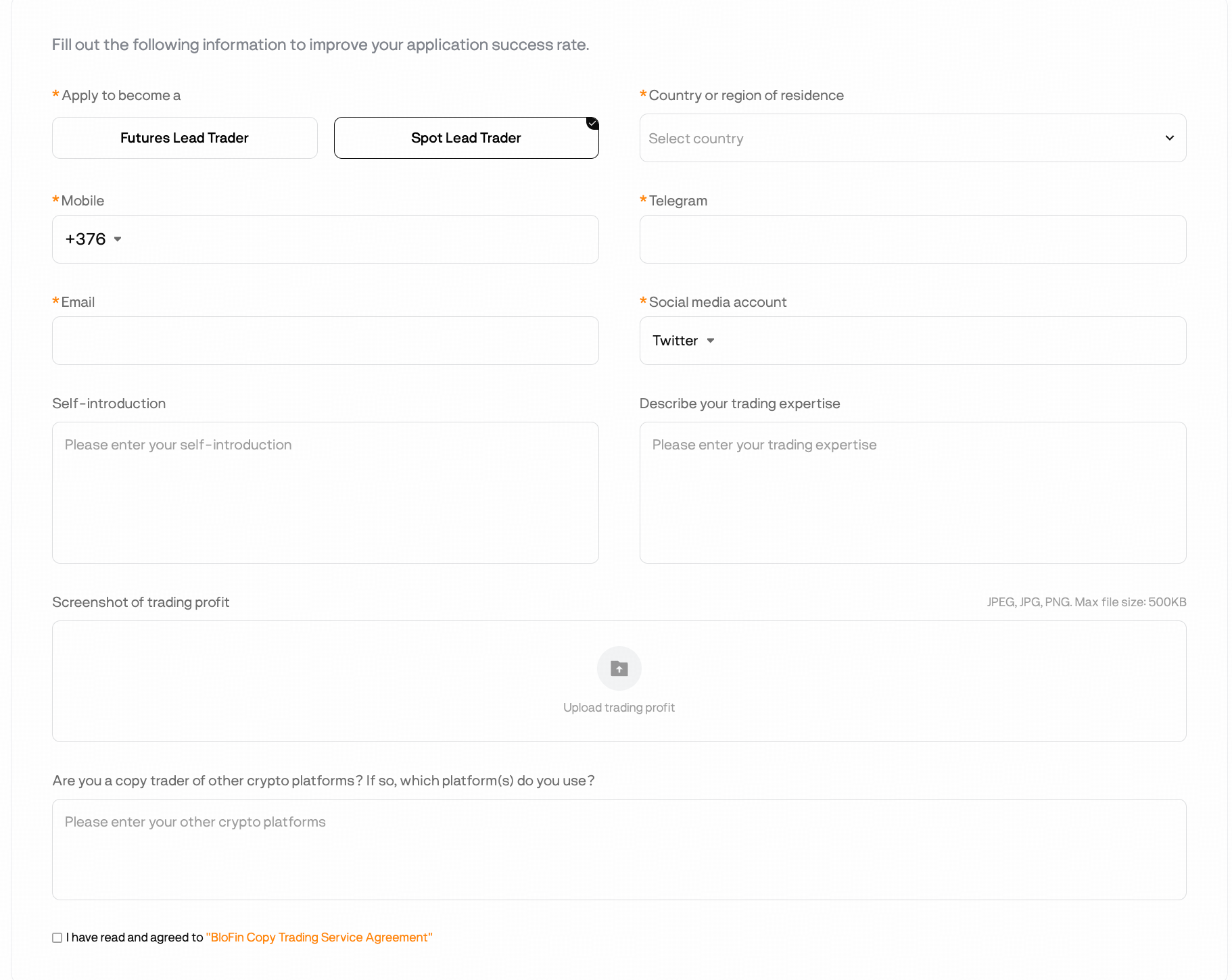
d. Read the User Service Agreement, check the box for "I have read and agreed to the BloFin Copy Trading Service Agreement", and click [Apply] to submit.
4.How to do lead trade?
a. Log in to your Lead Trader Account
b. Navigate to Copy Trading > [Spot] > My Lead Trades, and then click [Open Positions]
5.How to place a lead trade?
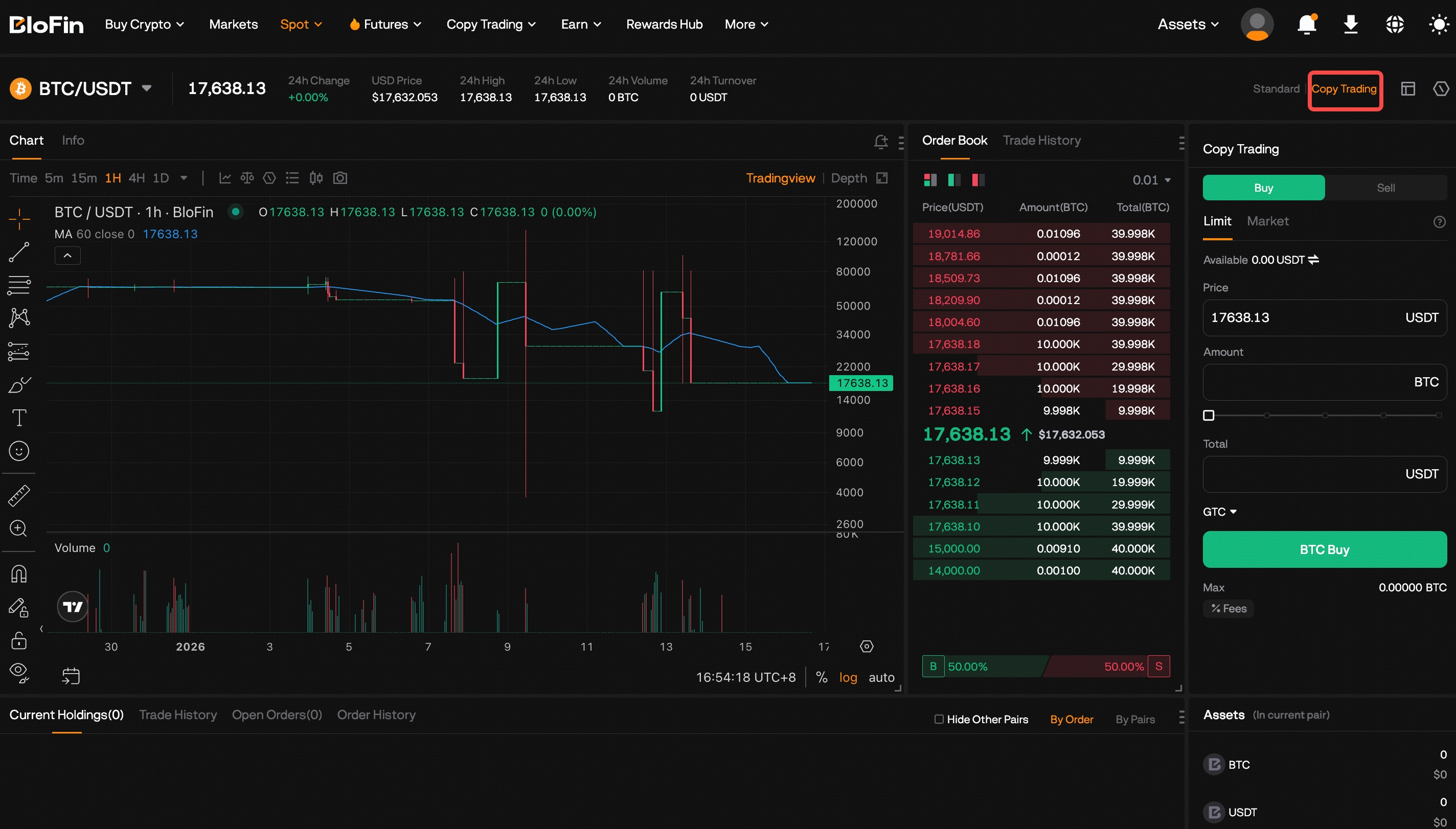
To ensure a seamless experience, the Spot Copy Trading interface mirrors the standard Spot Trading layout. To place a lead trade:
a. Search for your desired trading pair at the top.
b. Enter your order details in the trade panel.
c. Select the order type for your copy trade by clicking the [Copy Trading] tab at the top.
6.How much profit can a lead trader share?
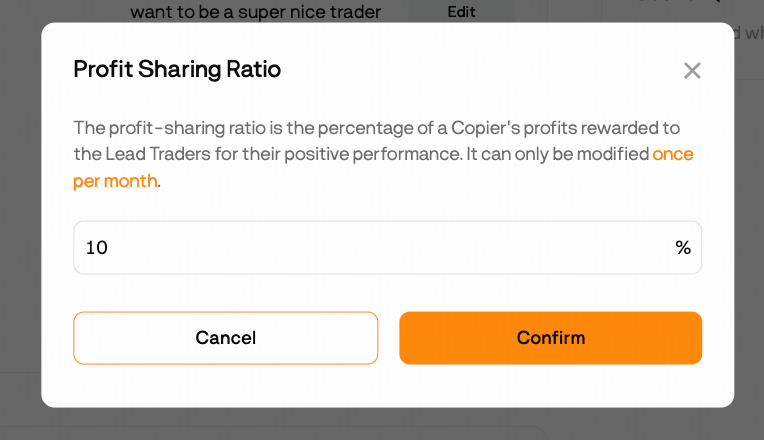
A Lead Trader can share up to 10% of the profits earned for their copiers. The profit-sharing ratio can be adjusted by the Lead Trader once per month.
7.Why was my lead trade not executed?
A lead trade may fail to be placed for several reasons:
a. Insufficient account balance
b. Unfilled limit orders: Copy trades are not placed until the Lead Trader's limit order is completely filled.
c. Maximum token limit reached: If the total copy trading value for a token exceeds the platform's limit, new lead trades cannot be placed.
8.How to calculate the profit to be settled?
Settlement occurs once all positions for a lead trade have been closed. The Lead Trader's share is then automatically transferred to their Funding Account on a fixed, regular cycle.
9.What can cause my copiers' copy trading to Fail?
A copier's copy trade may fail to execute for the following reasons:
a. Insufficient balance in the copy trading account.
b. Unfilled limit orders: Copy trades are not placed until the Lead Trader's limit order is completely filled.
c. Maximum token limit reached: If the total copy trading value for a token exceeds the platform's limit, new lead trades cannot be placed.
d. Order size below minimum: The copier's order value is less than the minimum trade amount required.
Was this article helpful?