
Multi-Position FAQ
July 22, 2026 at 05:57 PM1. What is Multi-Position?
Multi-Position is a futures position management mode that lets you open and manage multiple independent positions under the same trading pair and direction.
In the standard mode, multiple BTCUSDT long orders are merged into a single long position. With Multi-Position enabled, each eligible order creates its own separate position, giving you full independent control over each one.
Each position has its own:
- Margin
- Leverage
- Unrealized PnL
- TP/SL settings
- Add Position control
- Close Position control
2. What are the benefits of Multi-Position?
Multi-Position gives you greater flexibility to run and manage multiple trading strategies.
With Multi-Position, you can:
- Separate and track multiple strategies under the same contract
- Set independent Take Profit and Stop Loss (TP/SL) for each position
- Adjust leverage on one position without affecting the others
- Add to or close any position independently
- Monitor the PnL of each position separately
3. How is Multi-Position different from the standard position mode?
In the standard mode, all positions under the same trading pair and direction are automatically merged into a single position.
In Multi-Position mode, each eligible order creates its own independent position. Multiple positions under the same pair and direction can coexist and be managed separately.
4. How can I enable Multi-Position?
You can enable Multi-Position from the Futures trading page.
Web
Trading Page → Settings → Position Mode → Multi-Position
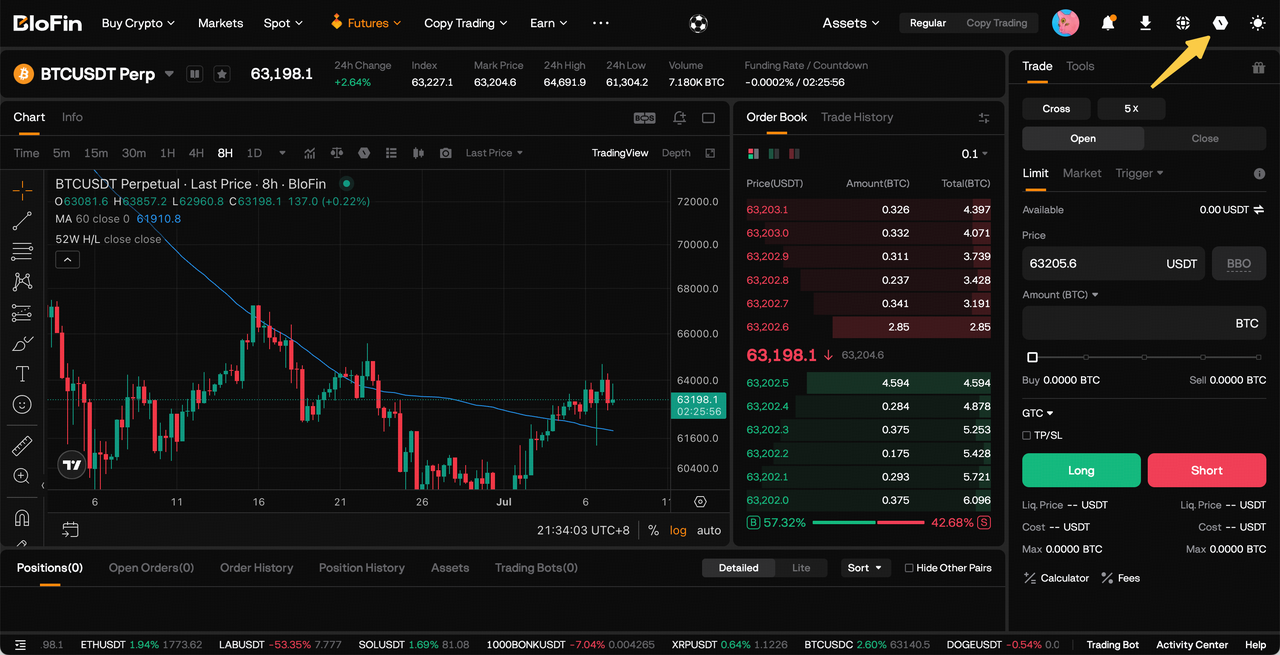
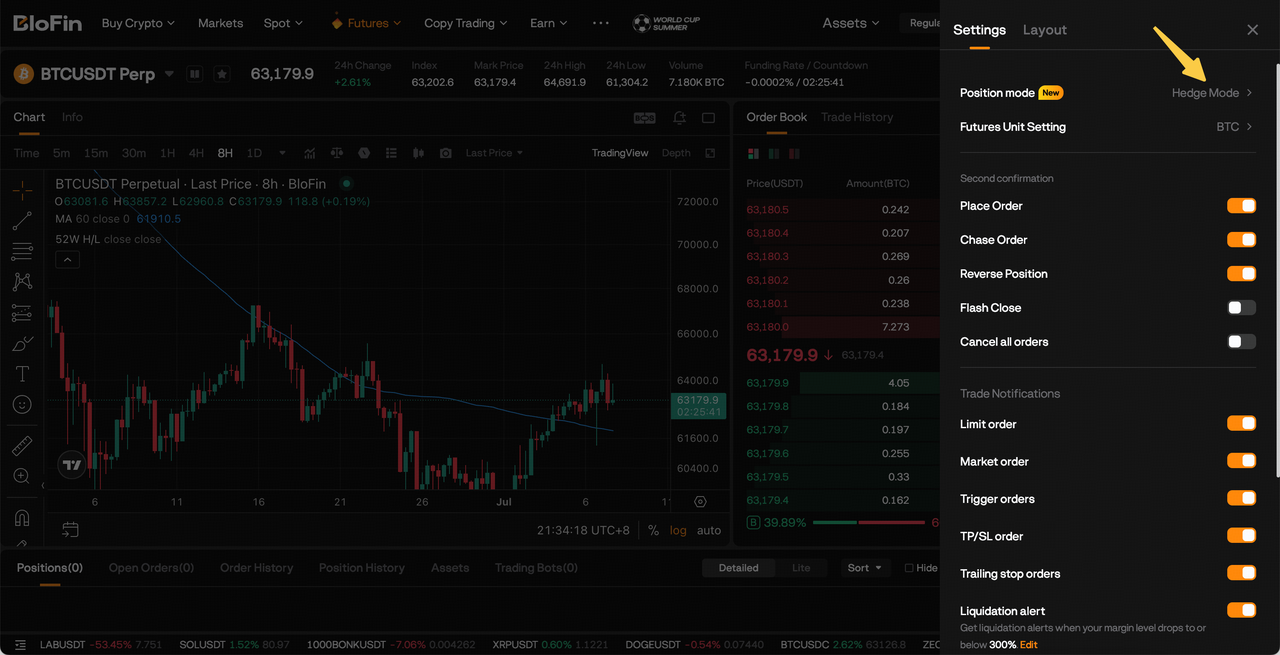
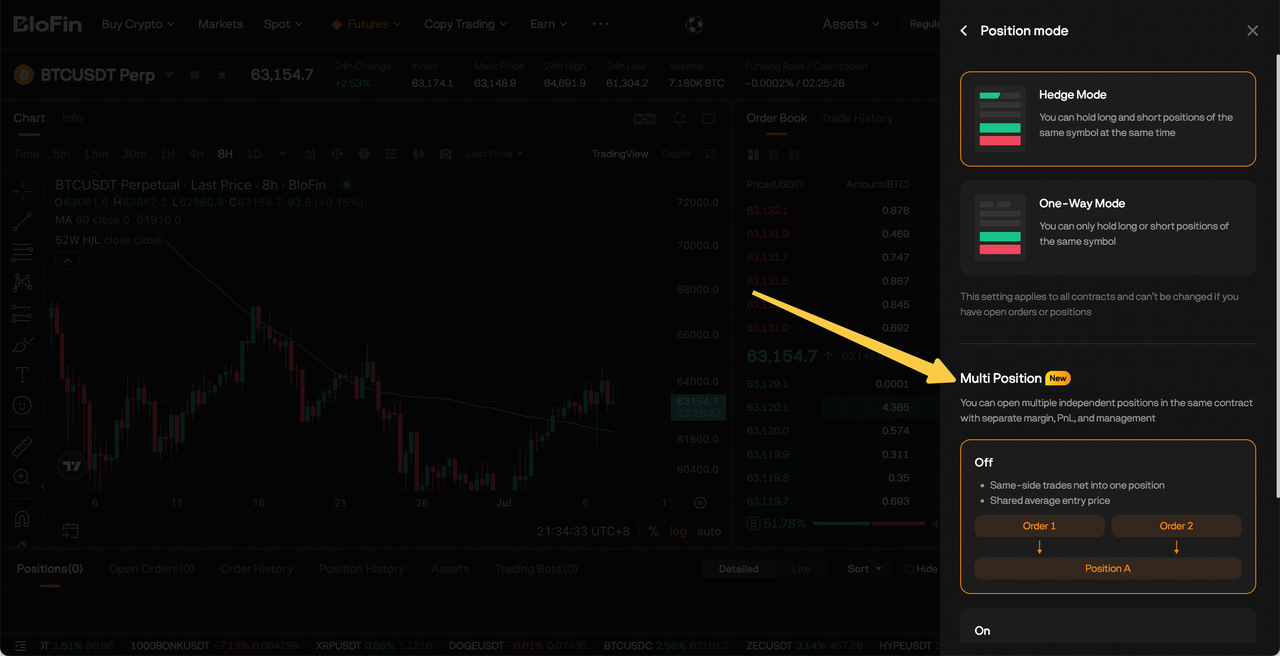
App
Trading Page → Settings → Position Mode → Multi-Position
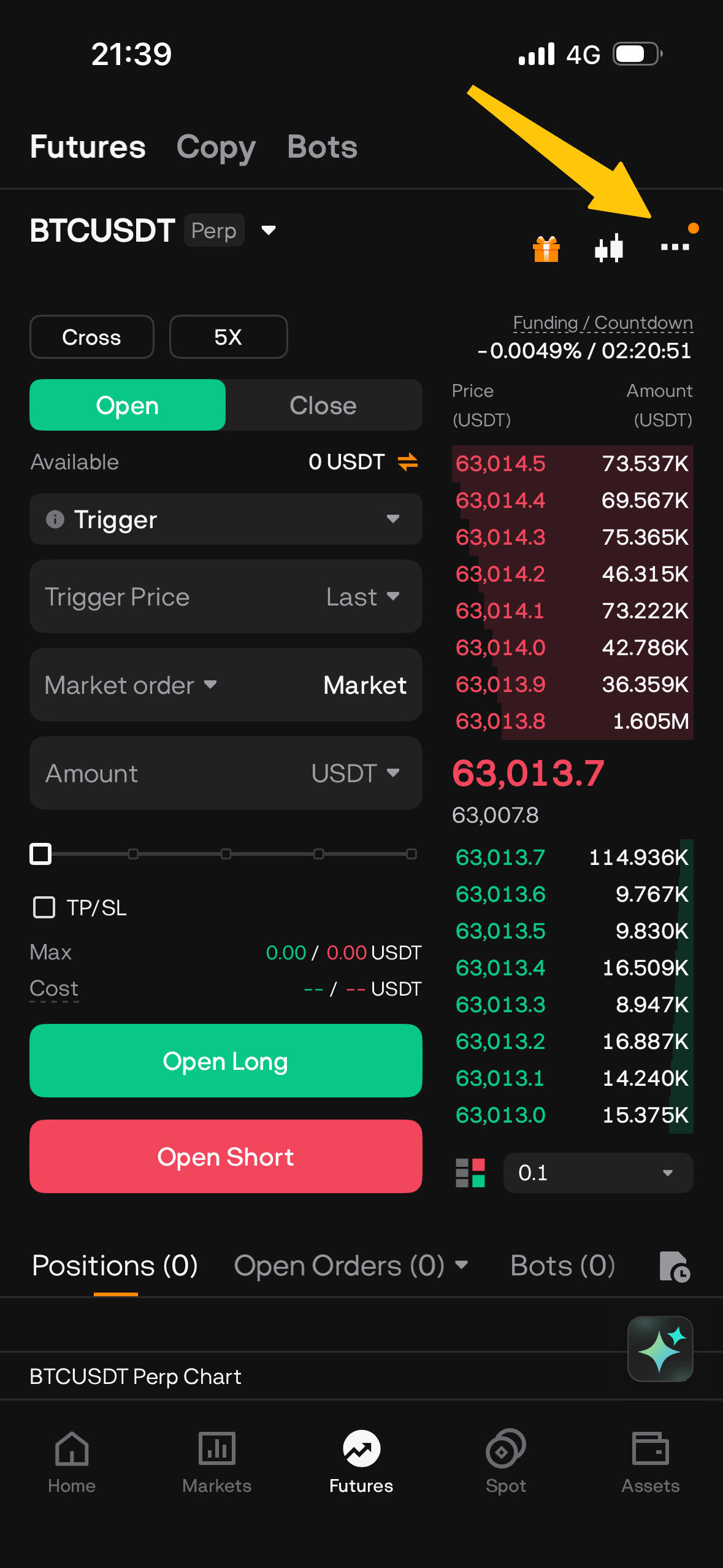
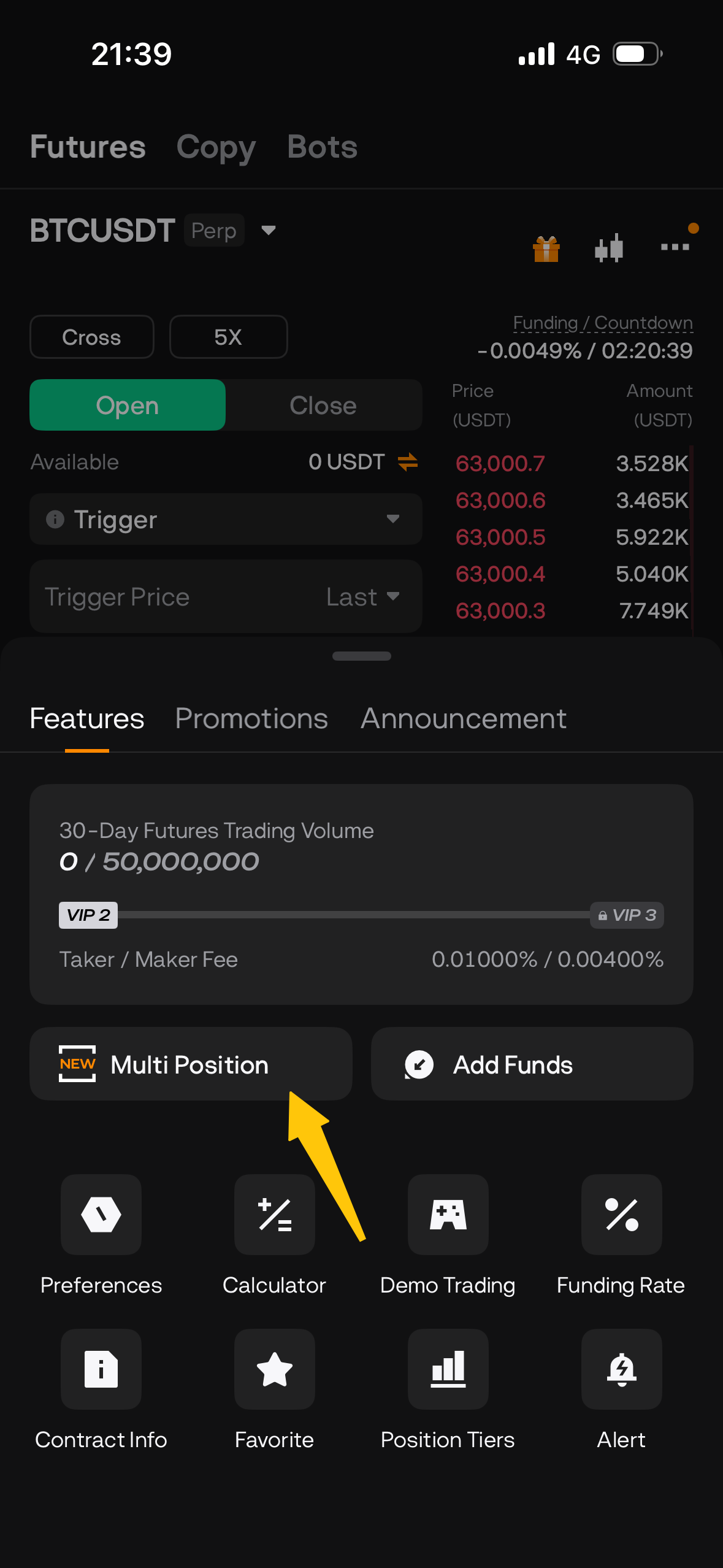
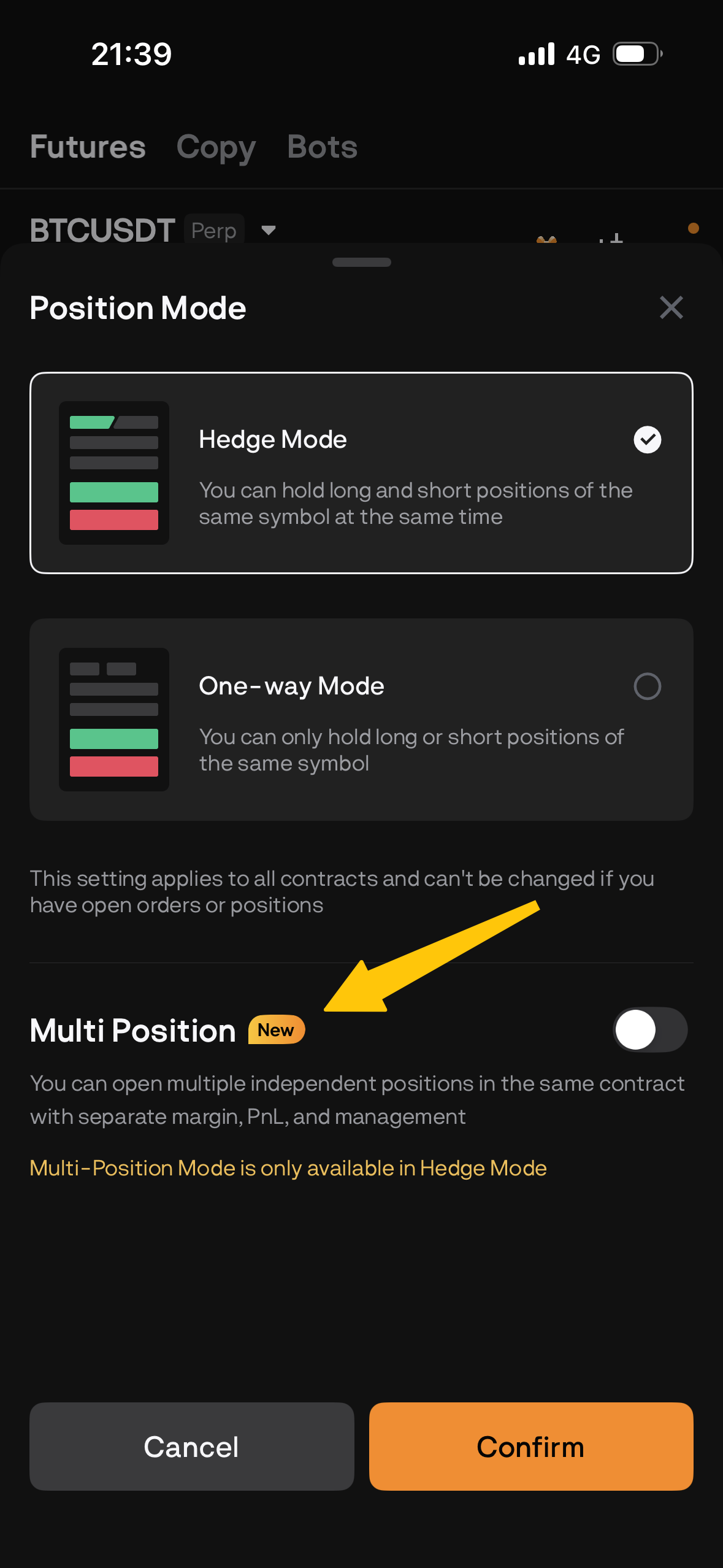
Once Multi-Position is enabled, the Multi-Position label will appear in both the order panel and the position list.
5. What are the requirements for enabling Multi-Position?
The following conditions must all be met before enabling or disabling Multi-Position:
- Your account is in Futures trading mode
- Your account uses Single-Currency Margin mode
- Hedge Mode is enabled
- You have no open positions
- You have no open orders
If you have existing positions or open orders, close all positions and cancel all open orders before switching modes.
6. What trading scenarios are supported?
Multi-Position is available for both USDT-Margined Futures and Coin-Margined Futures, and supports the following order types:
- Limit Order
- Market Order
- TP/SL Order
- Trigger Order
- Trailing Stop Order
Scaled Orders and TWAP Orders are also supported, though all child orders from the same Scaled Order or TWAP are grouped under a single Multi-Position rather than split into separate positions.
7. What scenarios are not supported?
Multi-Position is currently not supported for:
- Spot Trading
- Multi-Currency Margin mode
- One-Way Mode
- Copy Trading
- Trading Bots (Signal Bot, Futures Grid, and Futures DCA)
If you're on an older version of the app, Multi-Position information may not display correctly. Update to the latest version for the best experience.
8. How does leverage work in Multi-Position mode?
Each Multi-Position maintains its own leverage setting.
- Adjusting leverage from the Position panel only affects the selected position.
- Adjusting leverage from the Order panel only applies to newly opened positions. Existing positions remain unchanged.
9. How does Add Position work?
You can add to an existing Multi-Position from the Position List or Position Details page.
Adding to a position only affects the selected position and does not impact any other positions under the same trading pair.
Both Market Orders and Limit Orders are supported.
10. How does closing a position work?
Closing a Multi-Position only closes the selected position.
Any other positions under the same trading pair and direction remain unaffected.
11. How do tier limits work in Multi-Position mode?
Multi-Position uses its own independent tier configuration, separate from the standard position mode.
When placing a new order or adjusting leverage, the system evaluates the combined size of all positions and open orders under the same contract and direction to determine whether the Multi-Position tier limit has been exceeded.
12. Where can I view Multi-Position tier information?
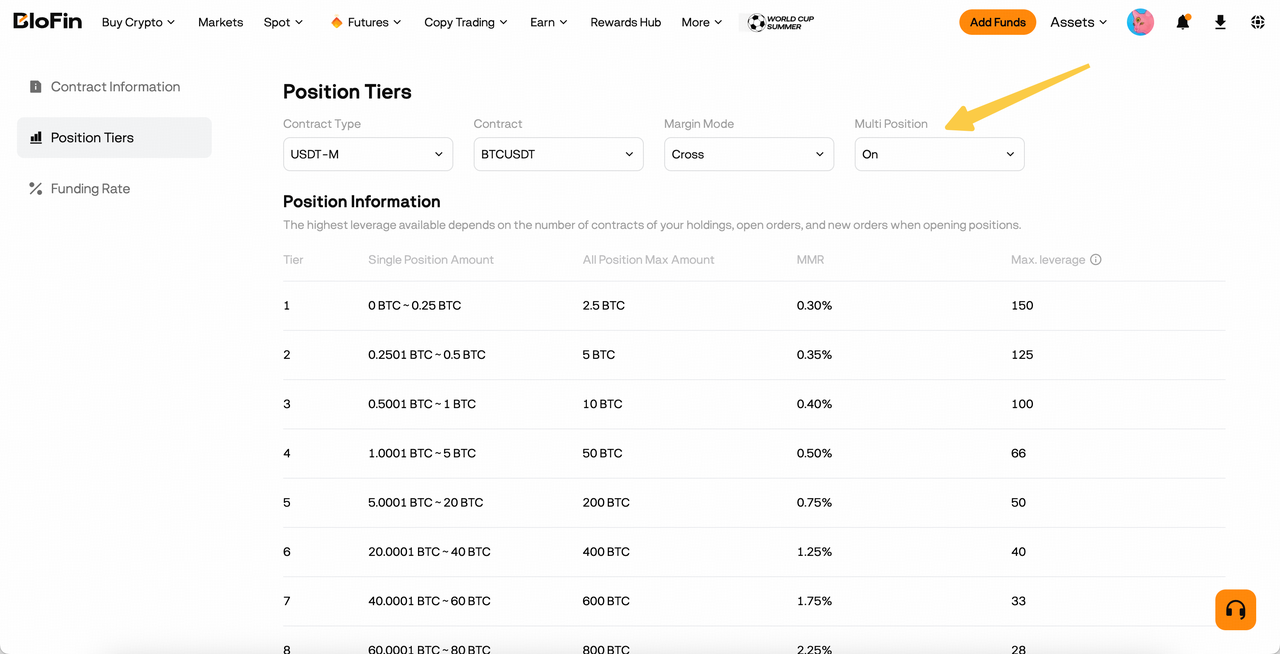
You can view Multi-Position tier information on the Futures Tier page, which includes a Multi-Position filter showing the applicable tier limits and related rules.
13. Can I switch to Multi-Position Mode while I have open positions?
No. You must close your existing positions and cancel all open orders first before switching to Multi-Position Mode.
Important: Switching the mode itself will not automatically close your positions or cancel your orders. You need to manually close/cancel them before the mode can be changed.
Summary
Multi-Position is designed for traders who need more flexible futures position management. It lets you maintain multiple independent positions under the same contract, manage leverage and TP/SL settings separately, and run different trading strategies without affecting your existing positions.