
How to Get Started with Futures Grid Bot on BloFin App
December 17, 2025 at 11:06 PMHere’s a step-by-step guide to creating your first Futures Grid Bot on BloFin App.
Trade via Futures Trading Page
Step 1: Please click on Futures → Grid in the navigation bar to enter the BloFin Futures Grid page.
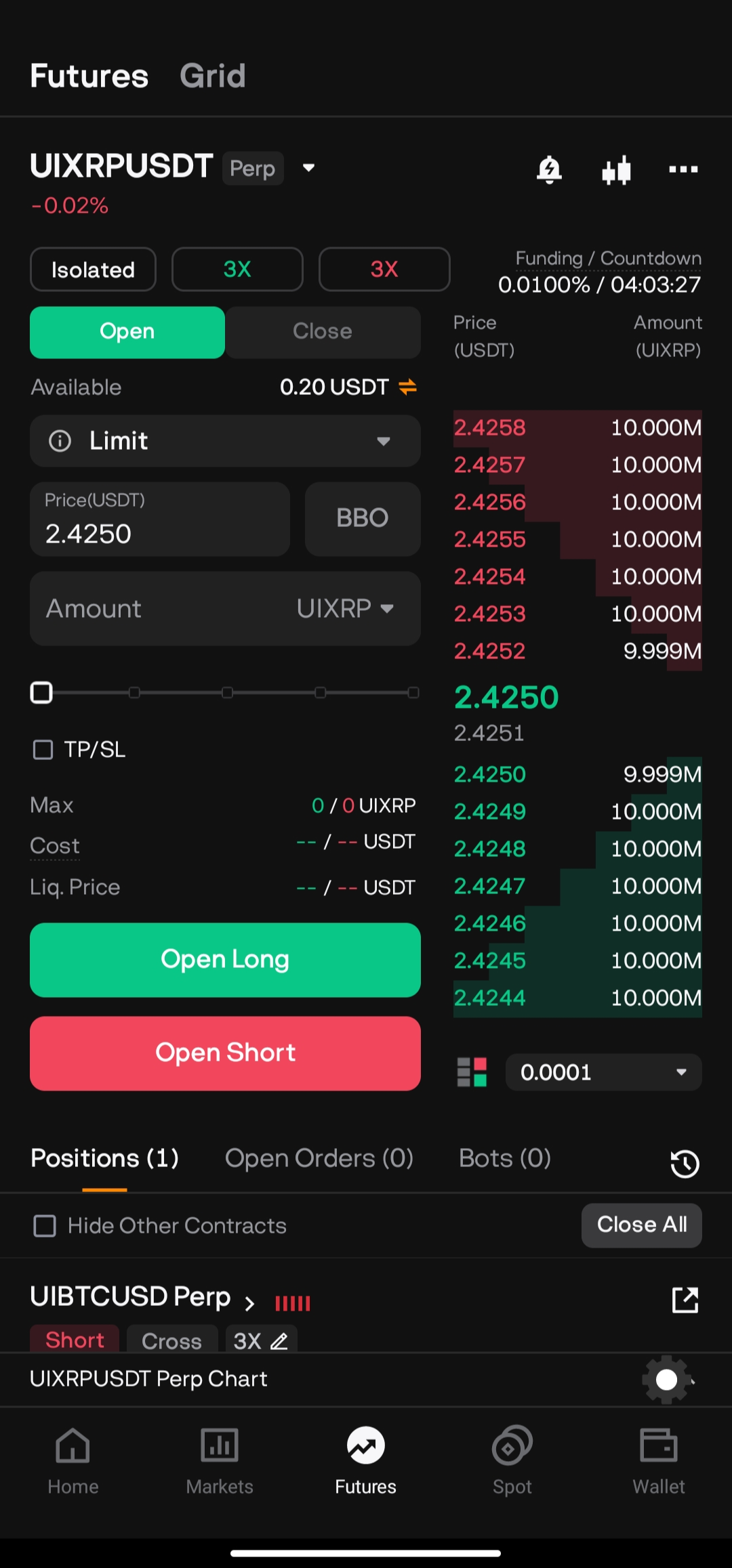
Step 2: The maximum amount of Futures Grid Bots can be created is 20 bots. You can create Futures Grid Bots in two ways:
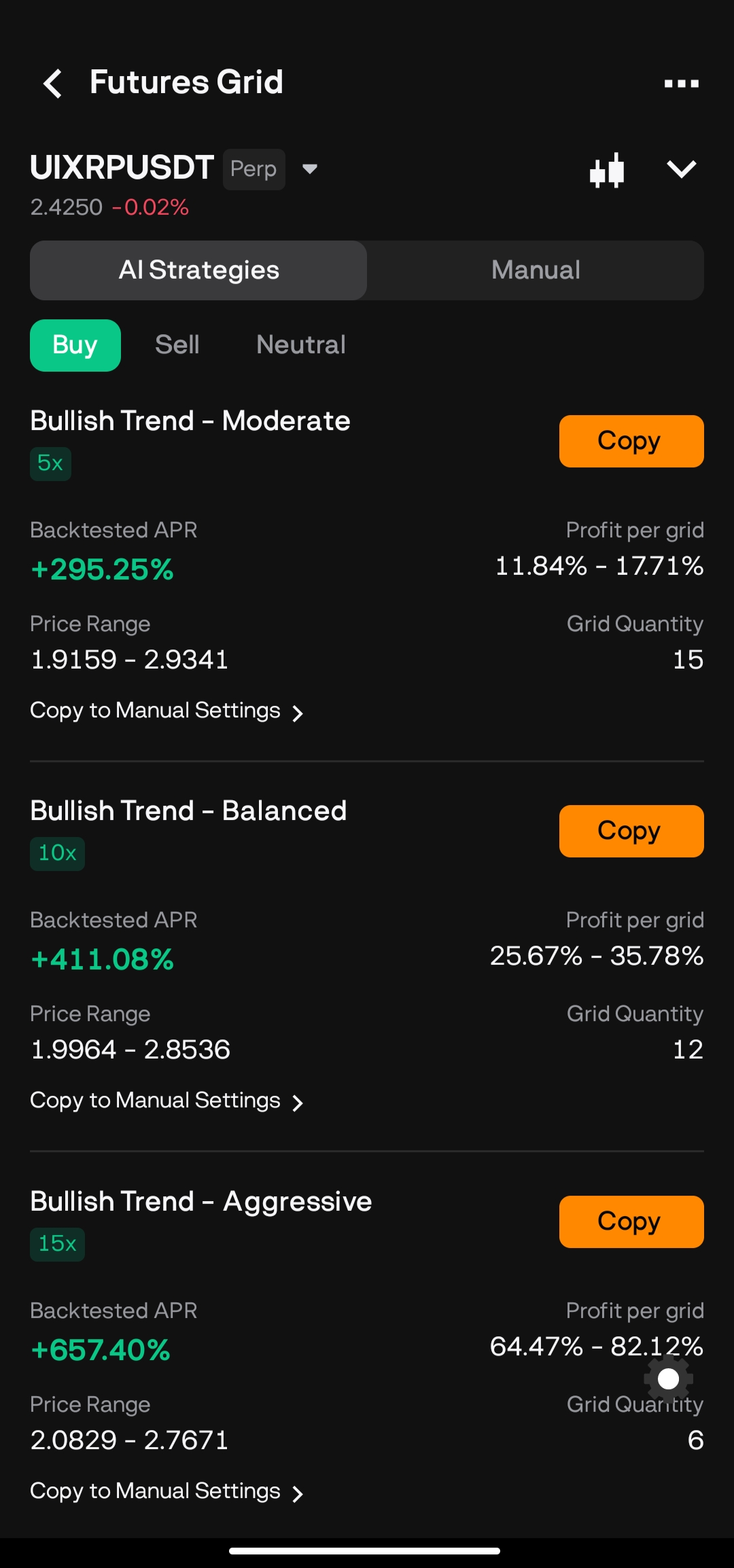
a) AI Strategy
- Futures Trading Pairs: Select Future trading pair
- AI Strategy Type: Select the AI strategy that suits you
- Click on Copy
- Invested Amount: Input the amount to invest
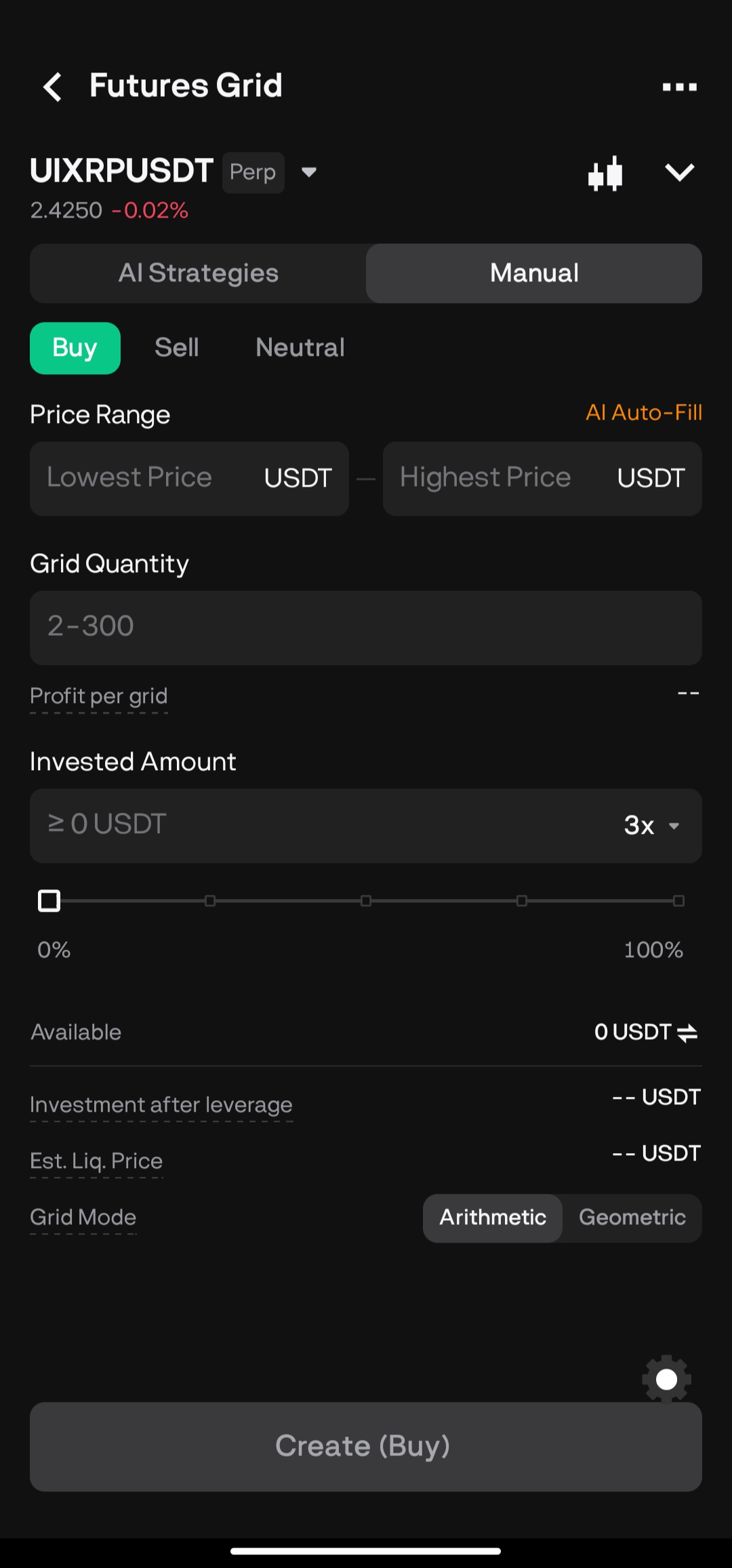
b) Manual
- Contracts: Select contracts trading pair
- Order Direction: Buy, Sell, or Neutral
- Price Range: Set lowest and highest price for the grid range
- Grids Quantity: Choose the grid count (2–300)
- Leverage: Set your preferred leverage
- Invested Amount: Input the amount to invest
Then, click on Create.
Step 4: Please double-check the grid bot information you’ve created, and then click on Confirm to start trading.
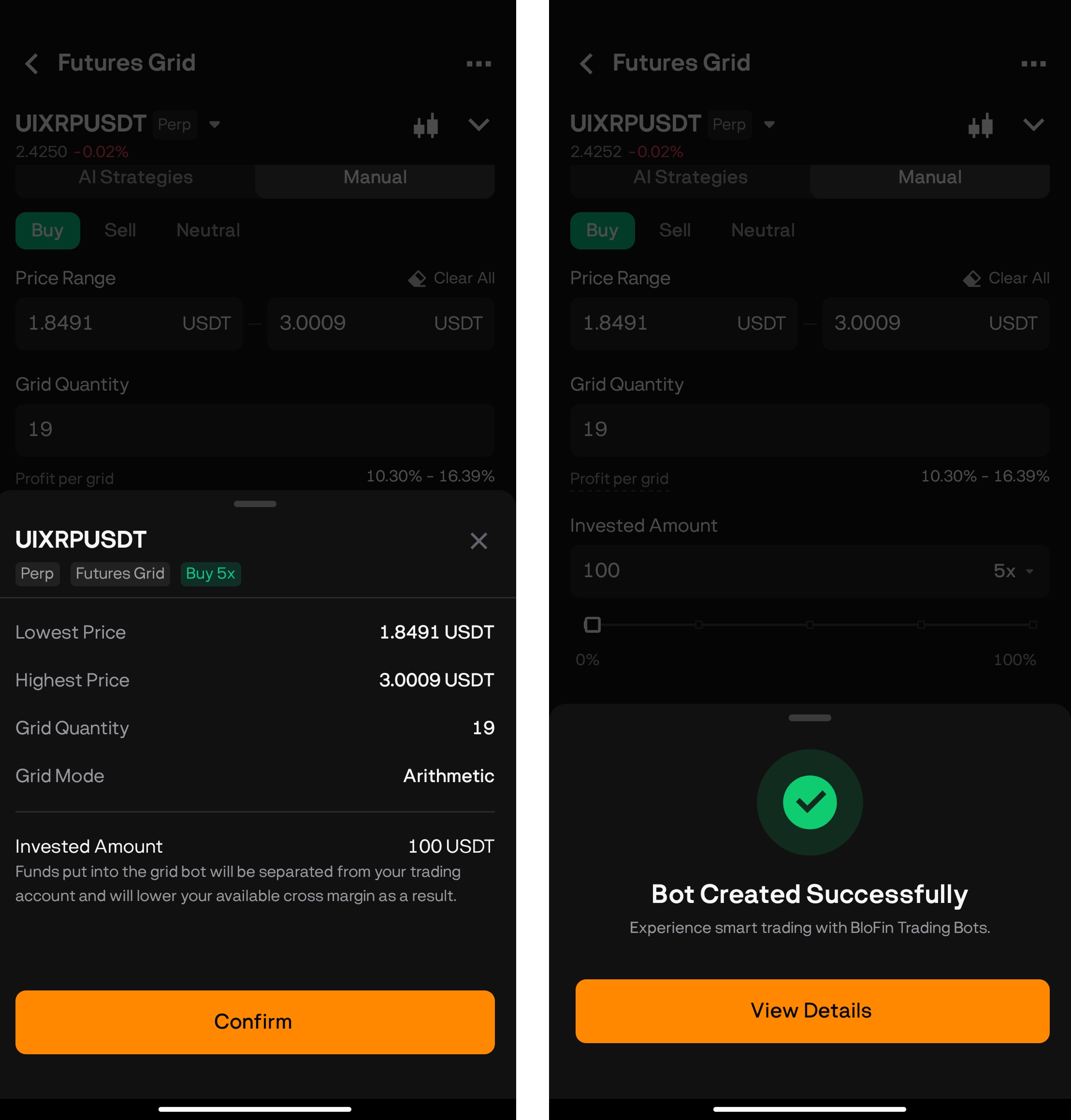
Your Futures Grid Bot has been successfully created!
Was this article helpful?