
What is Sub-Account?
March 6, 2025 at 09:14 PMA sub-account is a secondary account connected to your BloFin account. You can create multiple sub-accounts to diversify your trading strategies and reduce risks. Sub-accounts can be used for Spot and Futures trading.
How do I create a sub-account?
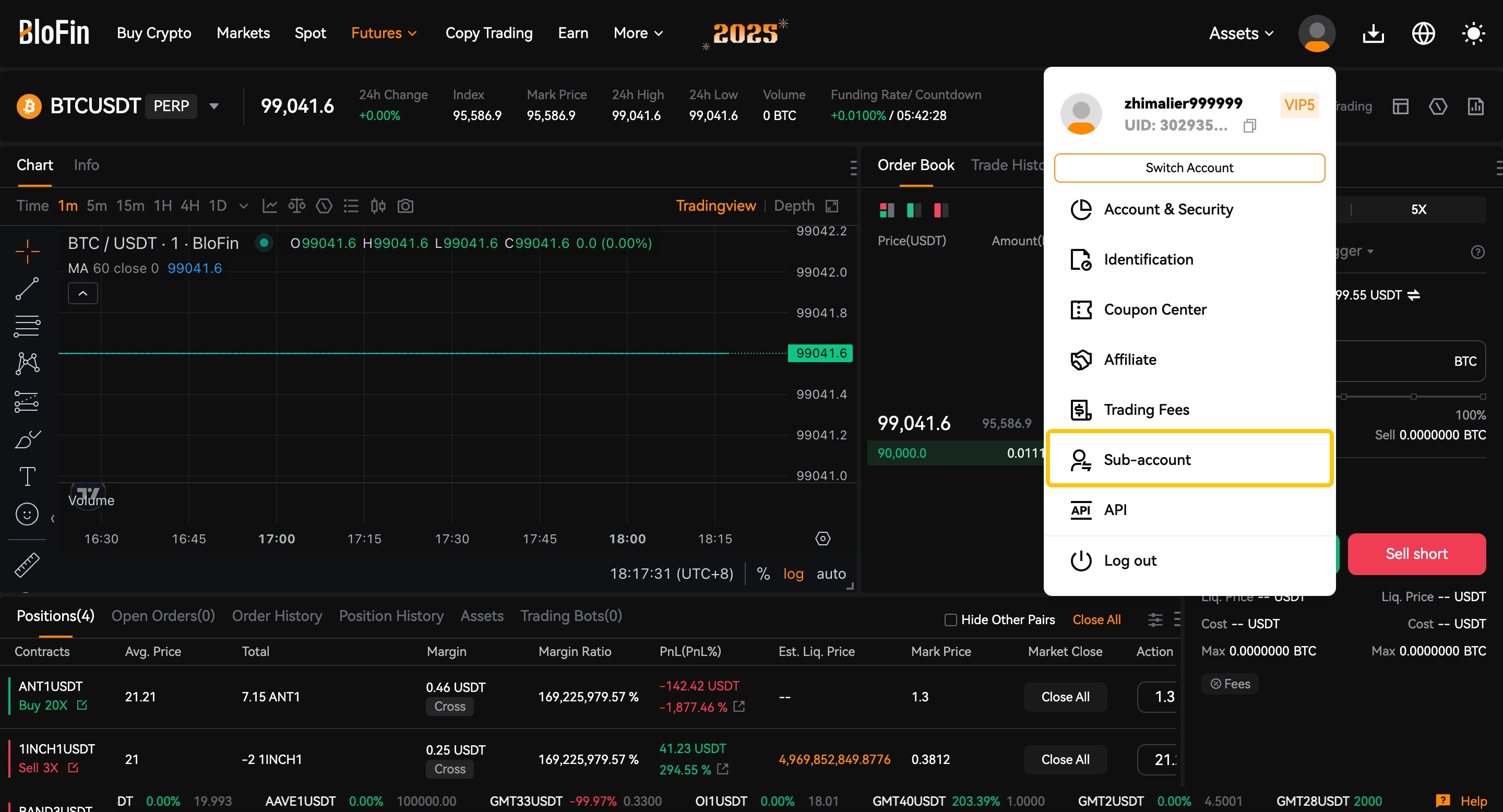
1. Open the BloFin website and log in to your account, click on the [User Avatar] and select [Sub-account].
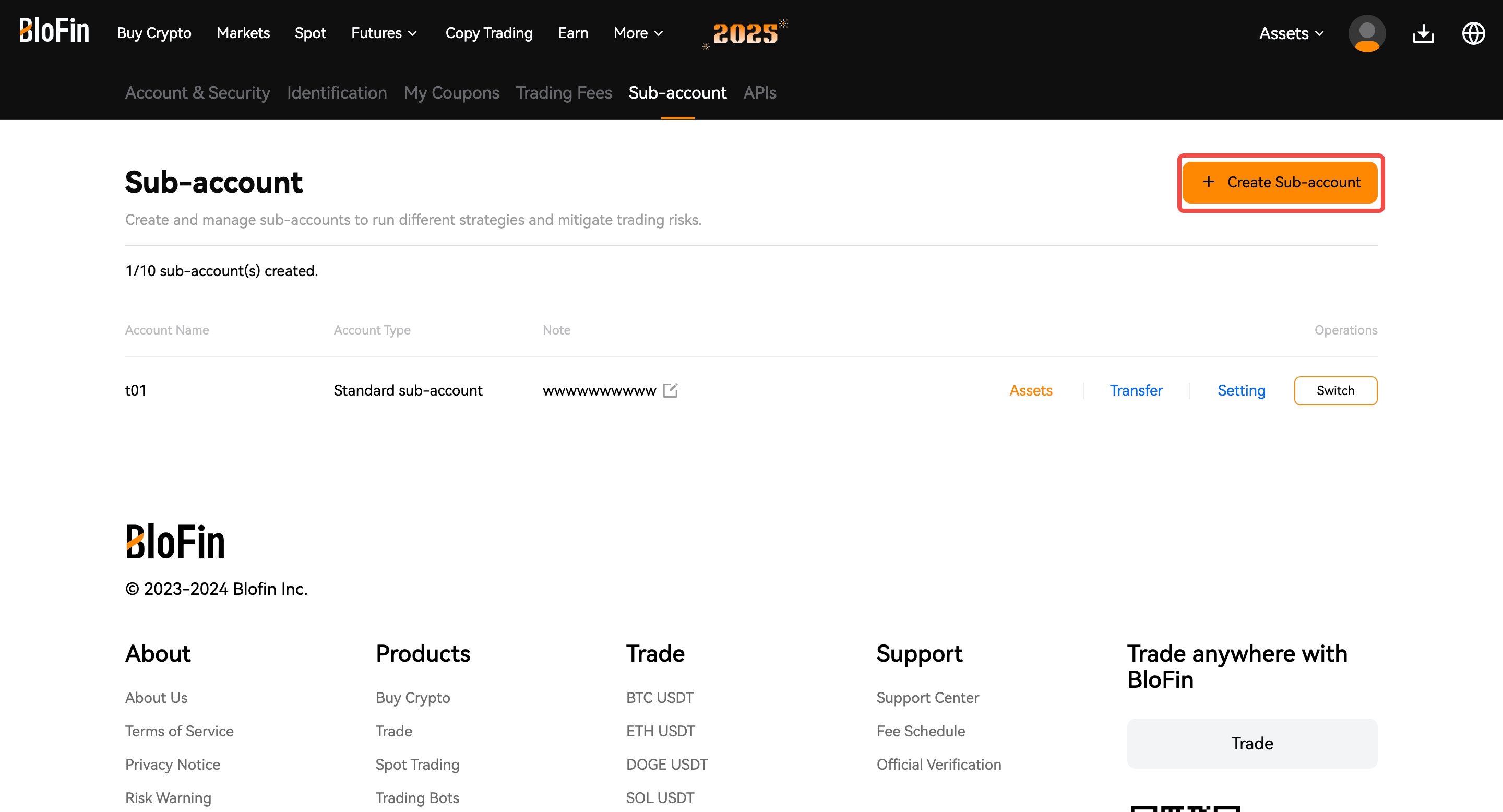
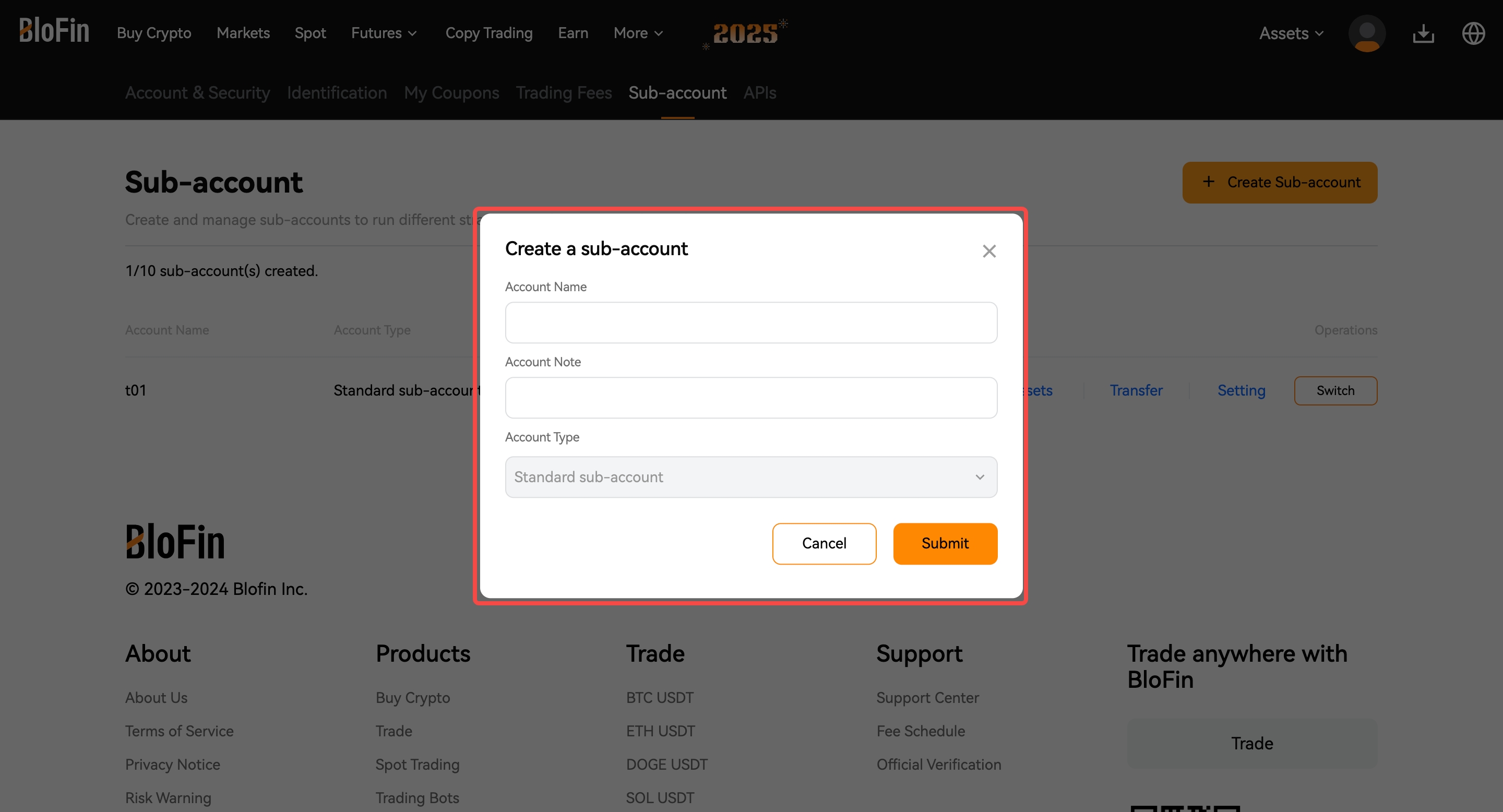
2. Click on the [+Create Sub-account], then enter your Account Name and select Account Type.
Standard sub-account: you can separate your funds to run different trading strategies by transferring funds into your sub-account. However, you're not allowed to perform withdrawals in sub-accounts.
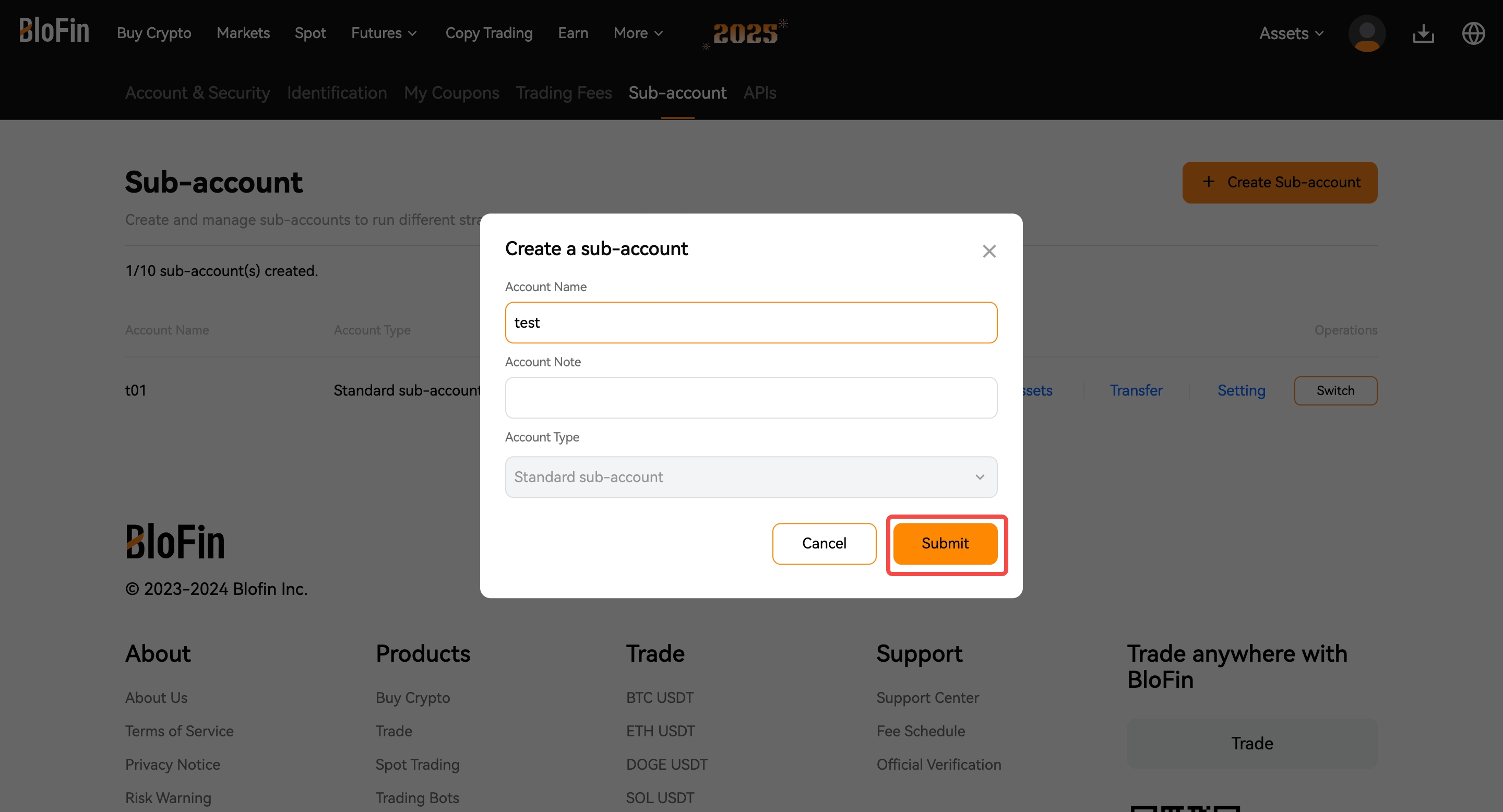
3. Confirm your information and click [Submit].
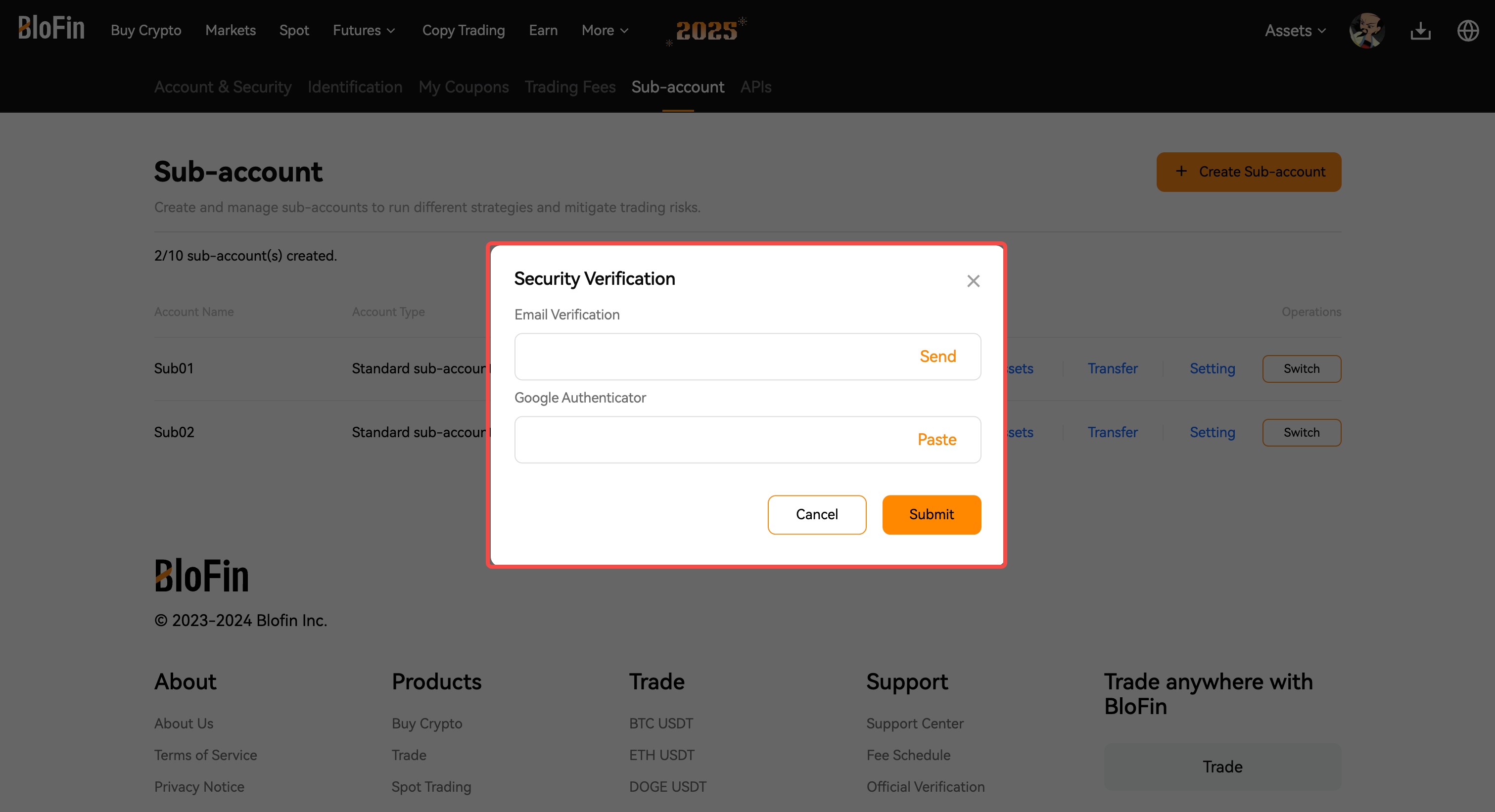
4. Fill in and Confirm the security verification to complete your sub-account creation.
Note:
Each user can create up to 10 sub-accounts.
Sub-accounts can engage in spot trading, futures trading, and API trading, but only if the main account allows it and configures permissions.
How do I log in to my sub-account?
There are two ways to log into your Sub-account: click [Switch Account], or select [Sub-account].
2. Click [User Avatar], then select [Switch Account] to switch between your sub-accounts and the main account.
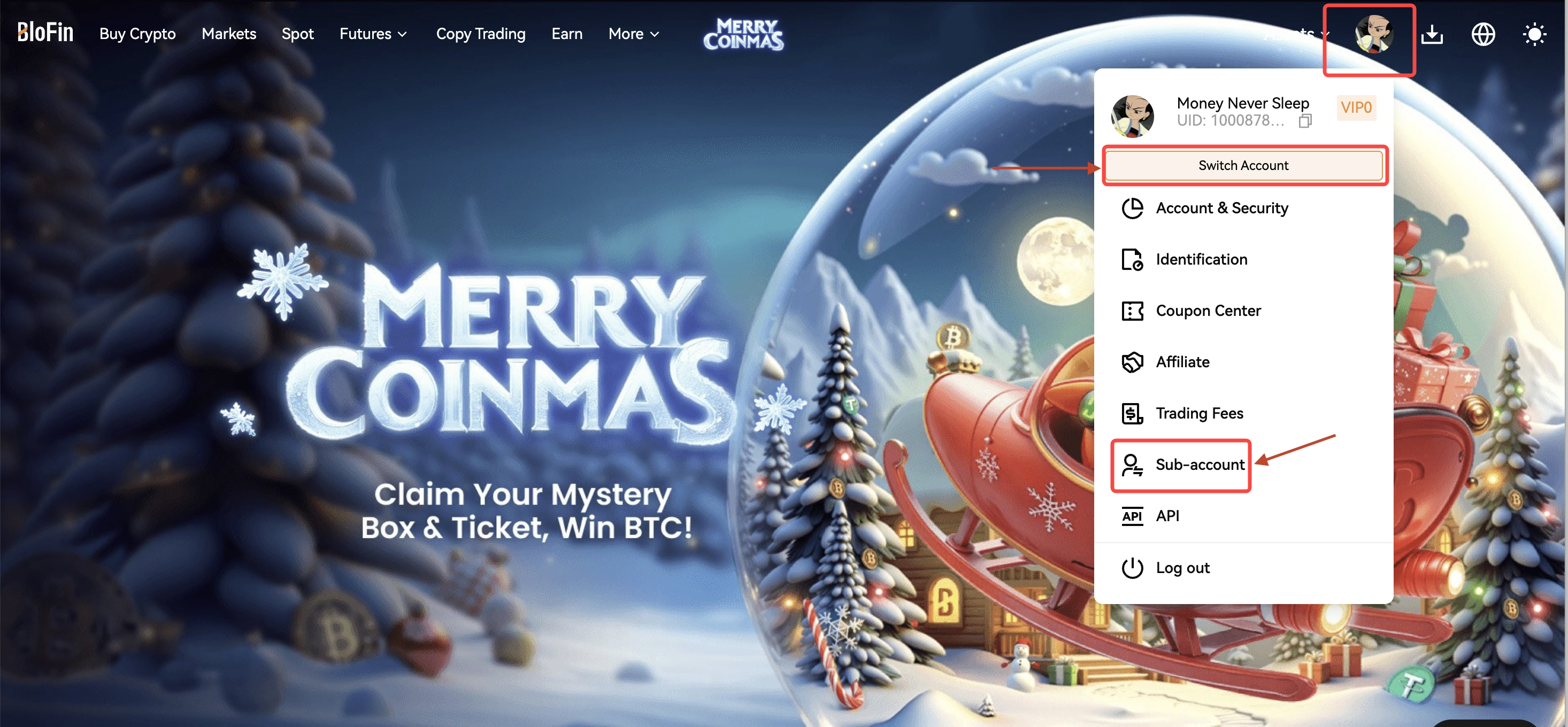
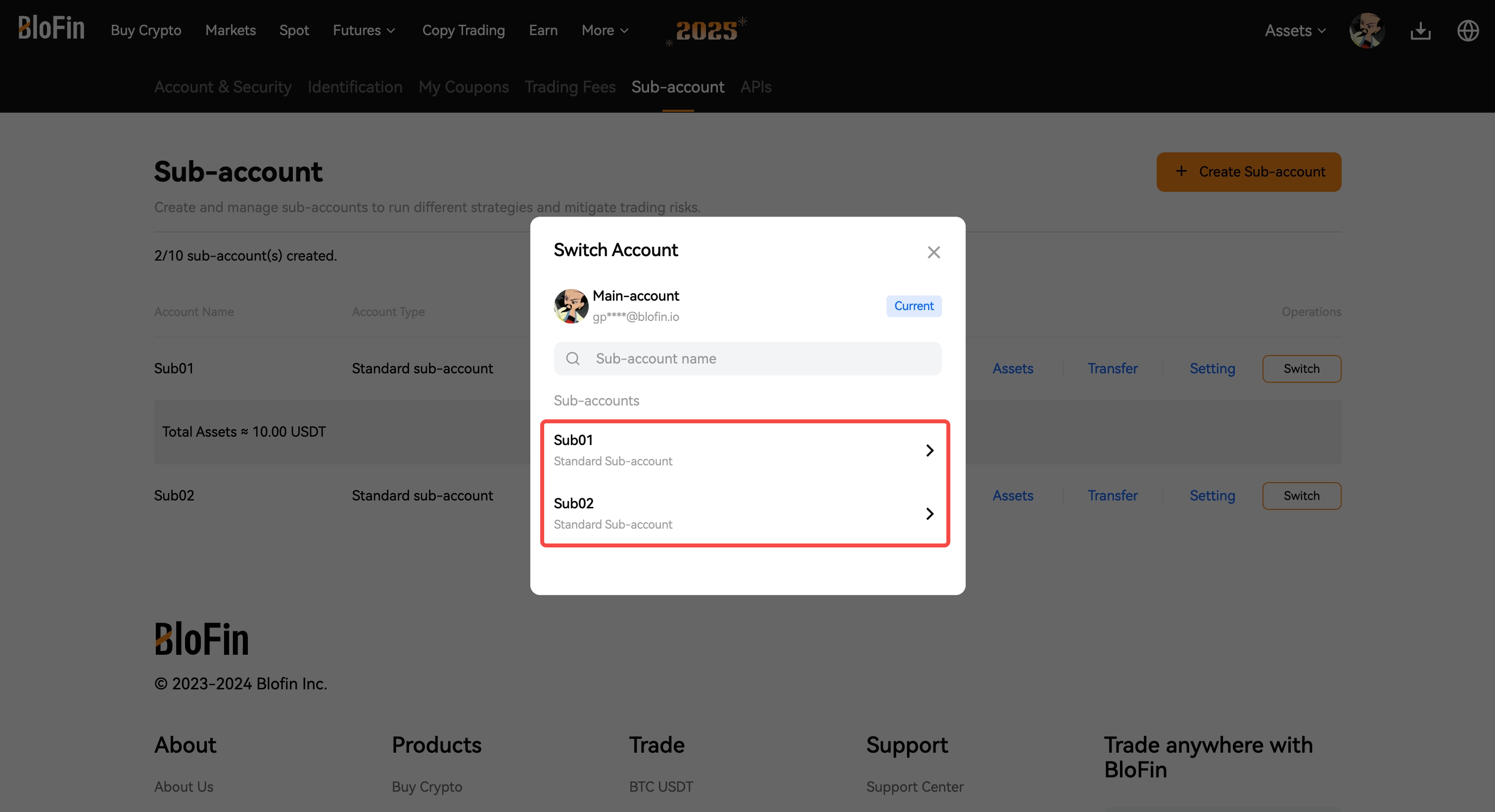
Switch Account: if you click [Switch Account], there will be a list of sub-accounts that you've created, select the sub-account that you would like to log in to access.
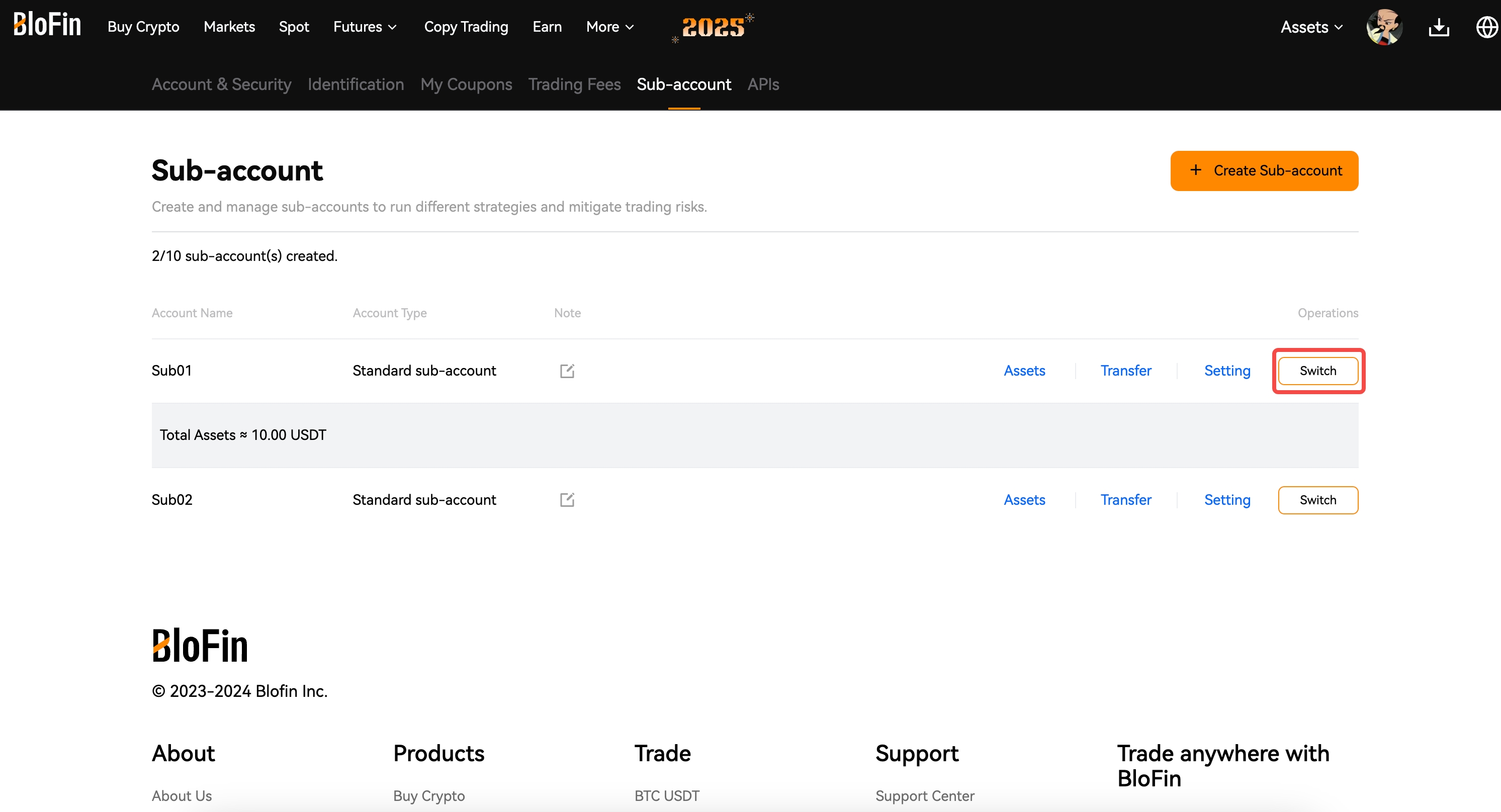
Sub-Account: If you select the [Sub-account] tab, you will be directed to the sub-account list page, click [Switch] on the sub-account.
Чи була ця стаття корисною?