
Before you can buy your first coin, open a trade or practice with play money on a crypto exchange, you need an account there. Most exchanges ask for the same few things to get started. You give them a way to reach you and a password, then enter a one-time code that proves the email address or phone number is yours.
Filling in the form is quick, but small slips can slow you down. A code can land in a spam folder, or you can skip a security step on the first day and pay for it later. A wrong referral code is the slip that's hardest to undo, because once a code is applied it can't be swapped for another.
BloFin keeps sign-up to one short form on its website and app, with Google and Apple sign-in as shortcuts. The moment you first log in, it also asks you to add a second layer of protection to the new account.
What do you need before you sign up for BloFin?
You need four things ready: an email address or phone number you can check right now, a strong password, any referral code you plan to use, and the right to sign up where you live. With all four in hand, the form takes a single pass.
BloFin accepts registration with an email address, a phone number, a Google account or an Apple ID. Pick one you check often, because BloFin sends its verification codes there. For phone sign-up, you choose your country code from a list before you type the number.
Your password must be 8 to 32 characters long and mix numbers, letters, symbols, and upper and lower case (source: BloFin Help Center, How to Register an Account on BloFin?). Aim well past the minimum. The US Cybersecurity and Infrastructure Security Agency has advised passwords of at least 16 characters, unique to each account and kept in a password manager (source: CISA, Use Strong Passwords). A 16-character password still fits easily inside BloFin's limit. Keep it to yourself, including when someone claims to work for BloFin.
Finally, you must be at least 18 years old and able to form a binding contract. BloFin's Terms of Use also bar people who live in restricted locations from using the platform (source: BloFin, Terms of Use). Check that list before you sign up, since using BloFin while you live in a restricted location breaks the terms you agree to on the form.
If a friend invited you, have their referral code ready before you start. Once a code is applied at sign-up, it can't be changed or replaced. On BloFin's Referral page, the Invite & Earn campaign rewards you and the friend who invited you once you complete its deposit and futures trading tasks within 7 days of registration. The BloFin referral program guide explains how the scheme works.
Trades on a futures market such as the BTCUSDT Perpetual count toward the trading part. Once your own account is open, the same Referral page gives you a link and code of your own to share.
How to sign up for BloFin on the website
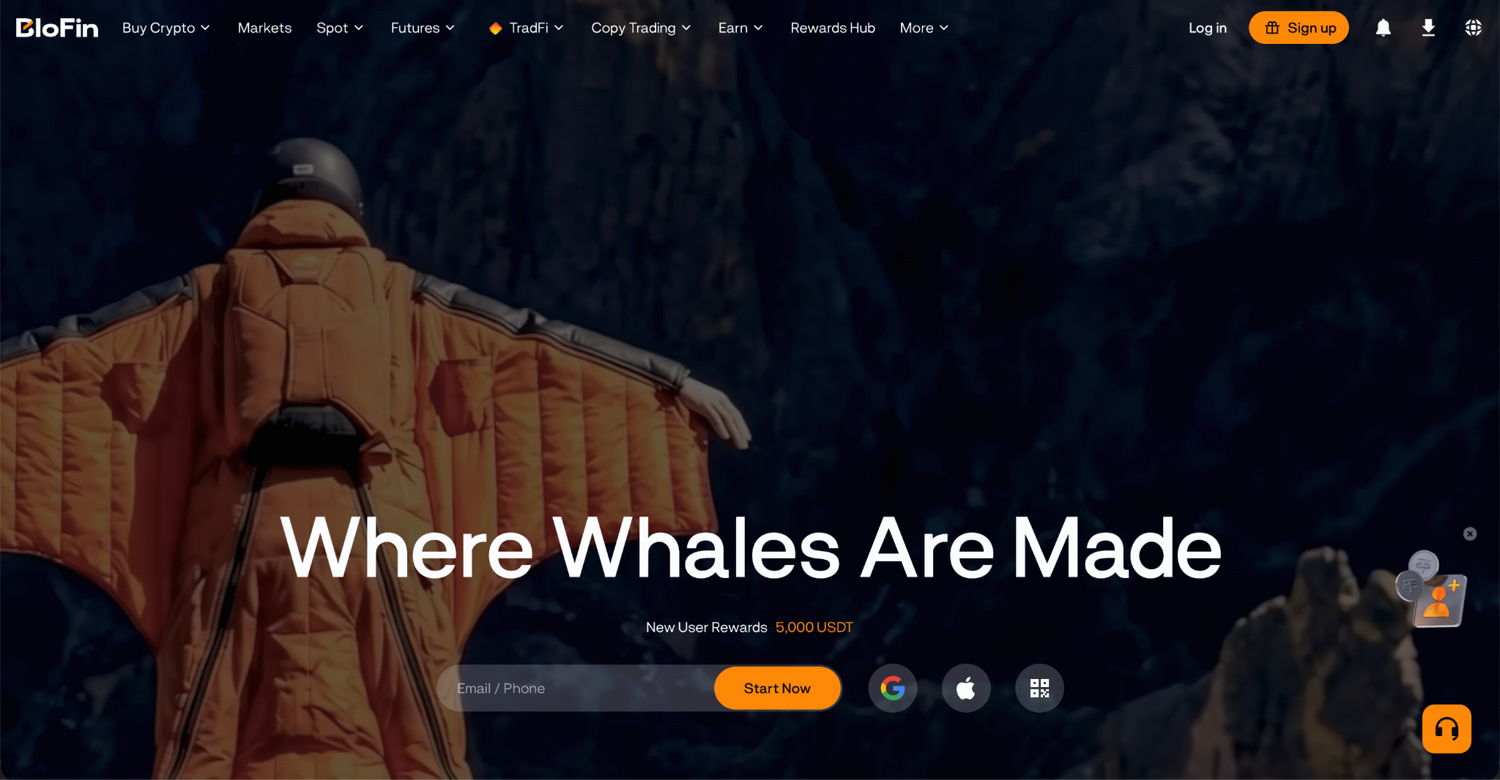
Step 1: Go to the official BloFin homepage and click Sign up at the top right of the page.
Step 2: Choose the Email or Phone Number tab. Enter your email address, or pick your country code and enter your mobile number.
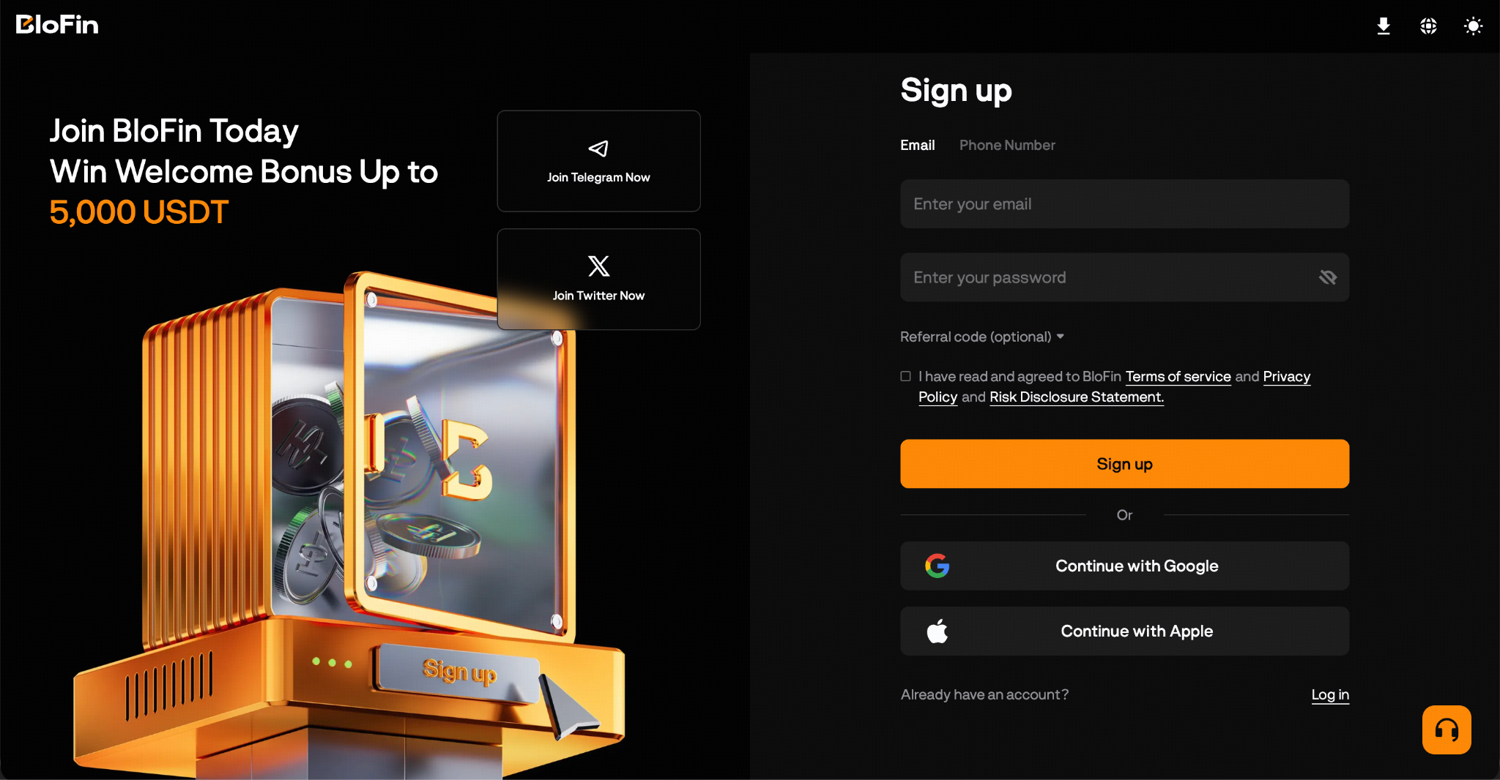
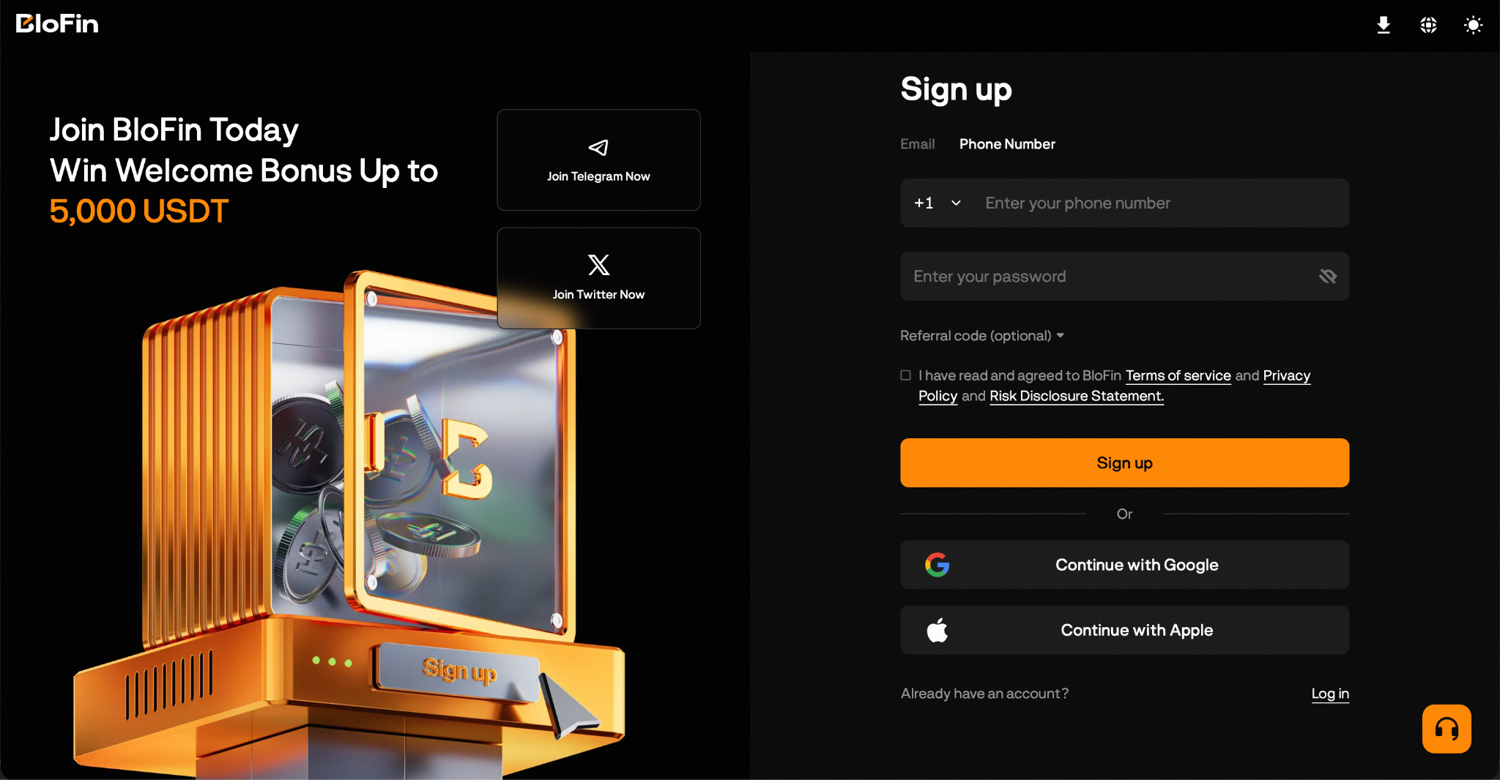
Step 3: Type a password into the Enter your password field, following the rules for length and characters.
Step 4: If you have a referral code, click Referral code (optional) to expand it, then paste the code into the field.
Step 5: Tick the box that says you have read and agreed to BloFin's Terms of service, Privacy Policy and Risk Disclosure Statement, then click Sign up.
Step 6: Find the six-digit code BloFin sent to your email or phone, type it into the six boxes and click Confirm. The code works for five minutes, and on the Verify your email screen a 30-second countdown runs before you can ask for a new one.
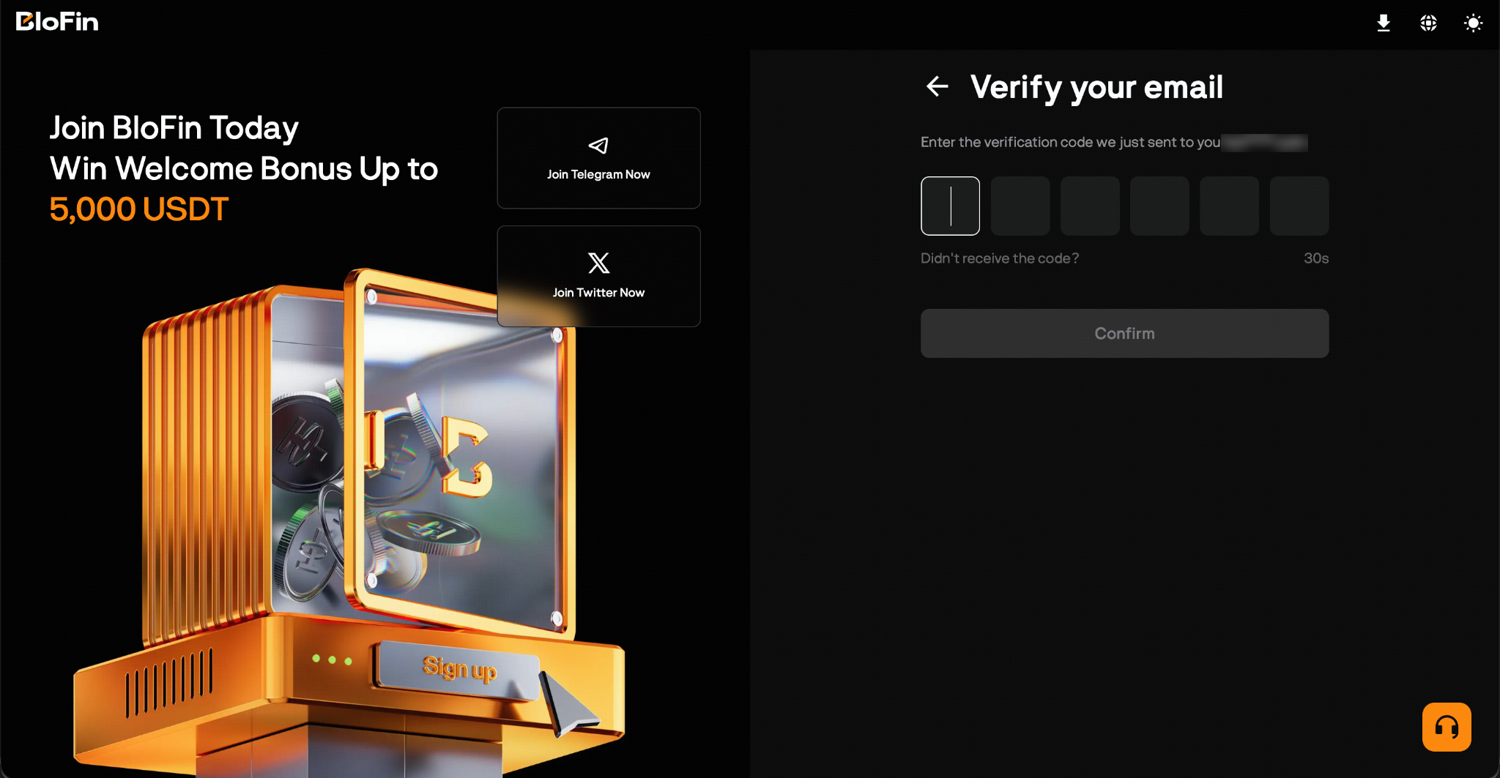
Congratulations, your BloFin account has been created!
Alternatively, you can sign up using your Google account or Apple ID by selecting the relevant option on the sign-up page. This skips the password step and links your BloFin account to your existing login.
How to sign up for BloFin with Google or Apple
Continue with Google and Continue with Apple sit under the sign-up form, and they let you register with an account you already use. Either button opens a pop-up run by Google at accounts.google.com or by Apple at appleid.apple.com. You sign in on Google's or Apple's own page, which is the only place your Google or Apple password belongs.
Step 1: On the BloFin sign-up page, click Continue with Google or Continue with Apple.
Step 2: In the pop-up, enter your Google email address or phone number and click Next, or enter your Apple Account email address or phone number and click Continue. Apple also offers Sign in with Passkey, which needs a device running iOS 17 or later.
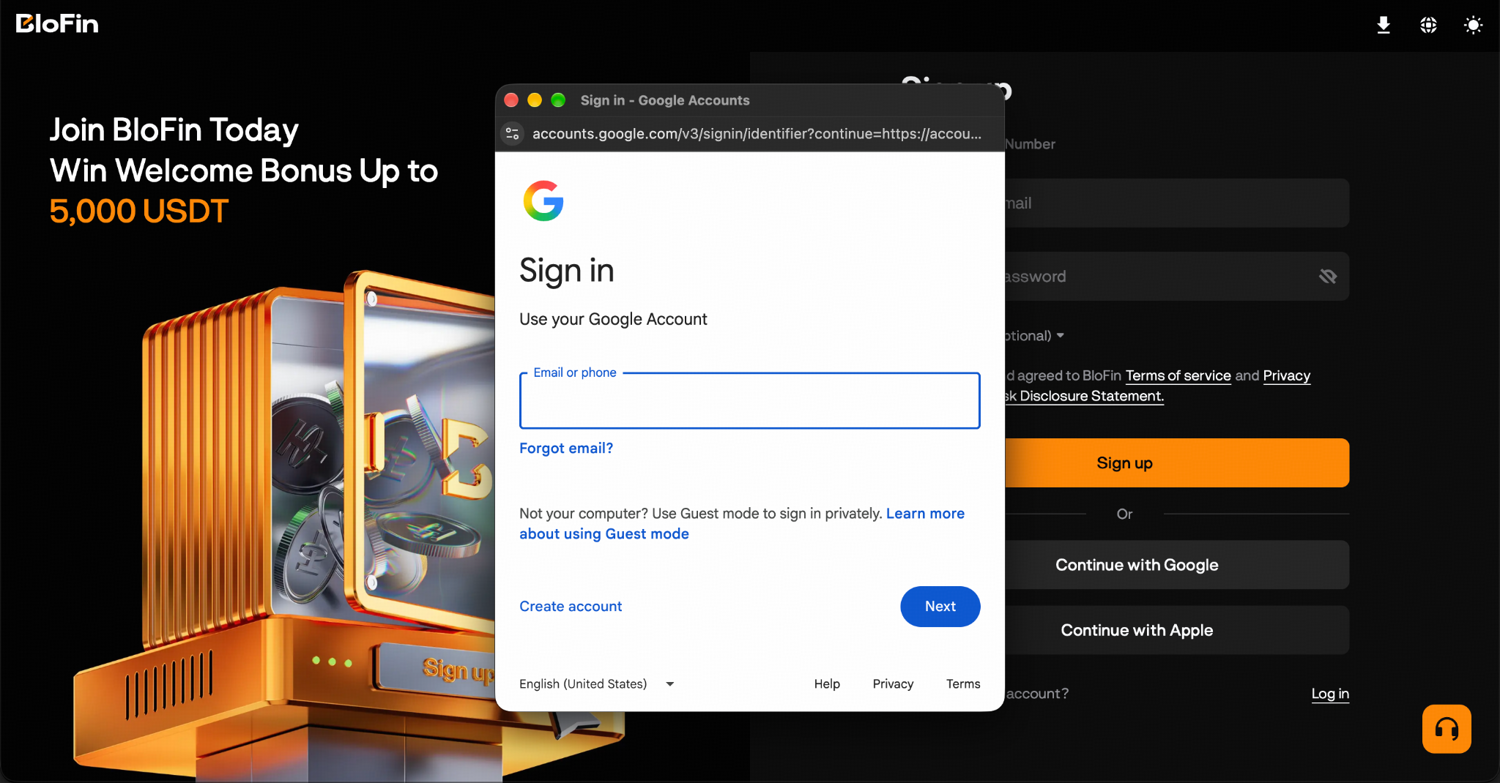
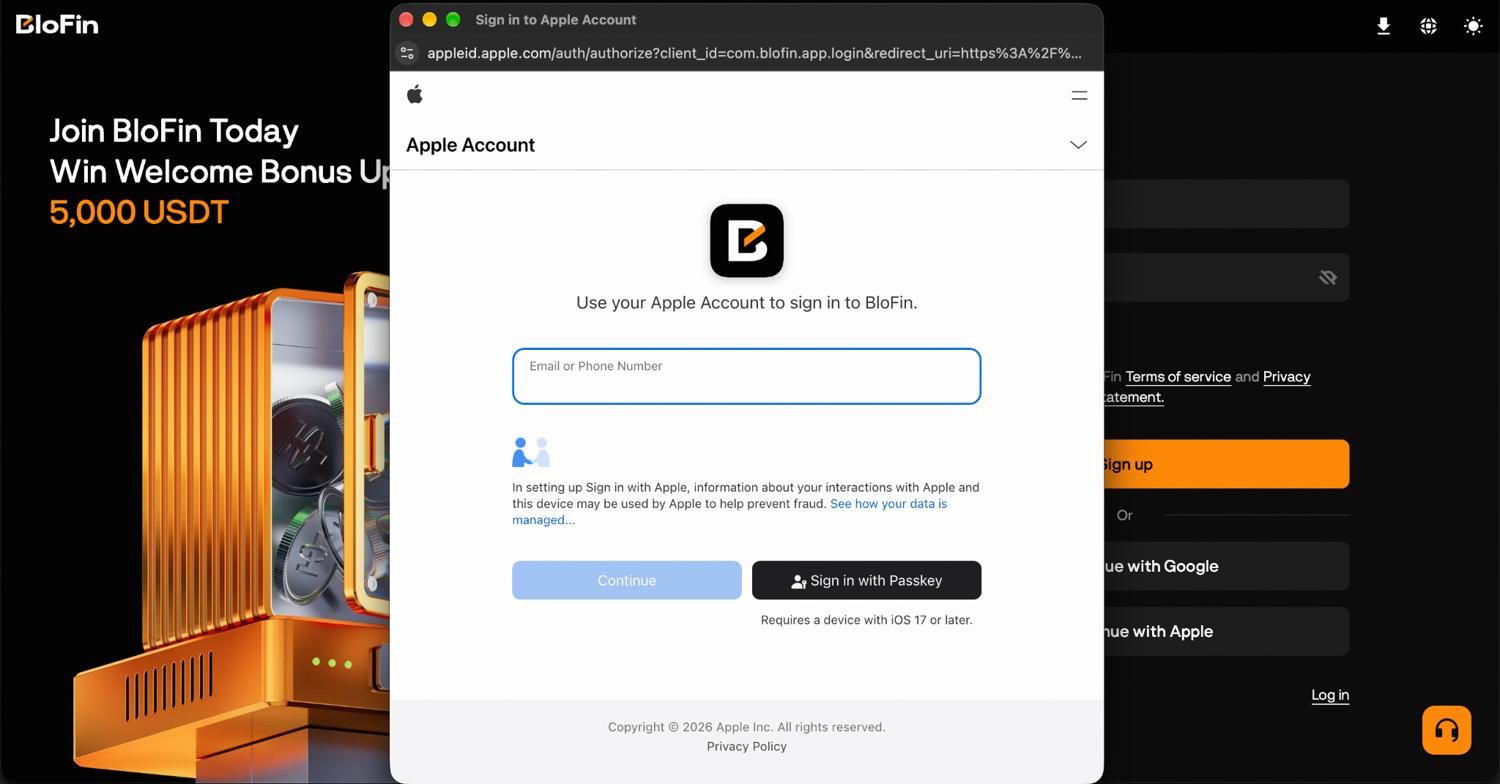
Step 3: Follow the remaining prompts in the pop-up to finish, then return to the BloFin window.
With Apple, you may be offered Hide My Email, which gives BloFin a random relay address that forwards messages to your personal inbox (source: Apple Support, What is Sign in with Apple?). If you choose it, BloFin's codes reach you through that relay. Write the address down in case you ever need to give BloFin Support your account email.
How to sign up on the BloFin app
The BloFin app asks for the same details as the website: an email address or phone number, a password and an optional referral code, confirmed with a six-digit code. It is one account either way. After signing up in the app, you can log in on the website with the same details.
Step 1: Download the BloFin app from the Apple App Store or Google Play, and check that the developer listed is BloFin and that you pick the trading app before you install it.
Step 2: Open the app and tap Sign up/Log in.
Step 3: On the Create an account page, enter your email address or phone number, create a password, add a referral code if you have one, and accept the terms.
Step 4: Enter the six-digit code BloFin sends you and tap Confirm; the code works for five minutes.
What to do after you create a BloFin account
Creating the account is the first step. Before you deposit anything, take a few minutes to lock down your account security.
How to link a second security method on BloFin
This is the most important thing you can do. Two-factor authentication asks for a second proof of identity on top of your password, which makes an account much harder to break into with a leaked or phished password (source: Investopedia, Two-Factor Authentication). If you signed up by email, adding your phone number or Google Authenticator meets that request. To come back to it later, hover over your avatar at the top right and click Account & Security. A new account shows its security level there as 1 out of 4.
Apart from setting up two-factor authentication, you can also set your anti-phishing code, which is a short personal code that appears in every official BloFin email, making fake phishing emails immediately identifiable.
Check out our Account Security guide to learn how you can set all of these up and protect your funds as a user.
How identity verification unlocks access to BloFin features
Identity verification, often called a know your customer (KYC) check, is how financial firms, crypto platforms included, confirm who their customers are (source: Investopedia, Know Your Client). KYC is required to access full withdrawal limits and certain features on BloFin. The sooner you complete it, the less friction you'll have when you're ready to trade.
Where to find your BloFin UID
Your UID is the number that identifies your BloFin account. On the website, hover over the avatar at the top right and click Account & Security, and the UID sits under your username. In the app, tap the BloFin logo on the home screen. Your username starts as an auto-generated name beginning "Blofin_", and the pencil icon beside it lets you change it.
How to claim BloFin's new-user rewards
As a new user, you are eligible for up to 5,000 USDT in welcome rewards. Complete a set of tasks in the first few days after registration and you'll unlock Mystery Boxes containing Futures Bonuses, vouchers, tokens, and more. There is also a deposit and trading challenge within 14 days of signing up that gives you the chance to earn up to 5,000 USDT in Futures Bonus rewards.
One thing to know: Futures Bonuses work as trading margin, not withdrawable cash. They offset futures trading fees and can cover up to 50% of losses, giving you a cushion while you get familiar with the platform.
Terms and Conditions shall apply.
How to fix a missing BloFin verification code
A missing code can come down to something you can check yourself, such as a spam filter, a full inbox or a weak phone signal. A BloFin code stays valid for five minutes, so give it that long before you click Resend, as BloFin asks (source: BloFin Help Center, Security & Verification FAQ). If it still hasn't come, the fixes differ for email and for text messages.
For an email code, look in your spam or junk folder first. Then check that your inbox has space and that your email provider is working normally. The code screen shows the start and end of the address it used, so compare that with the address you meant to type.
For a text message, move somewhere with a stronger signal and free up storage on your phone. If the code comes from abroad, check that your mobile account has enough balance to receive international texts. Switching airplane mode on and off, or restarting the phone, can clear a stuck connection. If nothing arrives after that, wait 15 minutes and try again. Also check the country code you picked, because a wrong code sends the message to a number that isn't yours.
With the account open and a second security method linked, the next step is funding it. You can send crypto in from another wallet, or follow the guide to buying crypto on BloFin to purchase it on the platform.
To practice first, BloFin Demo Trading gives the same account virtual funds. When you're ready for real money, you can place your first live trade on BloFin step by step.

Frequently asked questions
Can I sign up with a phone number instead of an email?
Yes. BloFin lets you register with either an email address or a phone number. You can also use your Google account or Apple ID to sign up without creating a separate password.
Can you have more than one BloFin account?
BloFin's Terms of Use allow each person to keep one BloFin account at any given time. A second sign-up with a different email address breaks the terms you accept on the form (source: BloFin, Terms of Use). The Account & Security menu also has a Sub-account item, for sub-accounts that sit under your one main account.
Can you add a referral code after signing up for BloFin?
BloFin lets you add an inviter or invitation code only if your account doesn't already have an inviter (source: BloFin Help Center, How to Register an Account on BloFin?). To check yours, click your profile icon at the top right, open Account & Security and look under My Referrer, which shows the referrer's nickname, UID and referral code when one is linked.
How do you log in to BloFin?
Click Log in at the top right of blofin.com, or tap Sign up/Log in in the BloFin app. Then sign in the same way you signed up, with your email address or phone number and password, or with Continue with Google or Continue with Apple. Type blofin.com yourself or use a bookmark, because fake login pages copy exchange designs to steal passwords.
What should I do if I don't receive the verification code?
Check your spam or junk folder if you registered with an email. If using a phone number, make sure the country code is correct. If the code still hasn't arrived after a few minutes, you can request a new one from the verification screen.
Written by the BloFin Academy editorial team. Nothing in this article constitutes financial advice. Anyone who gets hold of your password or verification codes can take control of your account and the funds in it, so keep them private and link a second security method before you deposit. Once you do fund the account, crypto prices can fall quickly, and leveraged futures can lose your whole margin. BloFin services are not available in restricted locations, including the United States. Do your own research and consider your risk tolerance before you trade on BloFin.