
Custom Indicators: Your TradingView Favorites, Now on BloFin Charts
October 9, 2026 at 03:57 PMUse your favorite open-source TradingView indicators directly on BloFin charts without switching platforms or interrupting workflow.
Why it matters
If you've built your analysis around specific indicators on TradingView, switching to a new platform usually means starting over.
👉 Your go-to custom indicators aren't available on the trading platform you use
👉 You end up charting on one platform and trading on another, constantly switching back and forth
👉 Every time you find a new indicator, you have to rebuild your setup from scratch
We believe your analysis workflow shouldn't be held hostage by platform limitations.
With this update, BloFin lets you bring compatible open-source TradingView indicators directly onto BloFin charts. This way, your workflow stays intact, and your trades stay in one place.
How to access
Getting started takes just a few steps:
- Click the Custom Indicator icon on the chart toolbar
- Find an open-source indicator on TradingView, copy the source code
- Paste the name and code into BloFin, then hit Compile & Apply
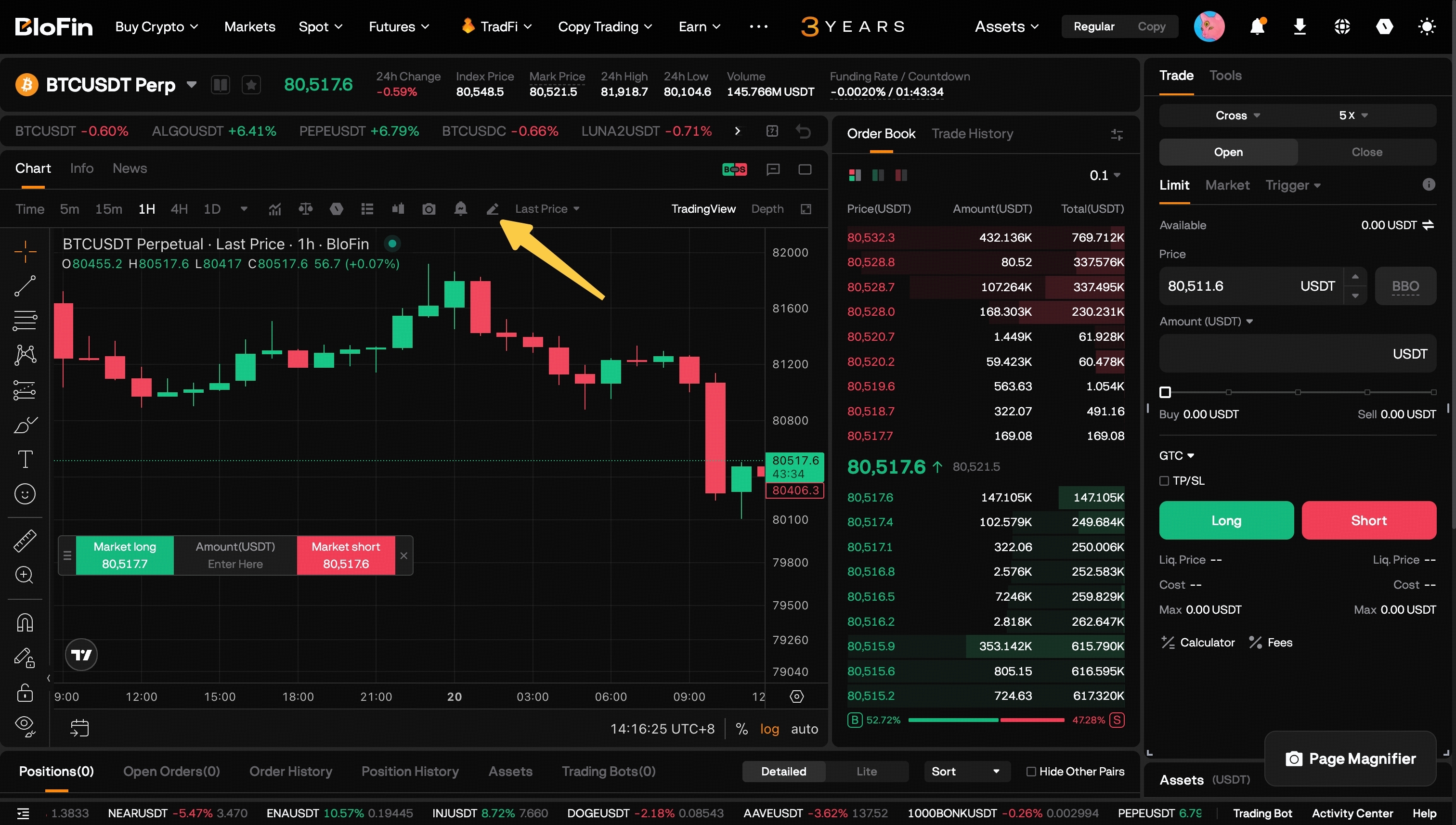
Once applied, the indicator runs on BloFin market data and is saved under Saved Indicators for future use.
Supported elements include lines, labels, boxes, colors, and price zones.
💡 Compatible with Pine Script v5/v6 open-source indicator scripts only.