
Is There A Minimum Or Maximum Amount For Deposit?
August 21, 2025 at 10:39 AMEvery token/network has a required minimum deposit. Transfers below that minimum won’t be credited and can’t be returned.
There’s no maximum deposit limit. (Your 24-hour withdrawal capacity still depends on your KYC level.)
Why minimums matter
Networks charge fees and require confirmations. To keep things safe and processable, BloFin sets a small minimum per asset/network. If you send less than that, the system can’t credit it. Always check the minimum right before you send—minimums can differ by token and network (e.g., USDT-TRC20 vs. USDT-ERC20).
How to find the minimum deposit (Web)
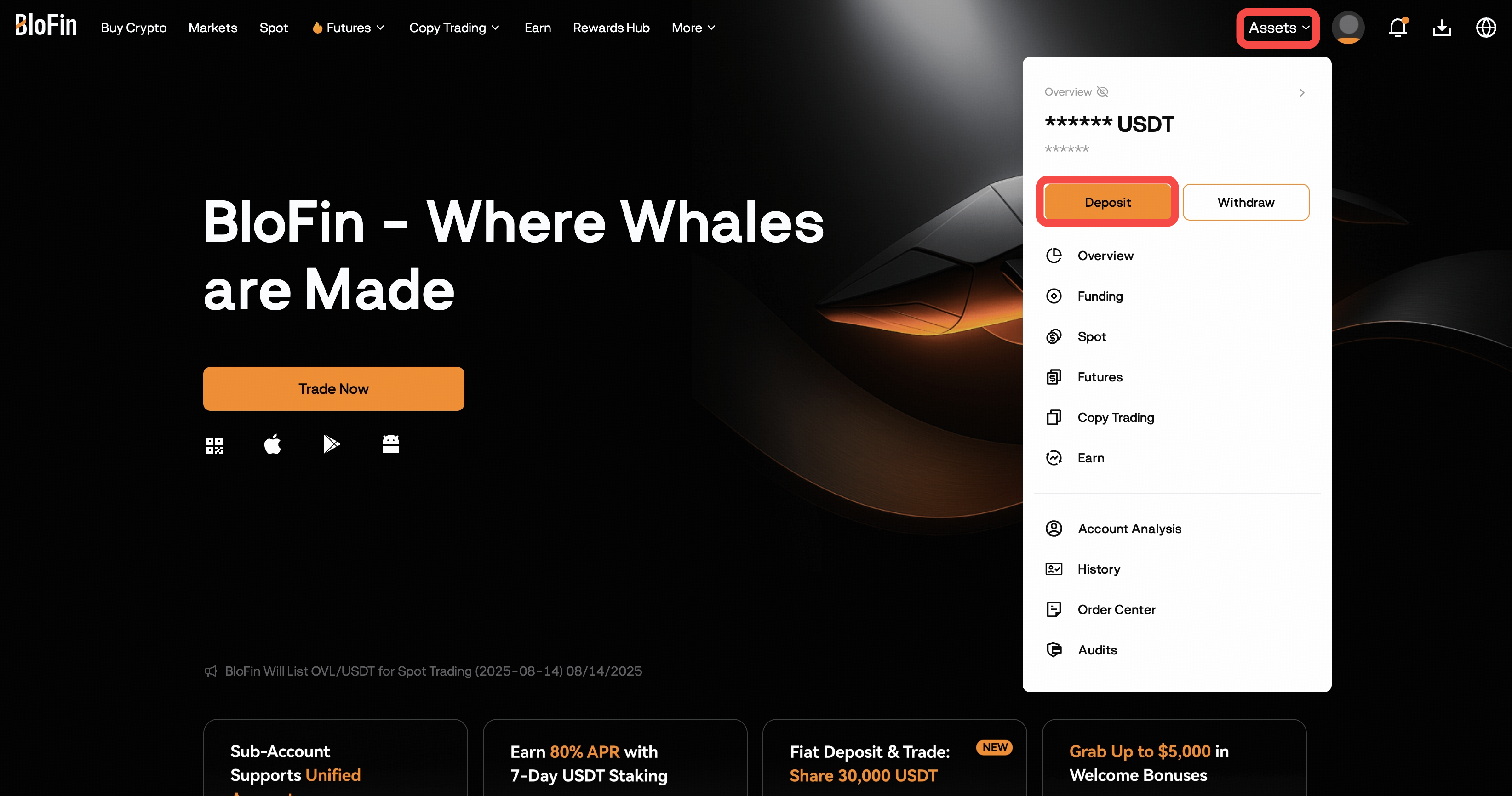
Log in to your BloFin account at https://blofin.com/ and go to Assets → Deposit, or click the Deposit button anywhere on the Assets Page.
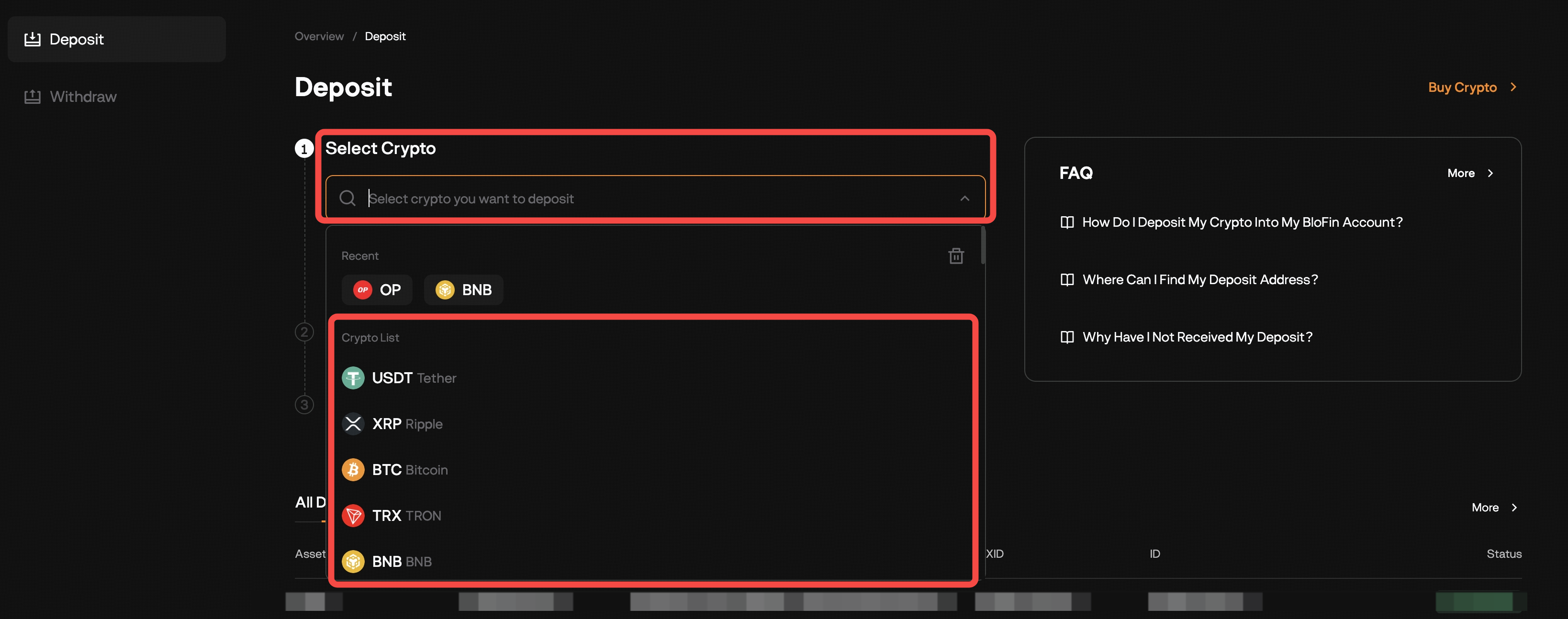
Choose the cryptocurrency you plan to deposit (e.g., USDT).
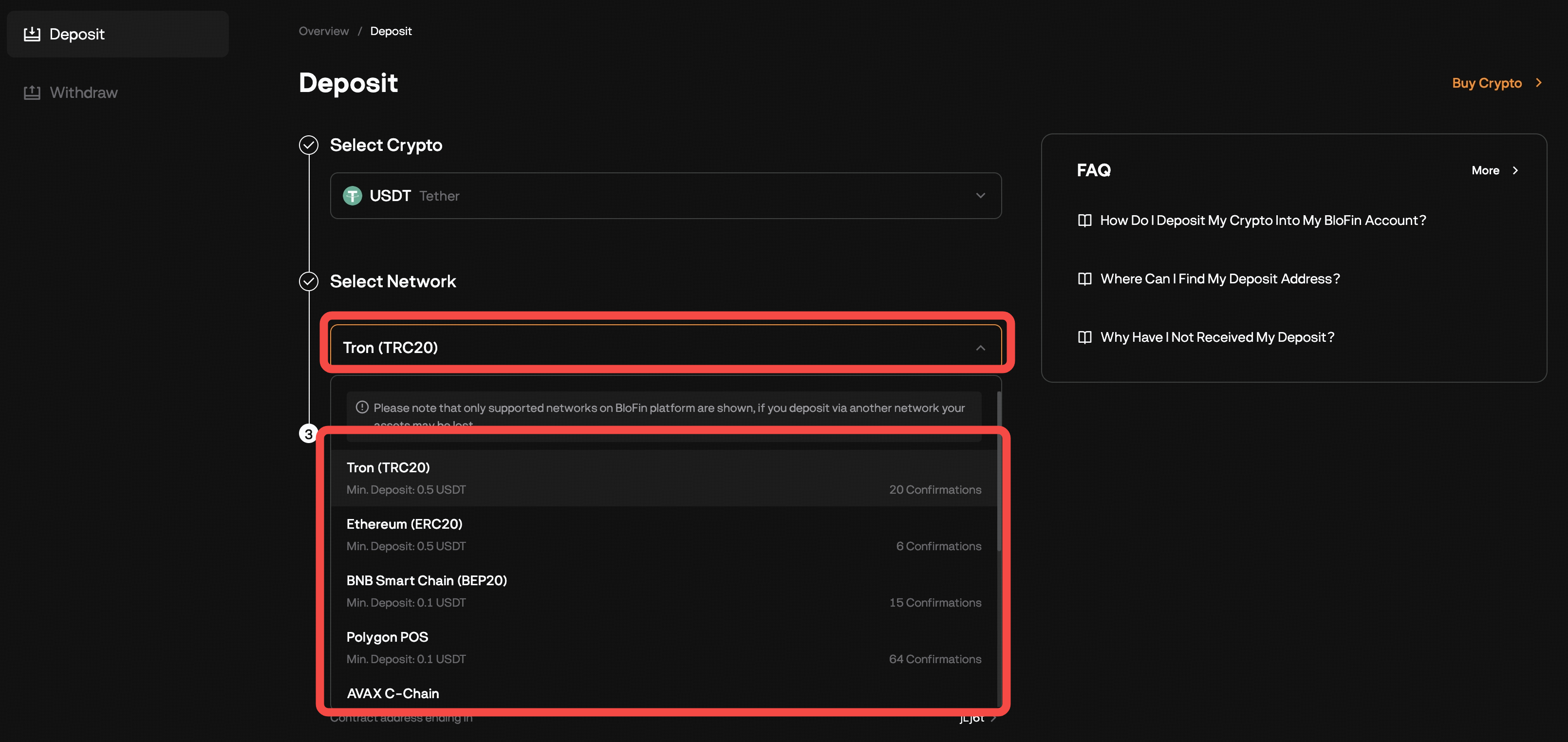
When selecting a network, the Minimum Deposit is already indicated
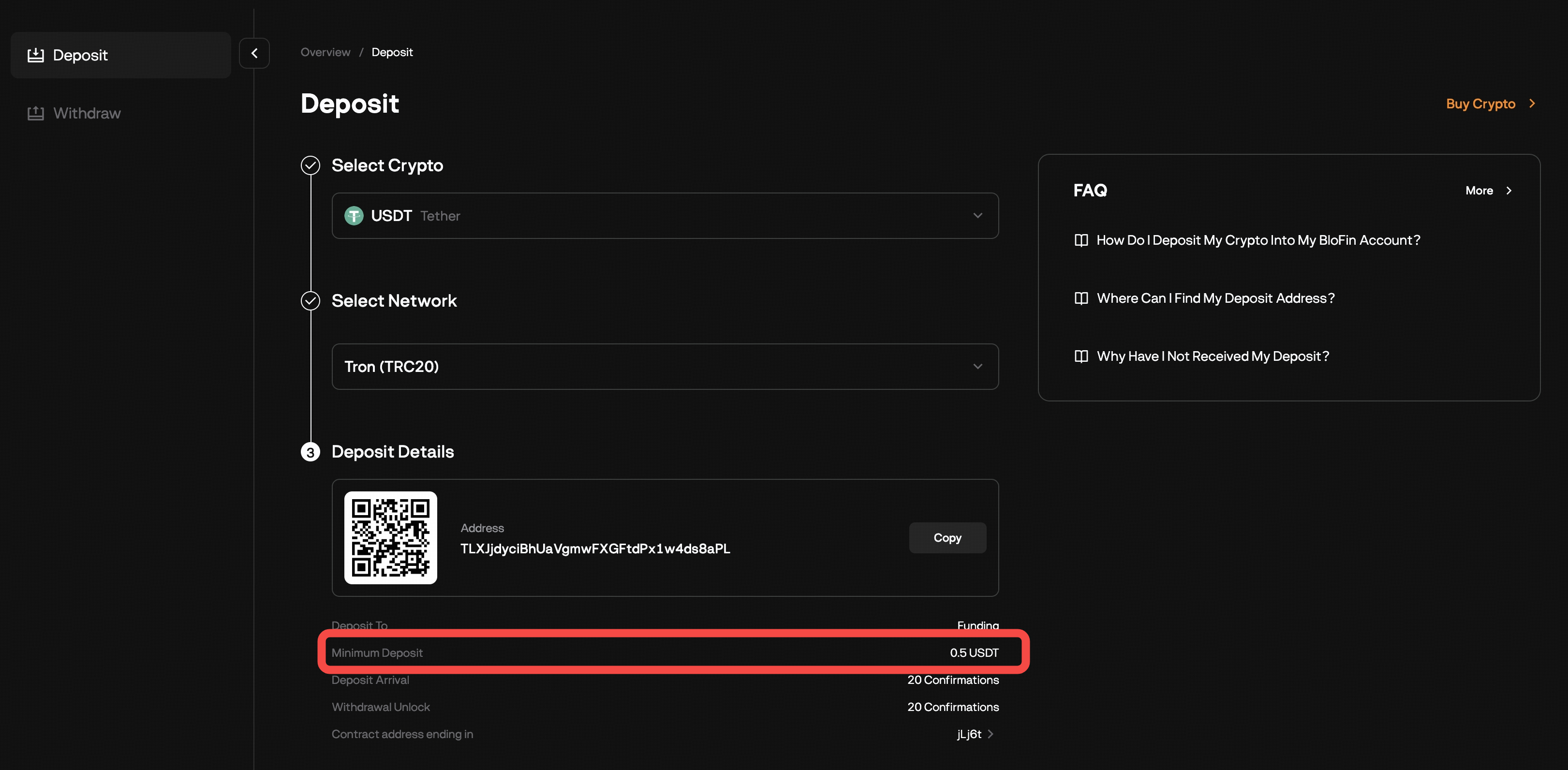
After both Token and Network are selected, Below the address/QR, you can verify the minimum deposit amount
How to find the minimum deposit (App)
- Open the BloFin App and log in. Tap Add Funds → Deposit Crypto
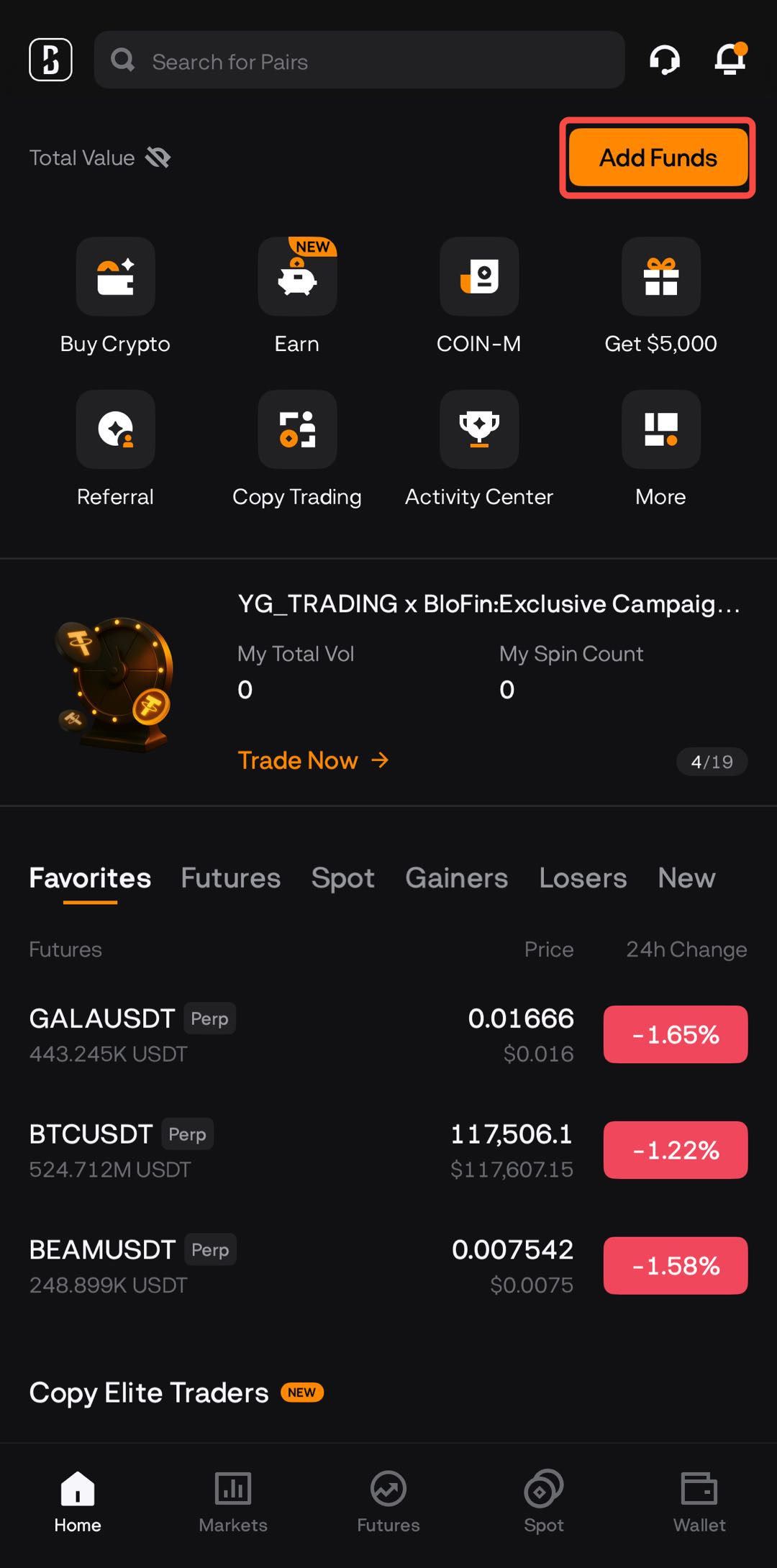
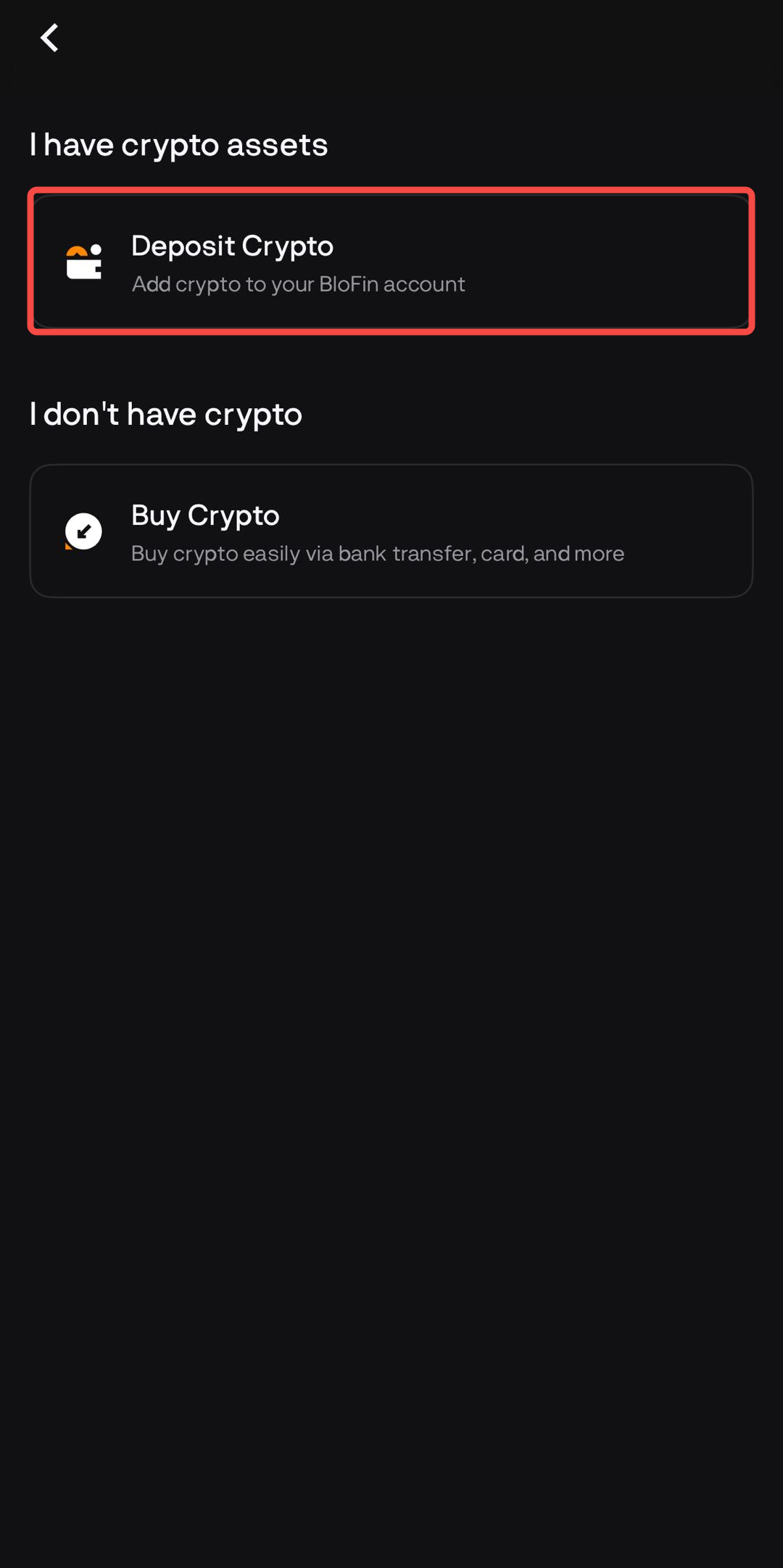
Alternatively, go to Wallet → Deposit.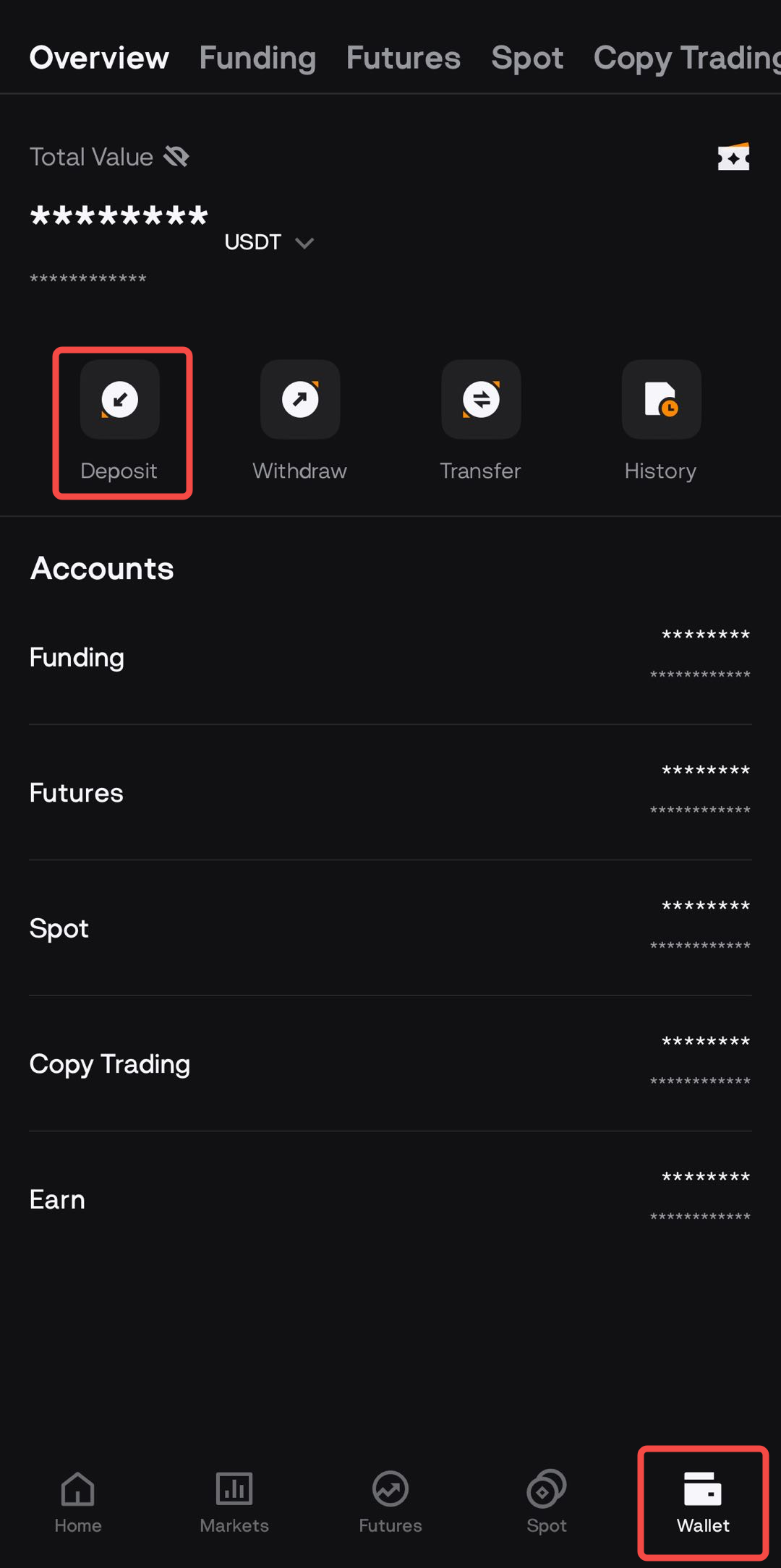
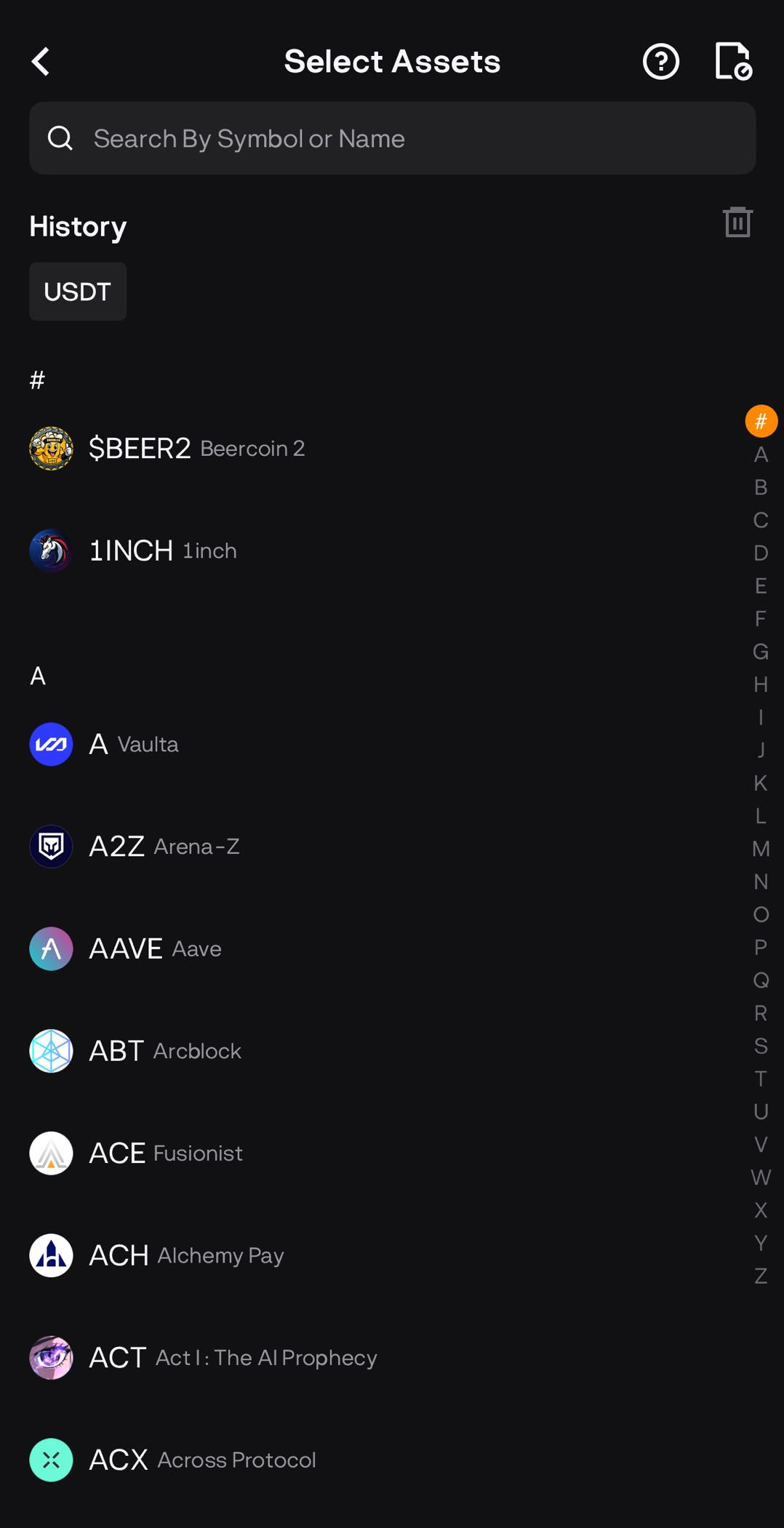
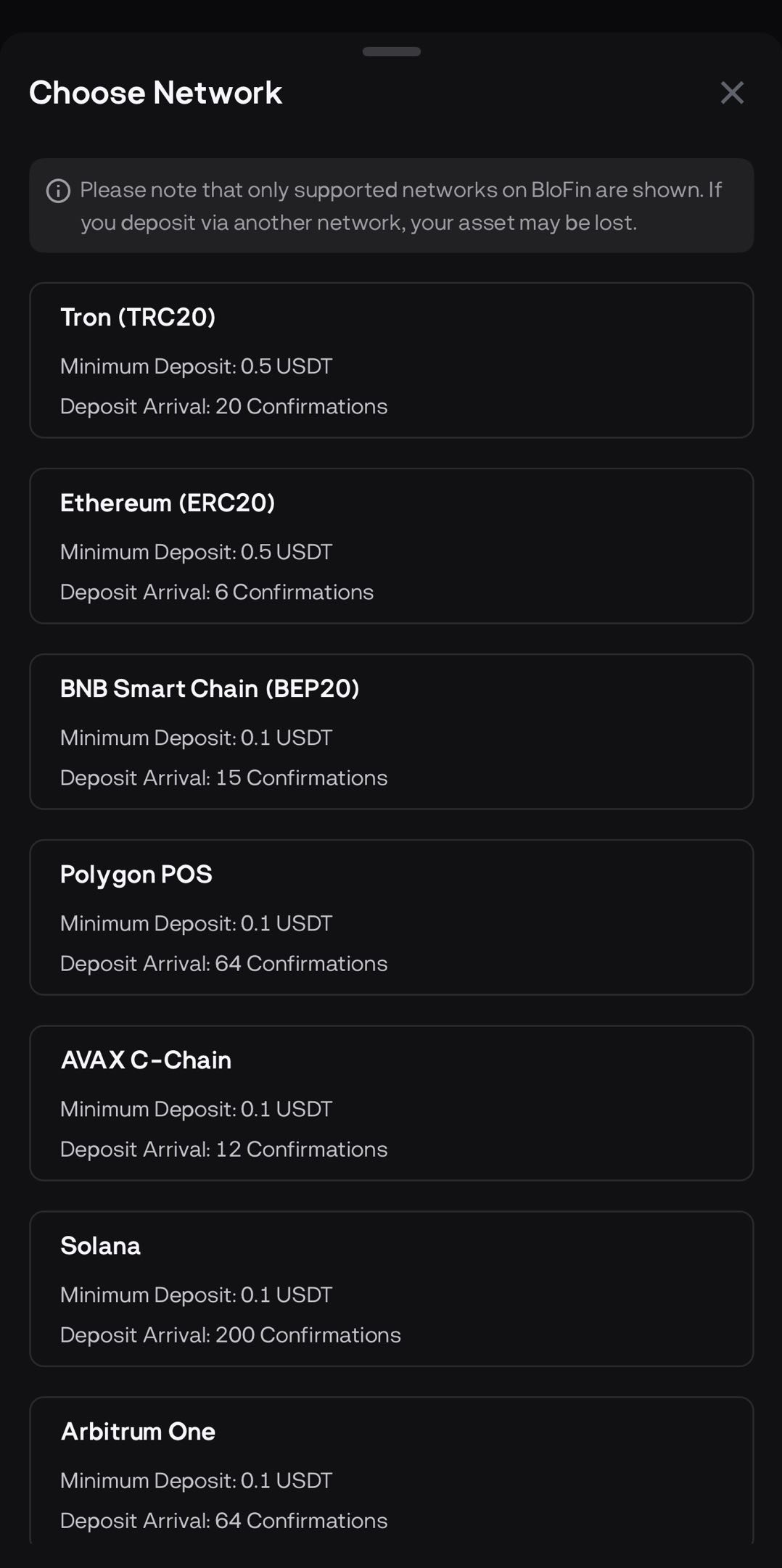
Please select a crypto and the network. When selecting a network, the Minimum Deposit is already indicated.
-
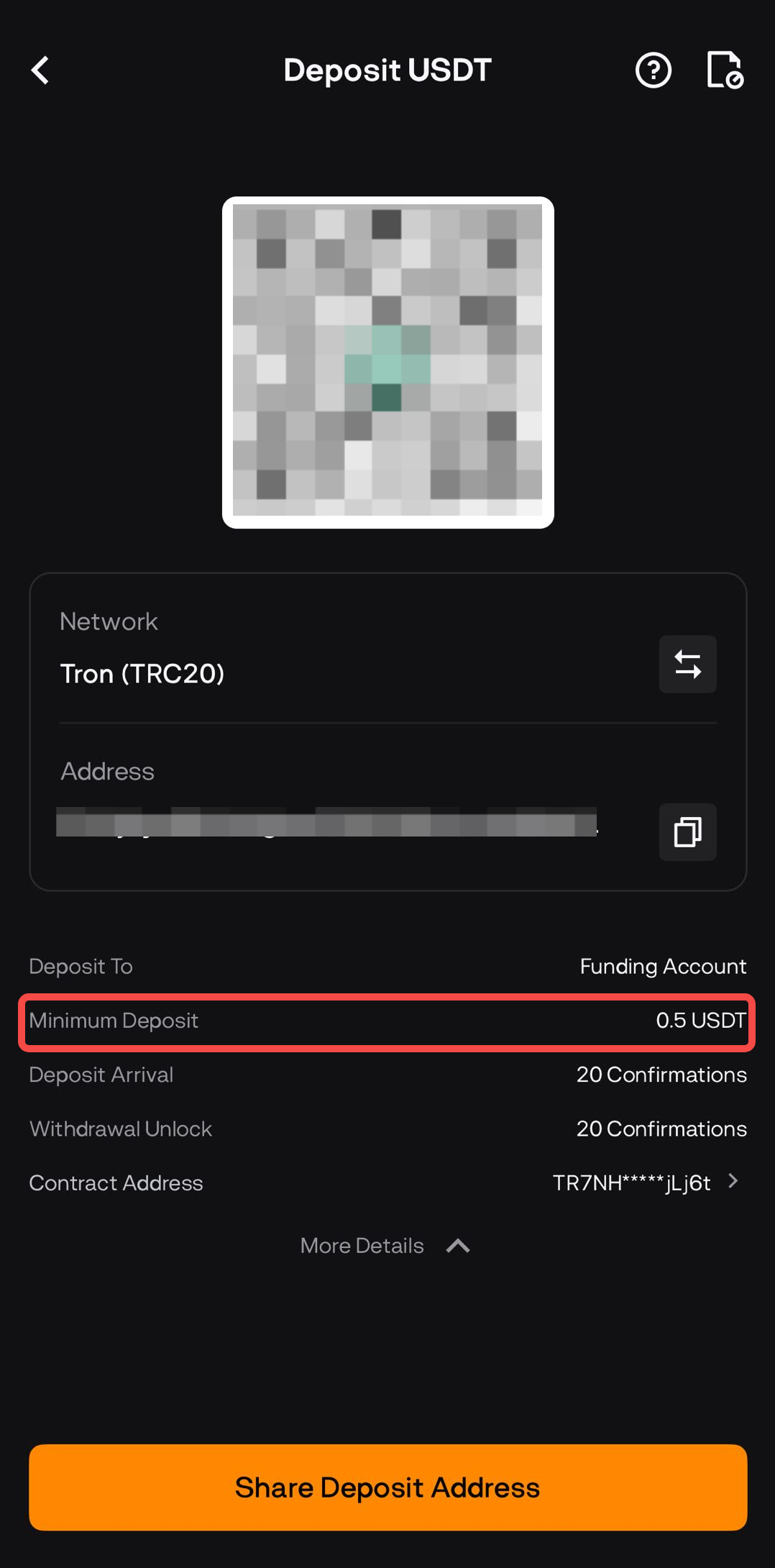
After both Token and Network are selected, you’ll land on the Deposit Address screen.
-
Below the address/QR, you can verify the minimum deposit amount by clicking on More Details
-