How to Register an Account on BloFin?
July 28, 2026 at 06:27 AMRegistering for an account on our platform only takes a few minutes and gives you access to the crypto world. Learn more on how to get started below.
How to sign up on BloFin?
On Web
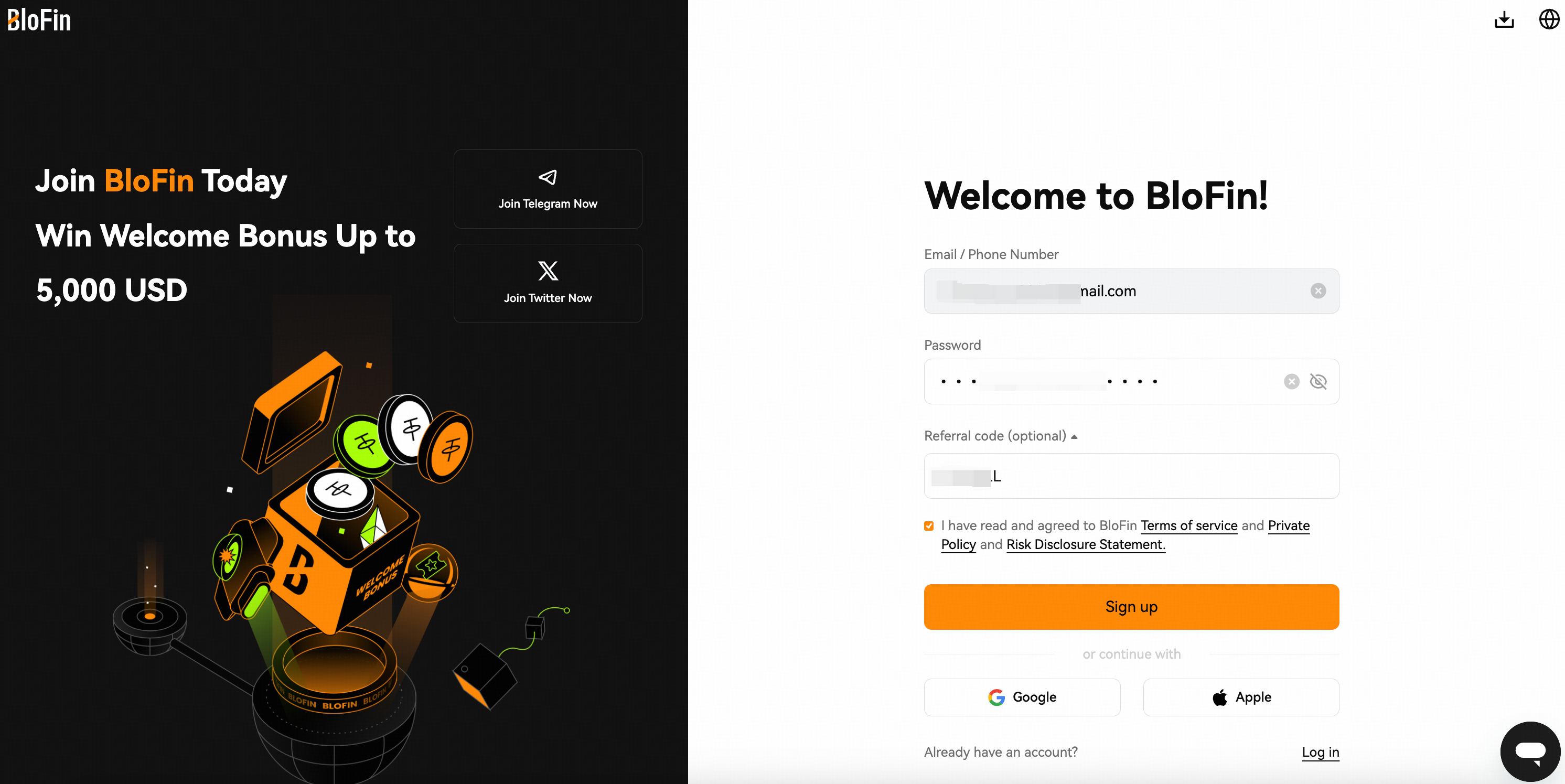
1. Head to the BloFin homepage and select Sign up.
2. Set your email address/phone number as your username, create a password, and confirm the security agreement. Click [Sign Up] to next.
Note: If you have a referral code for registration, please make sure to accurately fill it in the [Referral Code] field.
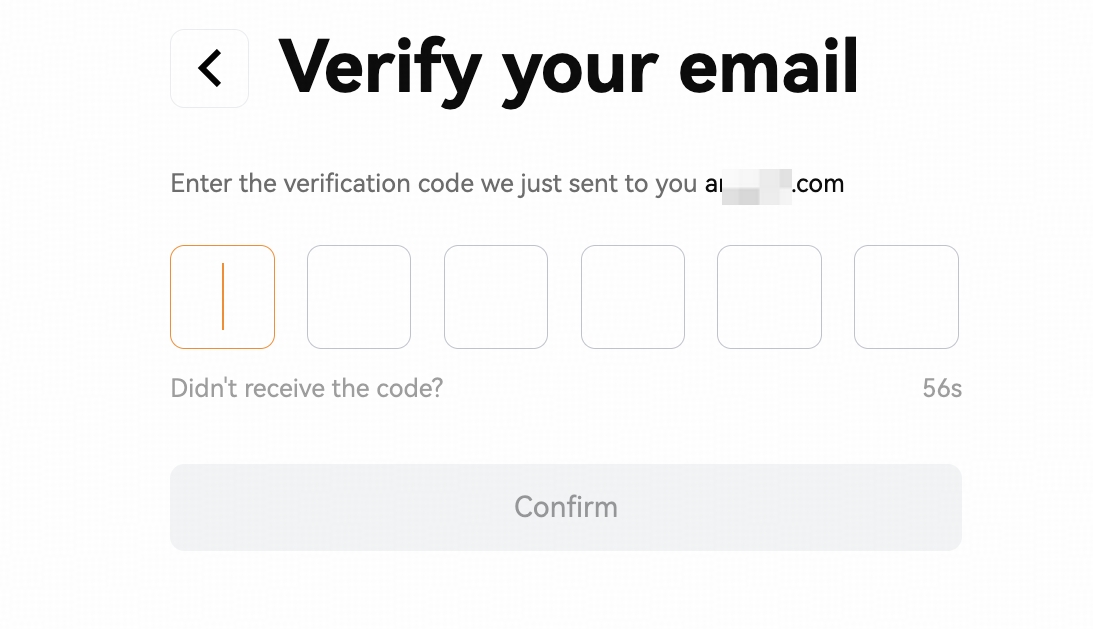
3. A six-digit verification code will be sent to your phone number/email address, and you'll have 5 minutes to enter the verification code into the code field, then click [Confirm]. Your account is created successfully.
On App
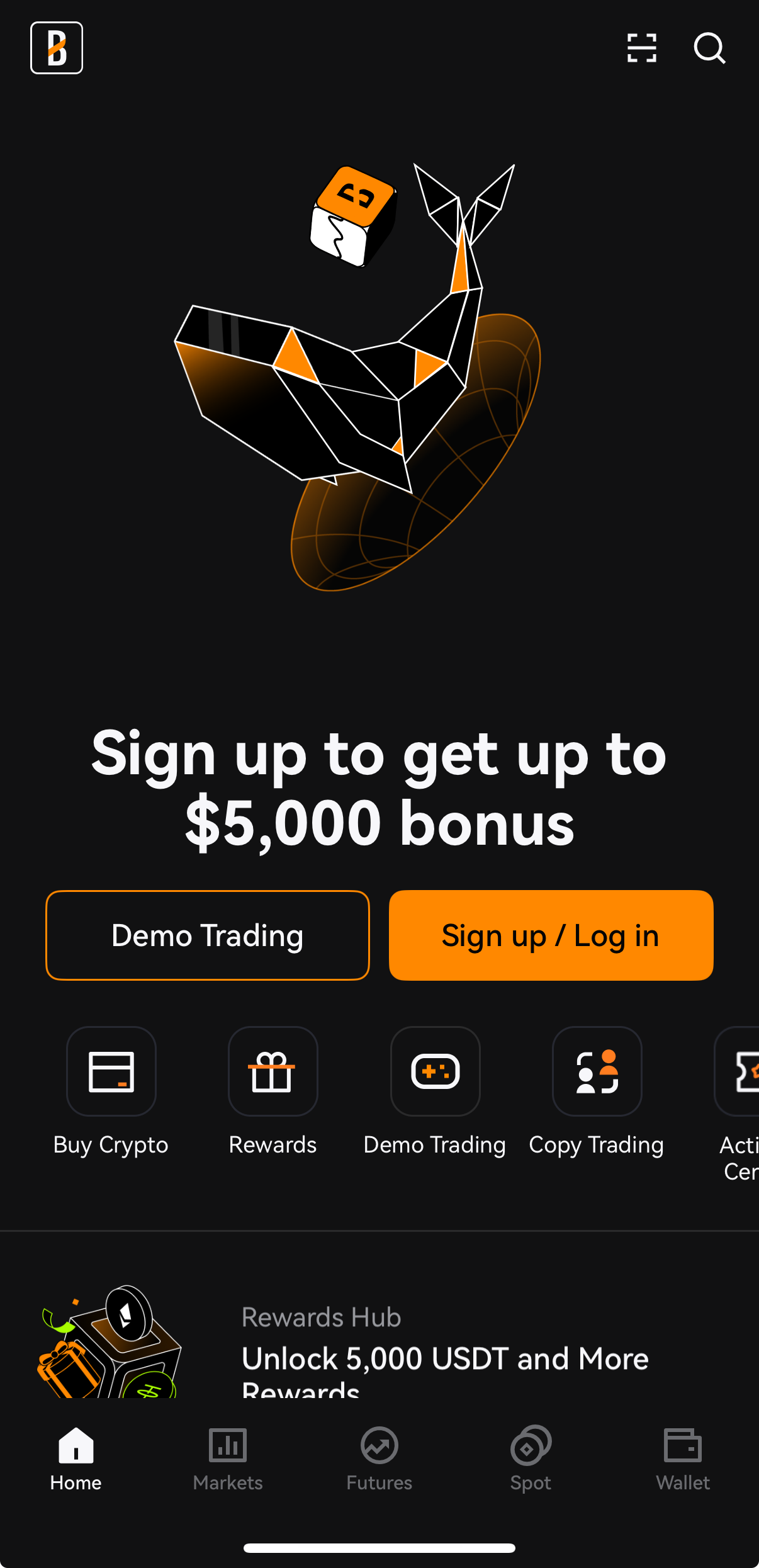
1. Open BloFin app, select [Sign up/Log in] to create an account.
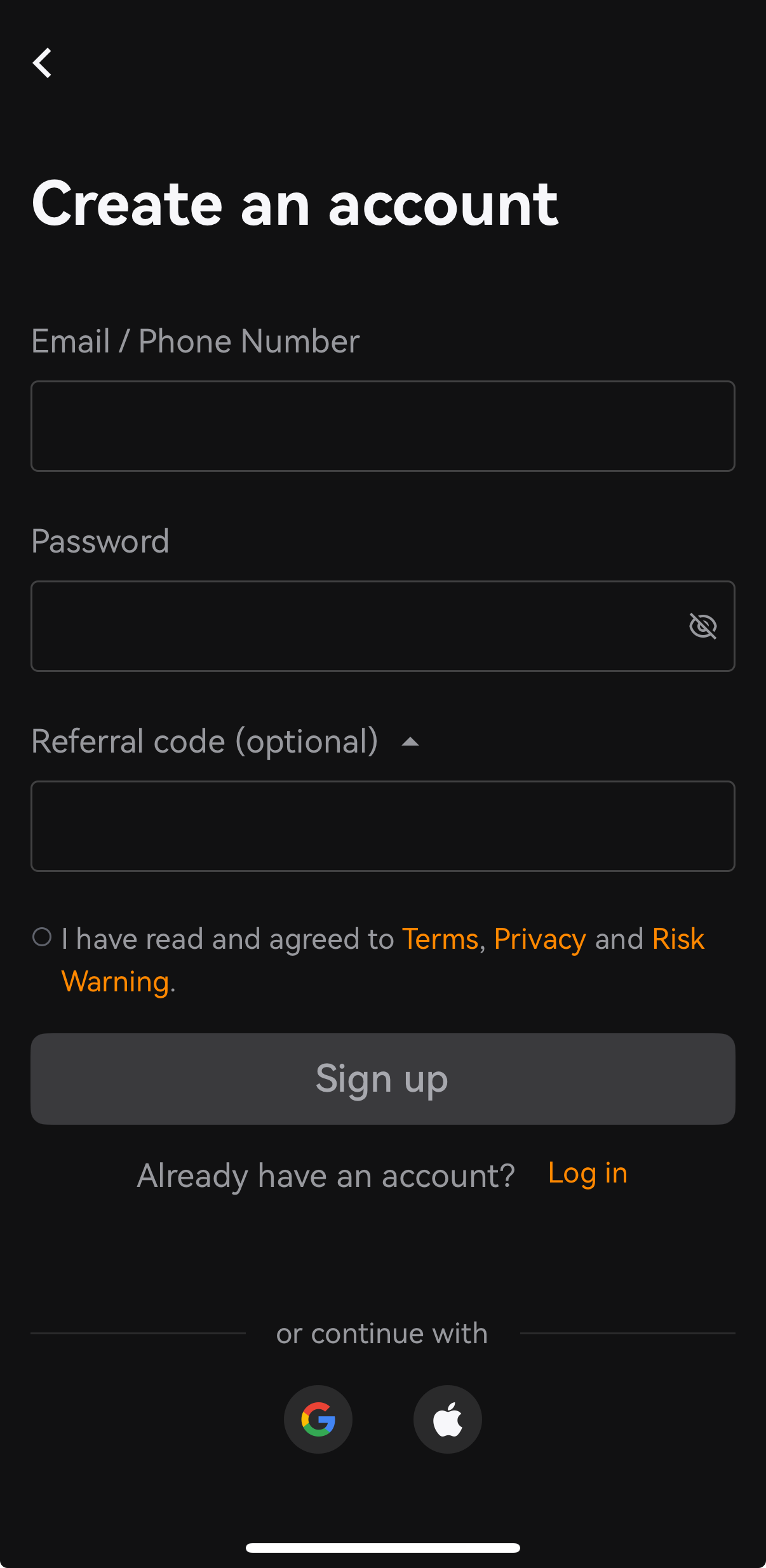
2. On the Create an account page, set your email address/phone number as your username, create a password, and confirm the security agreement. Click [Sign Up] to next.
Note: If you have a referral code for registration, please make sure to accurately fill it in the [Referral Code] field.
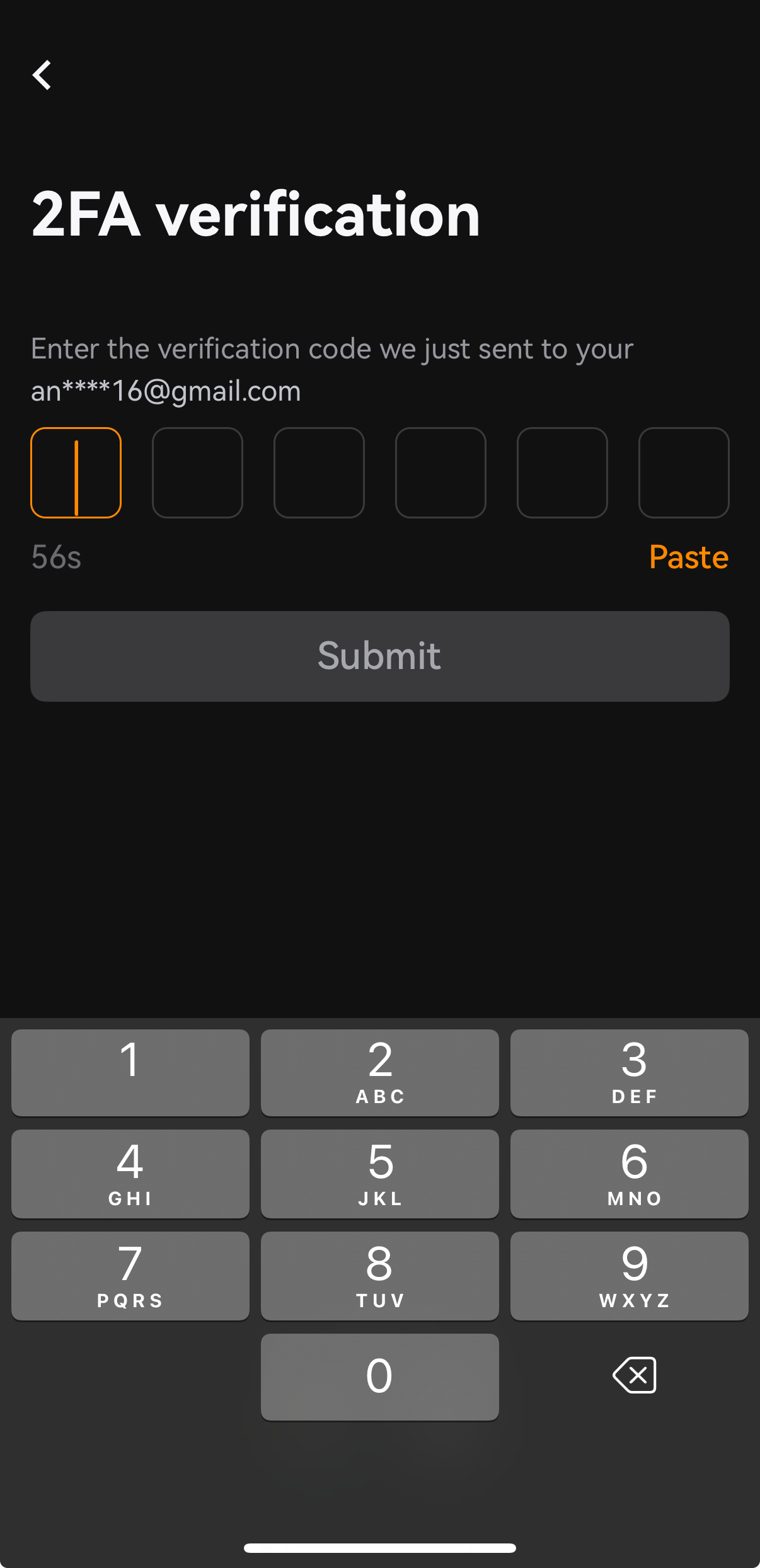
3. A six-digit verification code will be sent to your phone number/email address, and you'll have 5 minutes to enter the verification code into the code field, then click [Confirm]. Your account is created successfully.
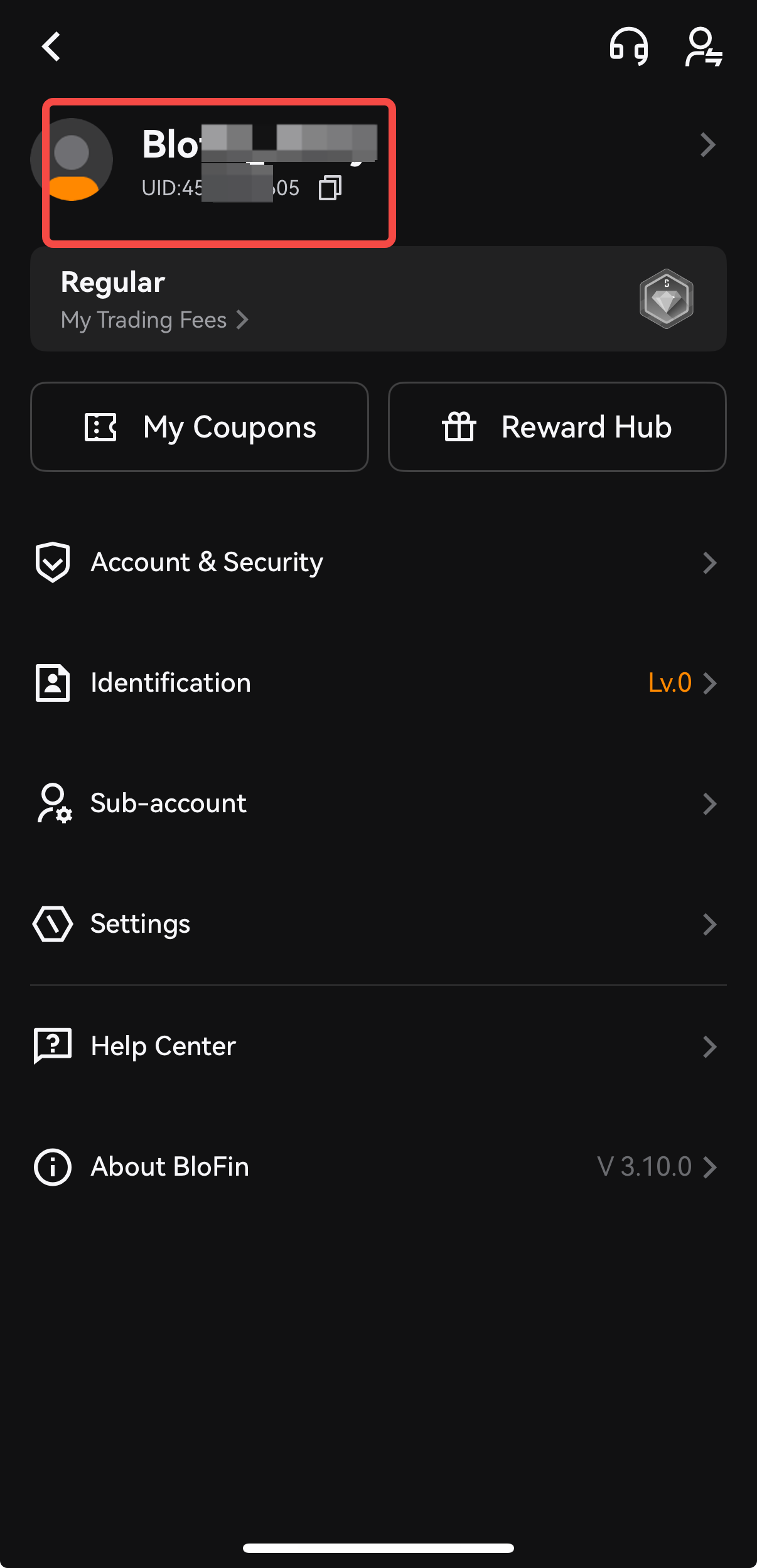
How to find my user ID (UID)?
User ID (UID) on BloFin is a unique identifier assigned to each account on our exchange platform. Your user ID helps us to identify your account quickly and accurately, making it an important reference for customer support inquiries, security verification, affiliate programs, and certain transactions.
On Web
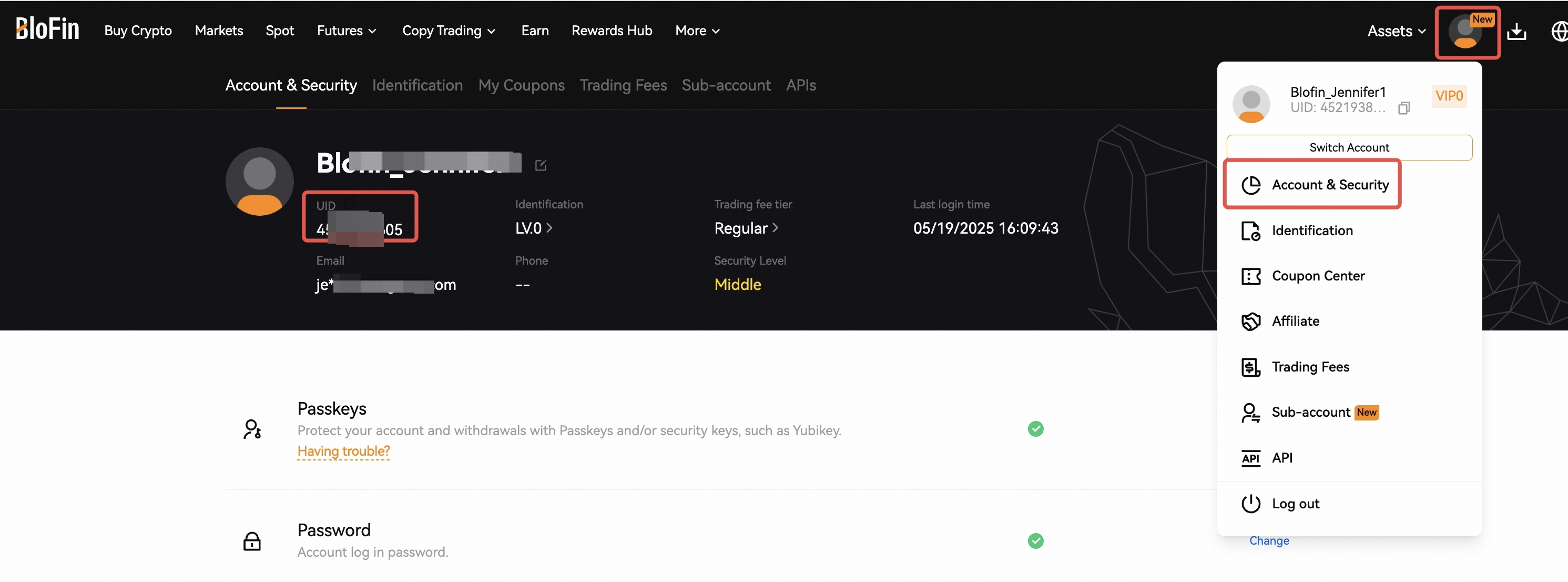
1. Log in to your account and hover at the [profile avatar] in the top right corner.
2. Click on [Account & Security] to the account overview page, you will see the UID under your username.
On App
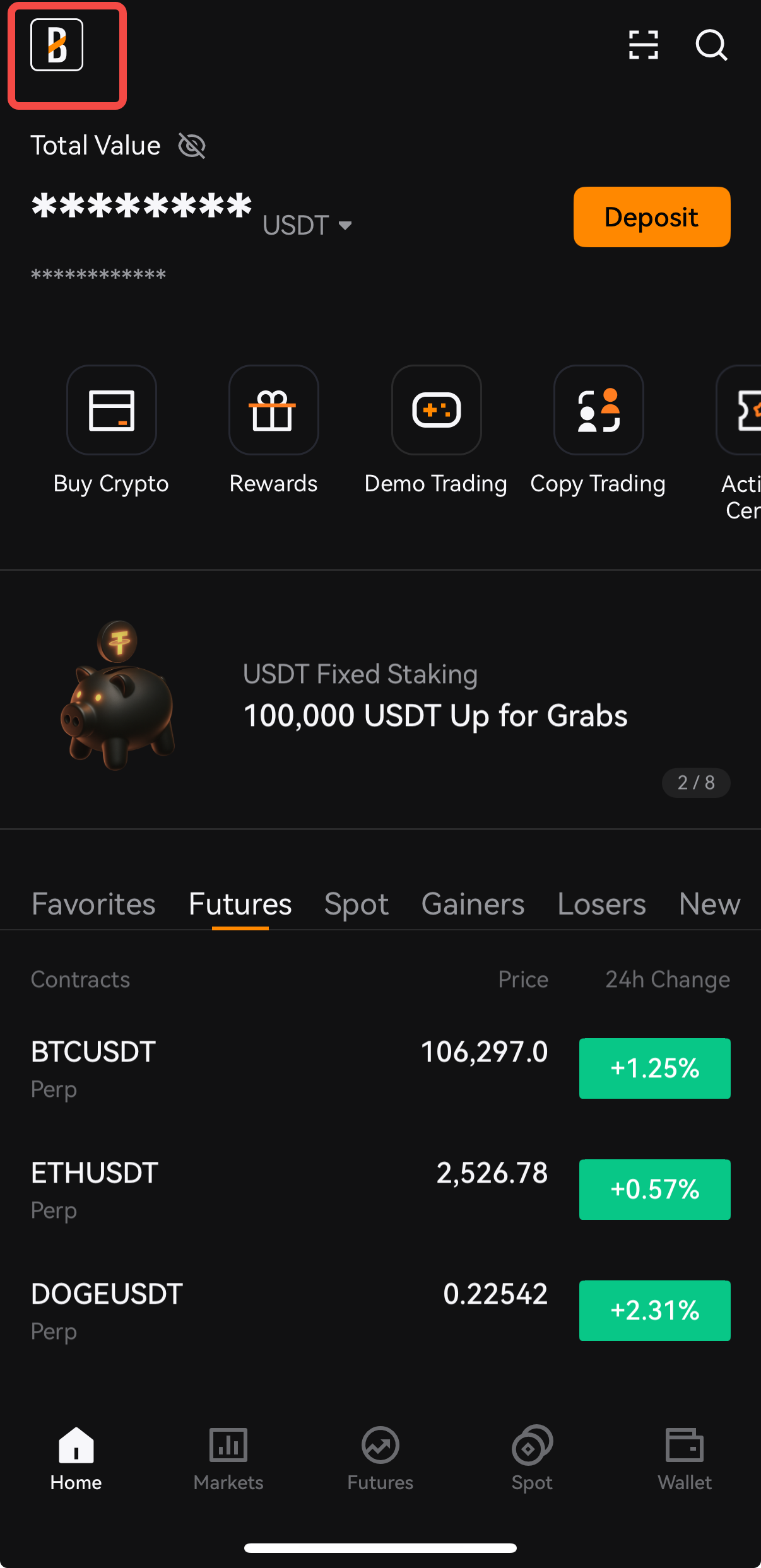
Open BloFin App, log into your account, tap on the BloFin logo on the homepage to the account overview page, you will see your UID info displayed under your username.
Notes:
1. We support registering with an email address, phone number,Google account and Apple ID.
2. Password: use a combination of numbers, letters, symbols, and lower and upper case, and ensure your password includes 8-32 alphanumeric characters.
3. Never share your password with anyone, including people claiming to work for us.
4. Adding an inviter/invitation code is only supported if your account does not already have an inviter.
Once an invitation code has been successfully applied during registration, it cannot be changed or replaced.
If you wish to use a different invitation code after registering, you will need to register a new BloFin account using the desired invitation code during the registration process.
5. Users can now view the referrer information linked to their BloFin account directly from the Account & Security page.
How to Check Your Referrer
Step 1: Log in to your BloFin account.
Step 2: Click your Profile icon in the upper-right corner and select Account & Security.
Step 3: Under your account information, click My Referrer.
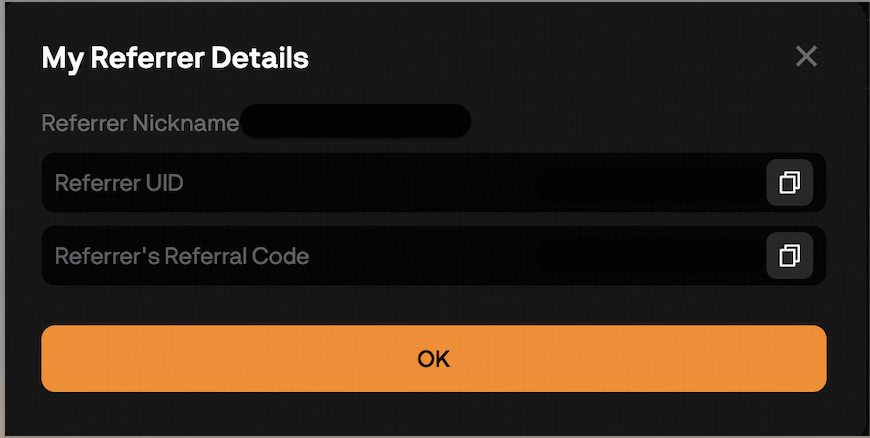
Step 4: A My Referrer Details window will appear showing:
- Referrer Nickname
- Referrer UID
Referrer's Referral Code