Copiers: How to Get Started with Copy Trading? (App)
July 15, 2026 at 06:28 AMHow to use copy trading?
Click here to use copy trading on BloFin: https://blofin.com/copy-trade and APP is also supported currently. Users don't need to apply for copy trading. If users want to use copy trading, go to the Copy Trading page and navigate to the Traders square to choose a trader you want to copy, then set the margin, trade amount, and leverage, your position will follow the trader successfully. After stopping copy trading, assets in the copy trading account will be transferred to their funding accounts automatically. Copy trading - All traders - Copy - Settings - Submit.
Currently, BloFin supports three copy modes: Fixed Amount, Fixed Ratio, and Smart Copy.
Smart Copy: Orders will be opened in proportion to your available margin balance/trader’s available margin balance.
Fixed Amount: The amount you'll invest as a margin in each order you copy from this trader.
Fixed Ratio: Orders will be opened in proportion to the Lead Trader's position size.
Copy a Lead Trader
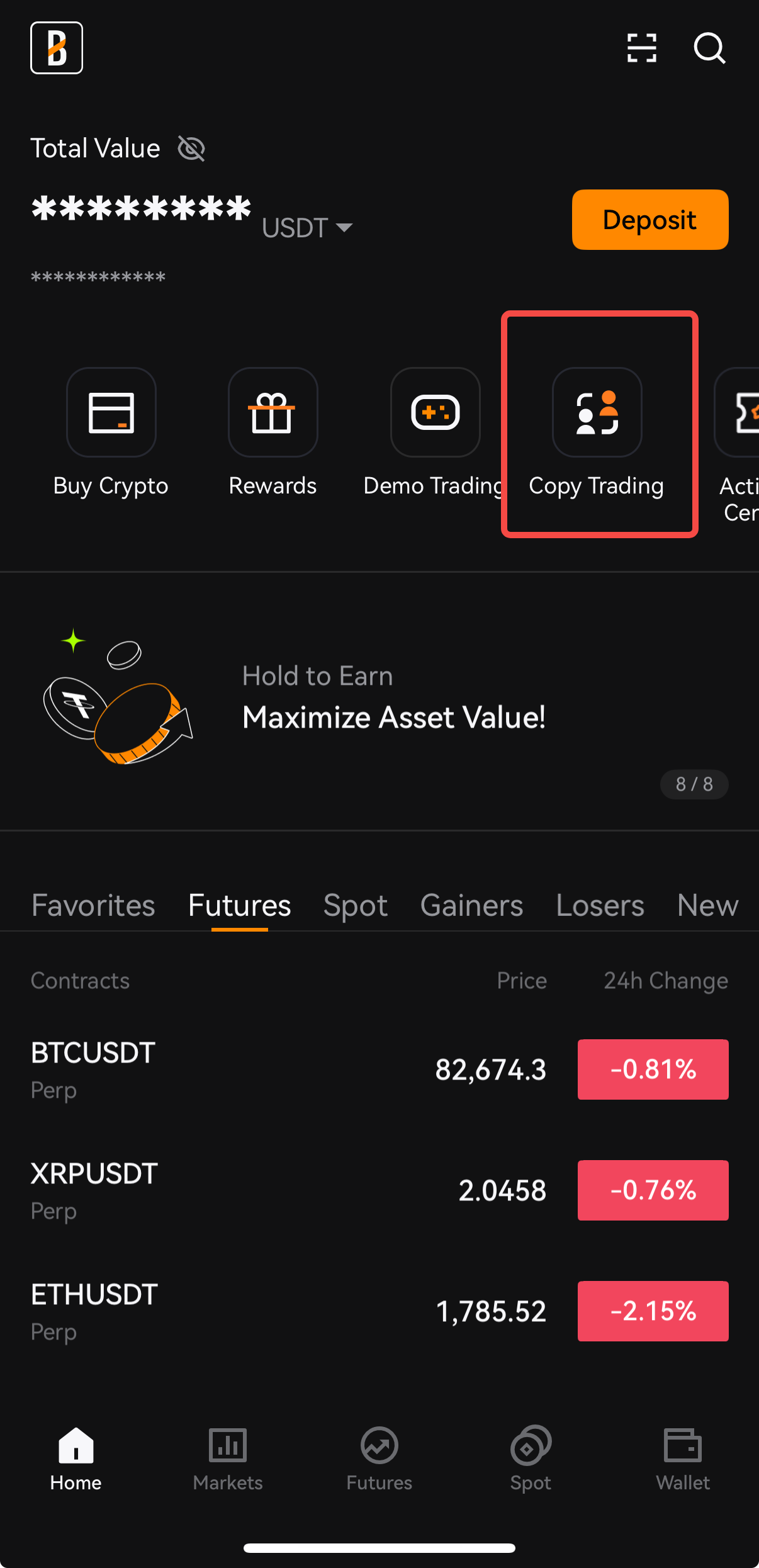
1. Open the BloFin App, and tap on [Copy Trading] on the homepage to enter the Copy Trading interface.
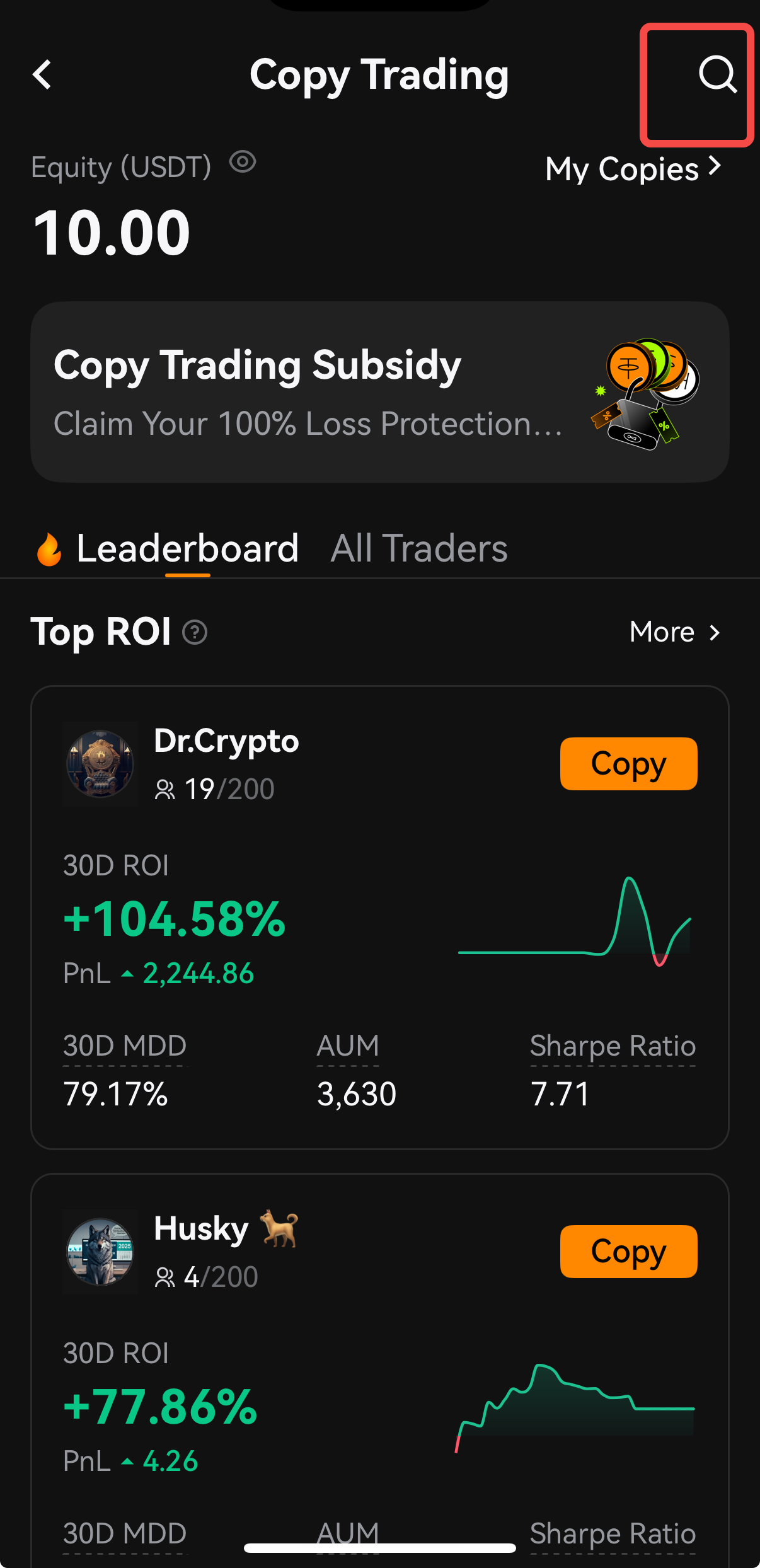
2. On the Copy Trading page, locate the Traders square, fill in the trader's name and search for it.
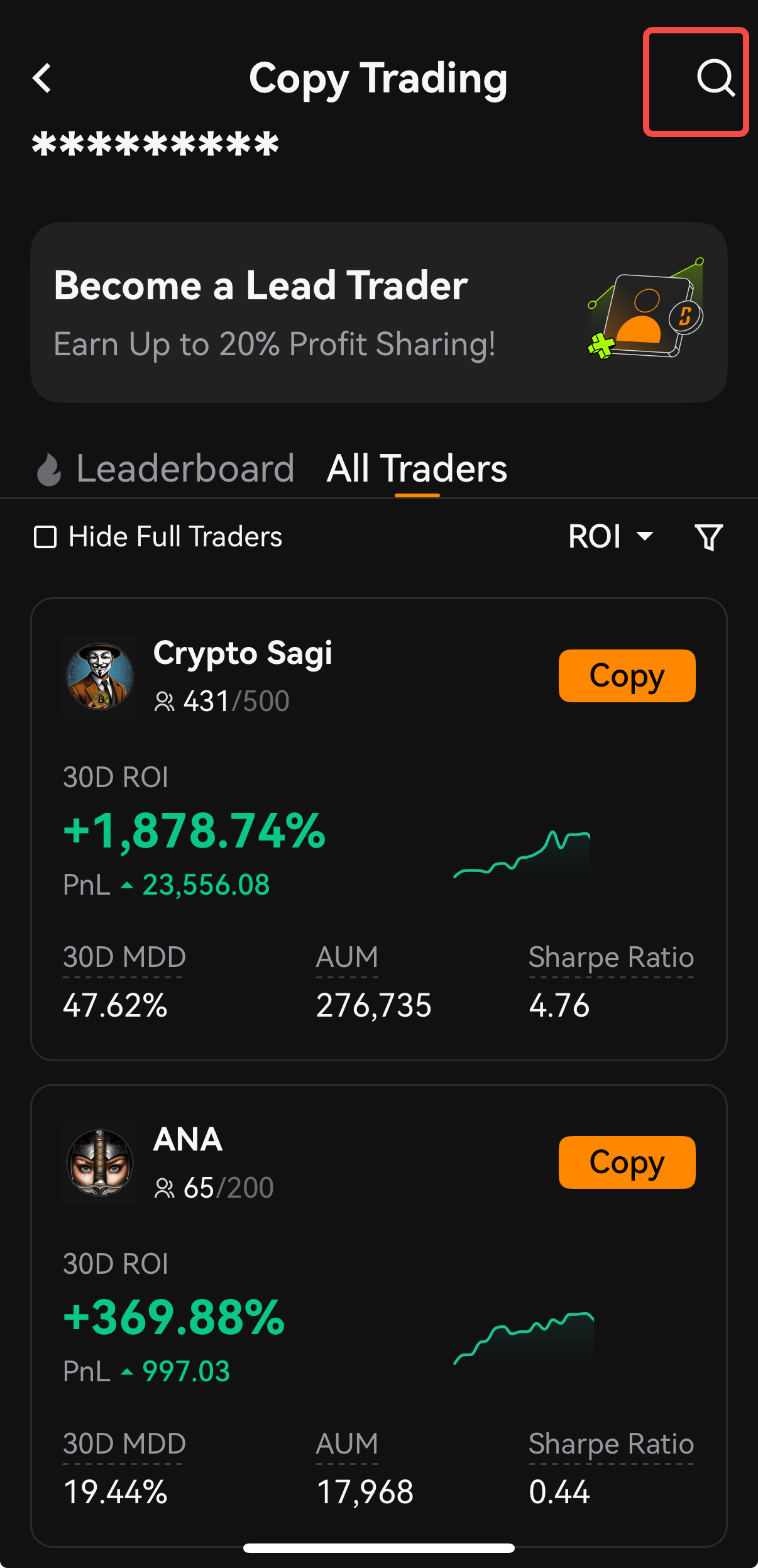
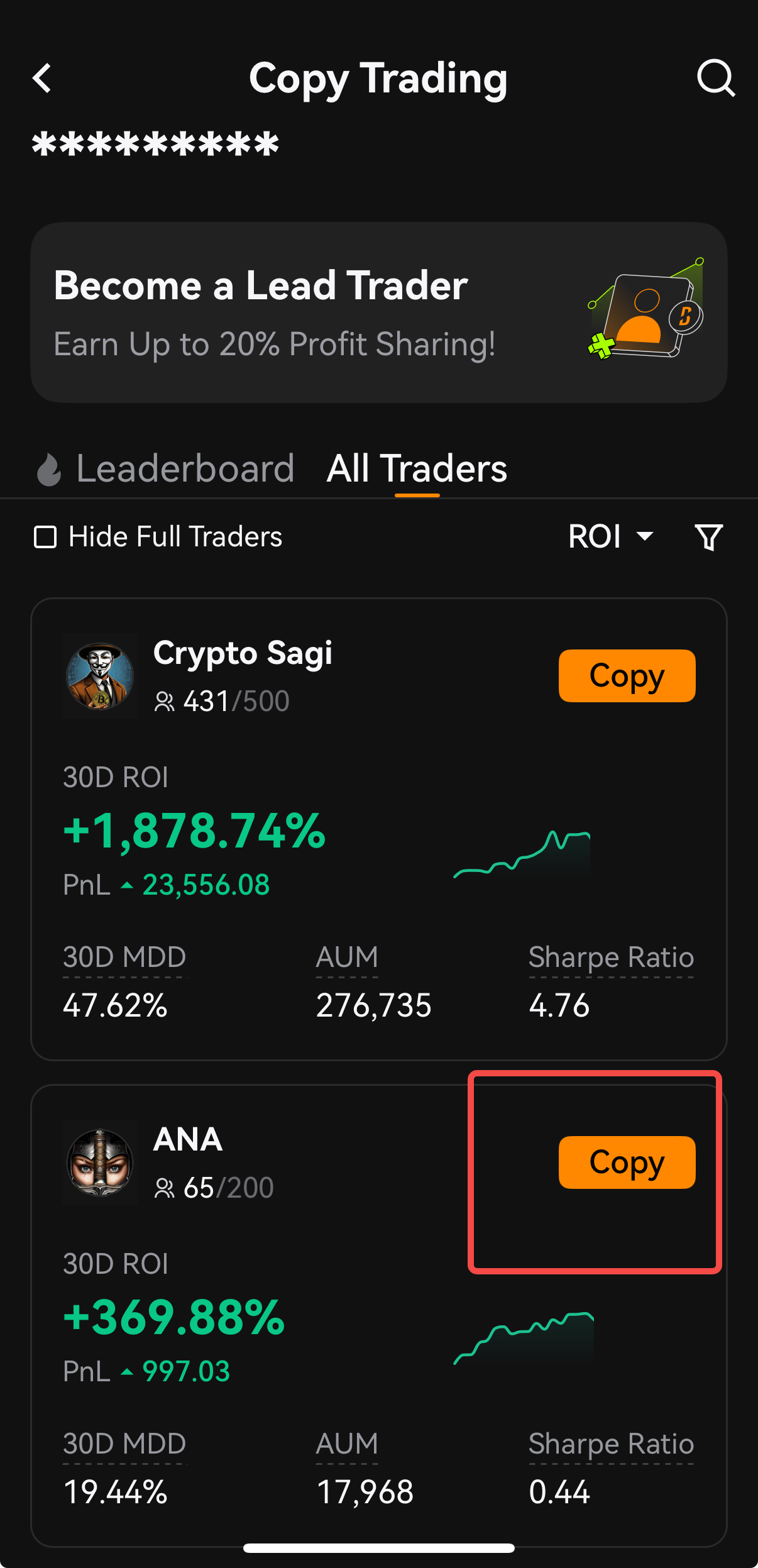
3. Tap on [Copy] on the Trader’s card whom you want to follow to enter the Trader's performance page. You can copy only 1 Trader at one time.
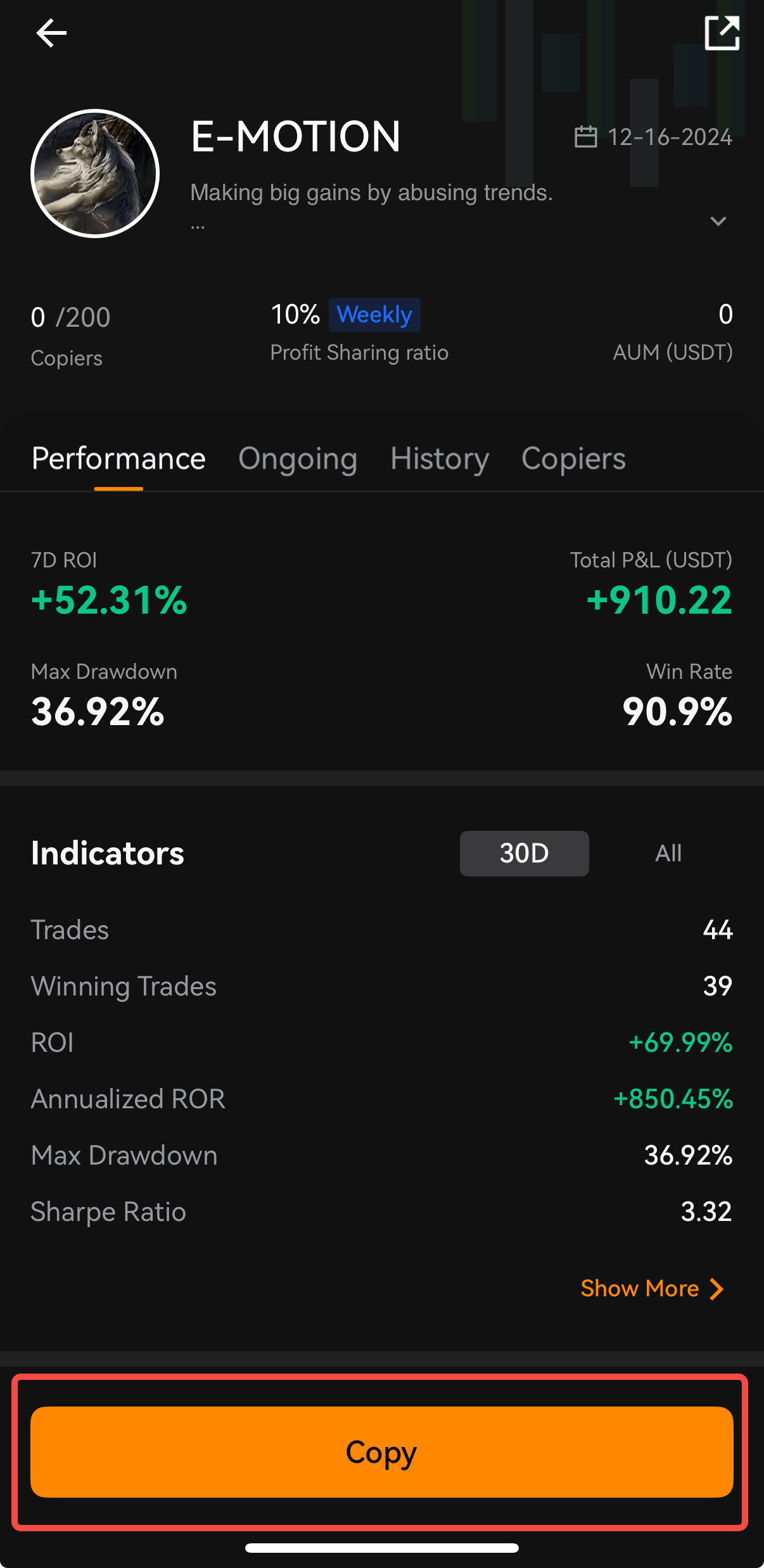
4. On the trader's performance page, Tap the [Copy] button and fill in all the required fields to set up your copy-setting and [Submit], then your copy-trading will be active.
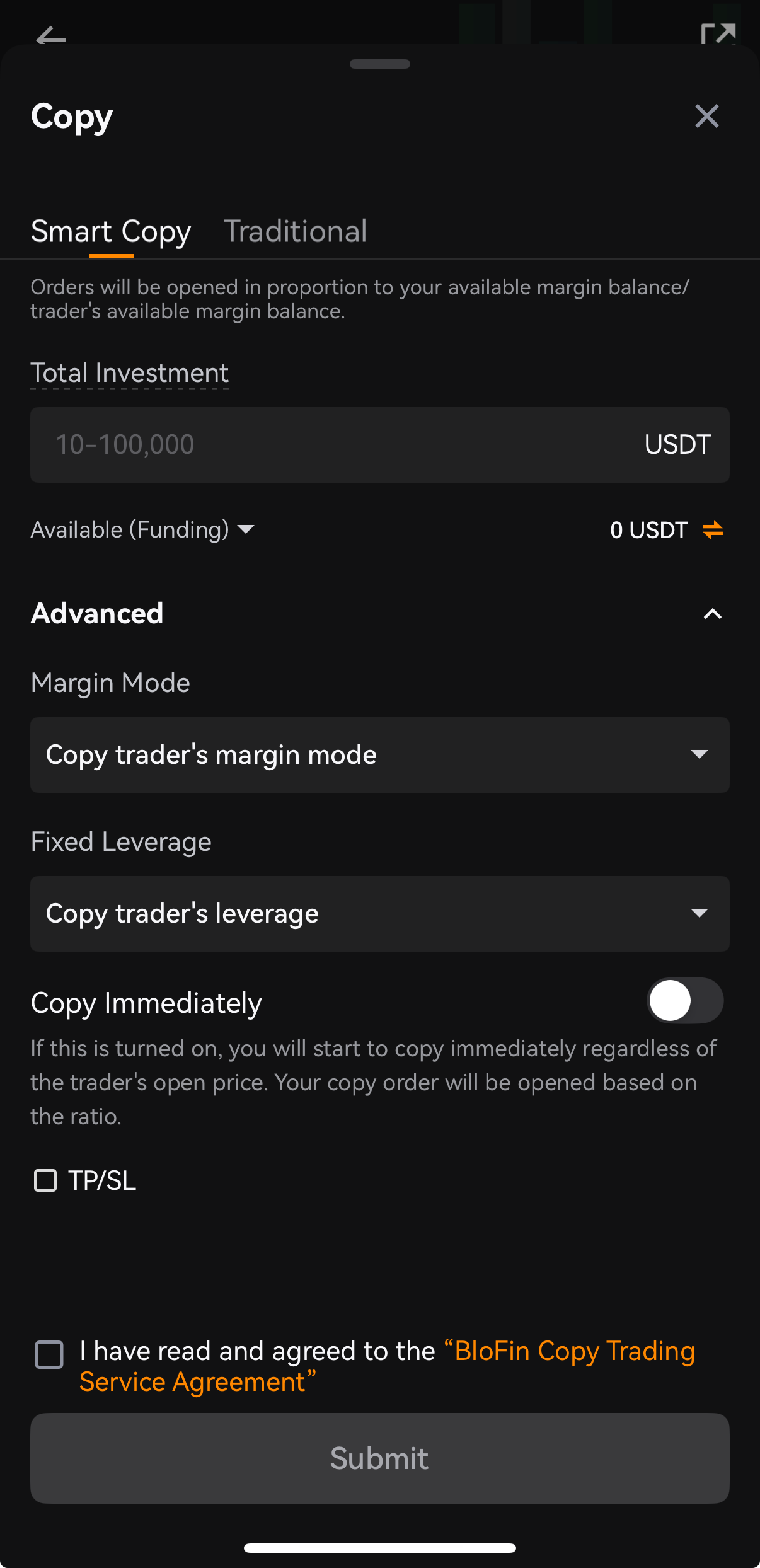
Switch Copy Mode, Margin Mode and Leverage Settings
There are three modes for opening a copy trade: Smart Copy Mode, Fixed Amount Mode and Fixed Ratio Mode.
Smart Copy Mode:
Copy with one click: just set a total investment and start copy trading. You don’t need to set any other settings.
Invest smarter and align risk: your asset allocation for positions, leverage, and margin mode are synced with the lead trader, letting them help you better control risk and manage PnL.
Margin per order formula: trader's position margin / the copy trading account balance x your copy trading account balance
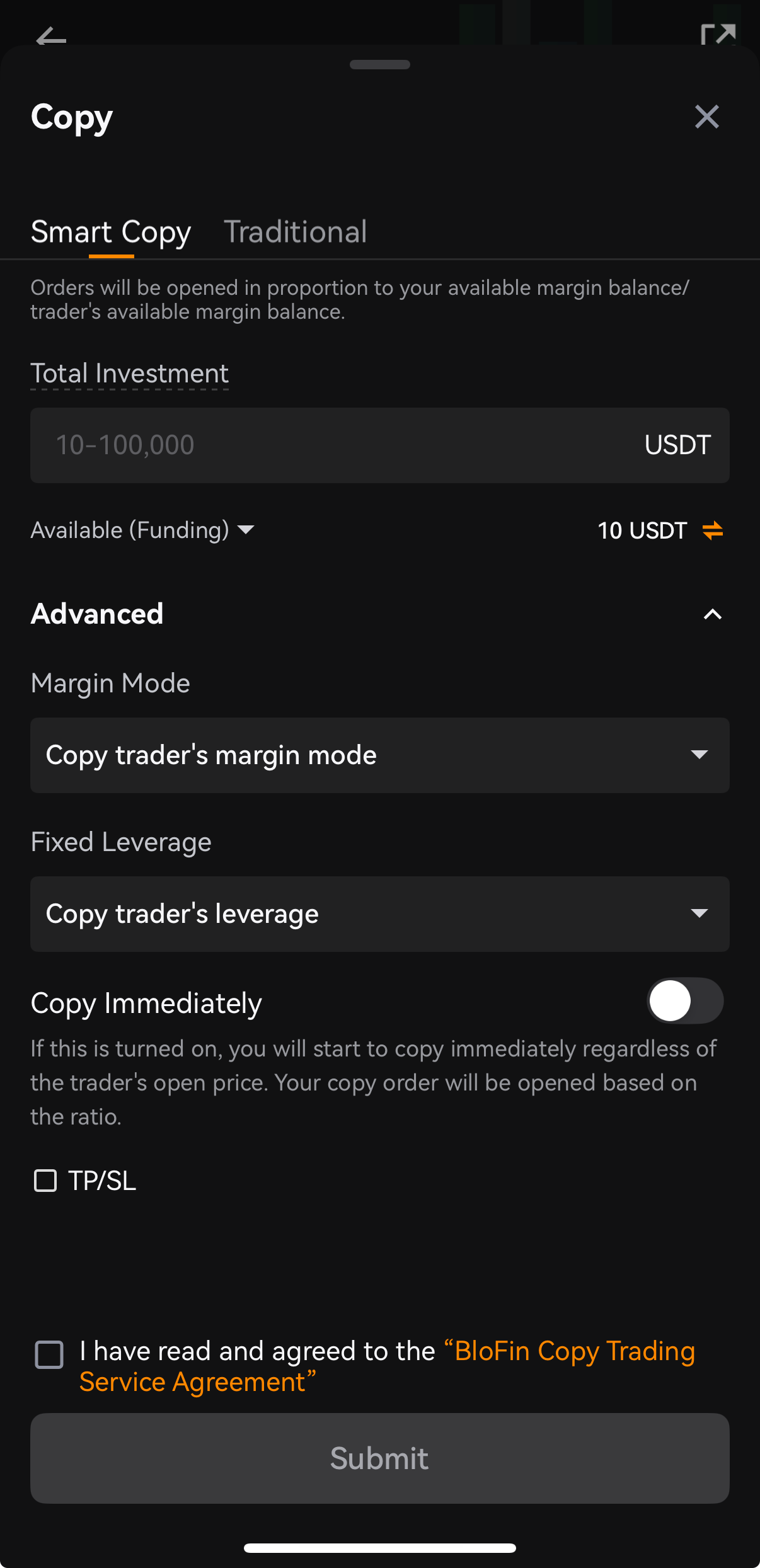
Total Investment:
The total margin amount you'll invest for all orders with this trader.
Available (Funding):
Automatically transfer assets from the Funding account to the Copy Trading account. Click on it, you can select the source account from the Funding account, Spot account, and Futures account. In the process, you don't need to manually transfer assets to the copy trading account in advance.
Advanced settings:
Margin mode: three options to select: Copy trader's margin mode, Cross margin, and Isolated margin.
Leverage: two selections: Copy trader's leverage, fixed
*Copy Immediately: If this turned on, you will start to copy immediately at the market price regardless of the trader's open price. Your copy order will be opened based on the ratio.
TP/SL per Order: BloFin Copy Trading supports copiers setting TP/SL in advance.
Fixed Amount Mode:
Each order will be opened at a fixed margin amount (cost per order).
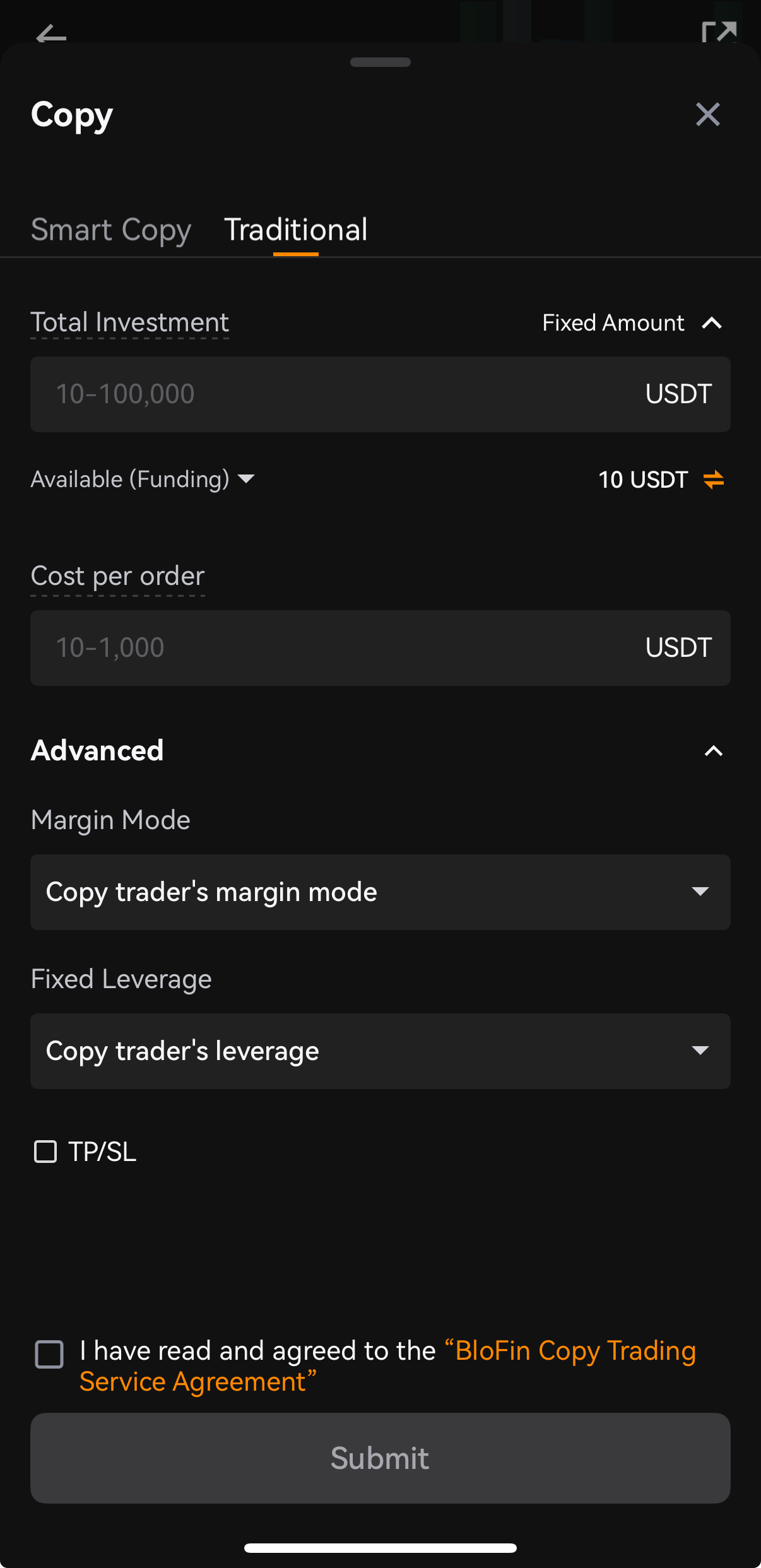
Cost Per Order:
The amount you'll invest as margin in each order you copy from this Lead Trader.
Total Investment:
The total margin amount you'll invest for all orders with this trader.
Margin Mode:
There are three options to select: Copy trader's margin mode, Cross margin, and Isolated margin.
TP/SL Setting:
BloFin Copy Trading supports copiers setting TP/SL in advance.
Leverage:
There are two options to select: Copy trader's leverage mode and fixed leverage.
Fixed Ratio Mode:
Order will be opened in proportion to your position / the Lead Trader's position.
Margin per order = multiplier * trader's order value / your futures leverage
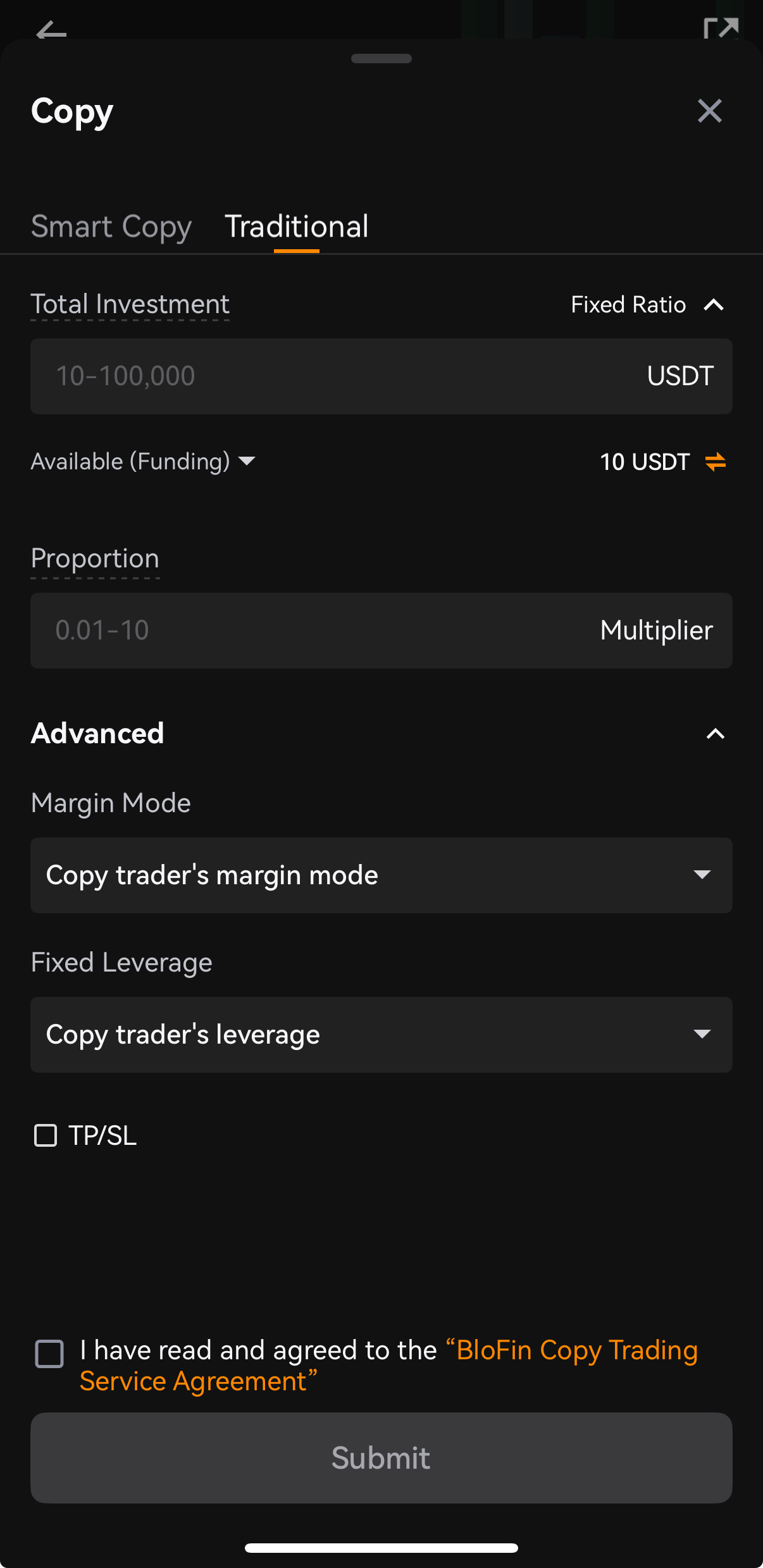
Total Investment:
The total margin amount you'll invest for all orders with this Lead Trader.
Proportion:
Set the margin as a multiple of the trader's investment.
Margin per order formula: Multiplier * Lead Trader's order value / your futures leverage.
Margin Mode:
There are three options to select: Copy trader's margin mode, Cross margin, and Isolated margin.
Leverage:
There are two options to select: Copy trader's leverage mode and fixed leverage.
TP/SL Setting:
BloFin Copy Trading supports copiers setting TP/SL in advance.
Notes:
1. If you have positions in your Futures Account, please take care of the liquidation risk of your positions.
2. view the trader’s ongoing positions on their profile to help decide whether or not you want to use this feature.
3. After you complete the copy trading settings, the system will automatically transfer assets from the other accounts to the Copy Trading account. In the process, you don't need to transfer assets manually in advance.
Adjust Investment Amount
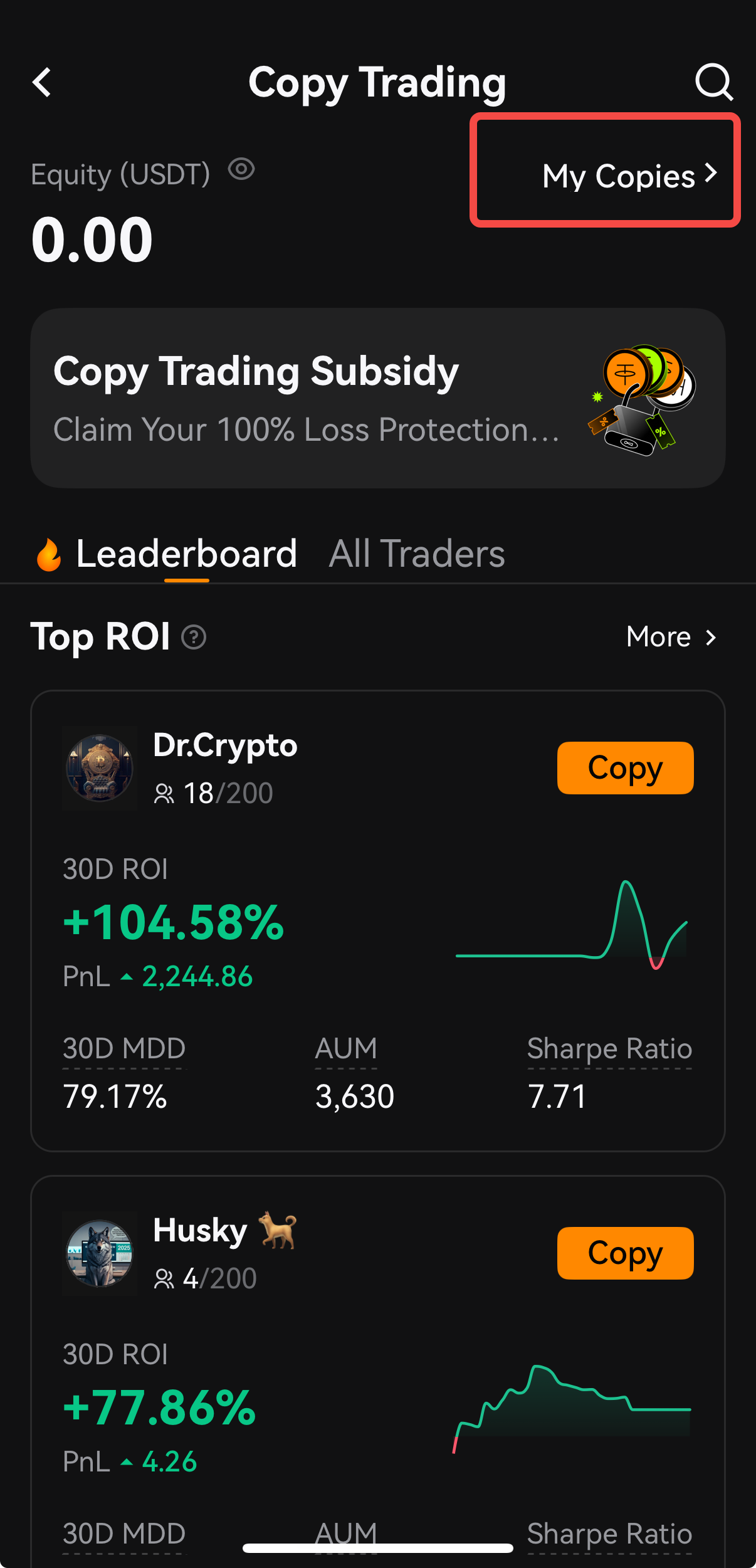
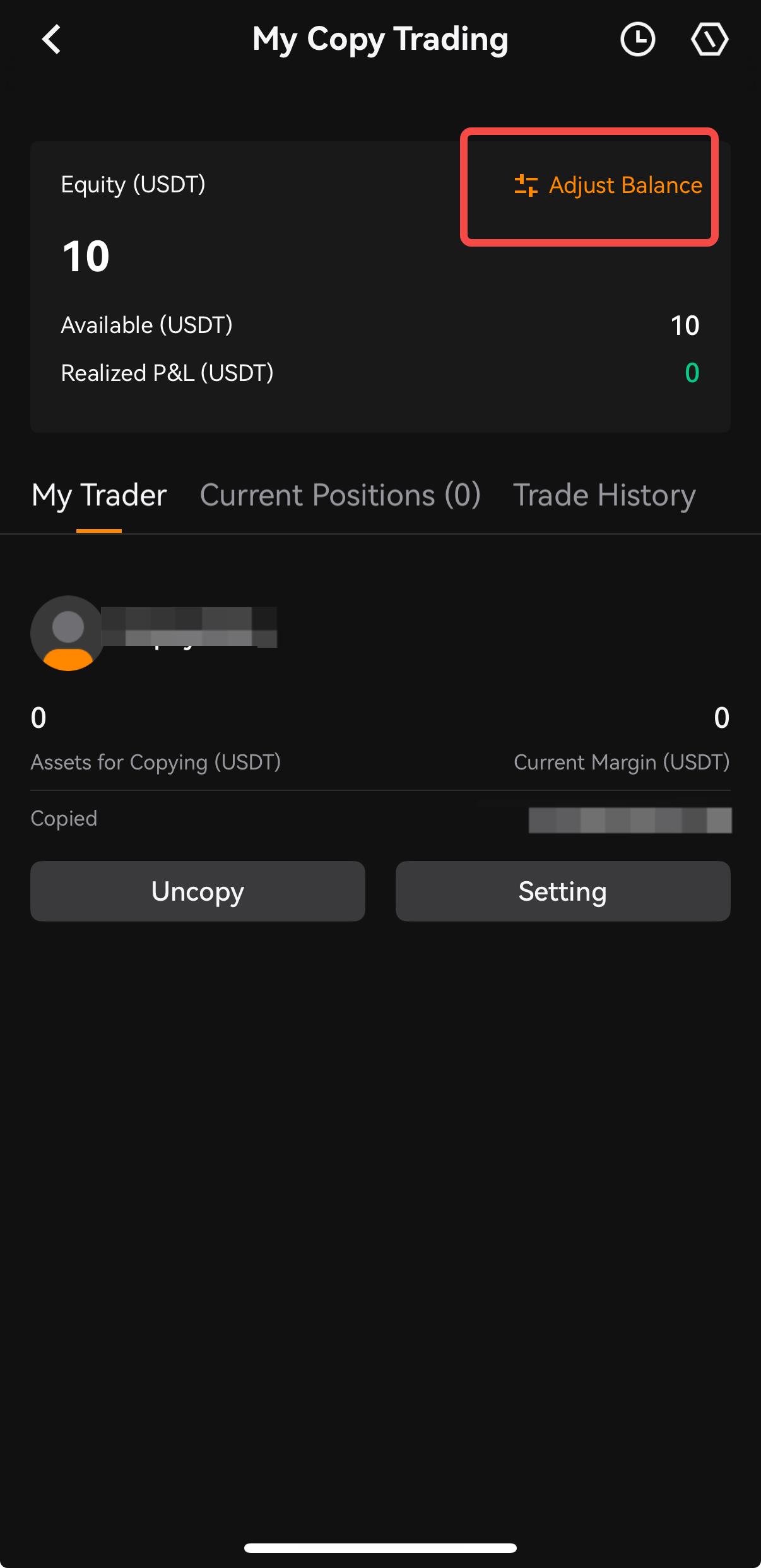
1. Go to Copy Trading -> My Copies -> My Copy Trading page. Under My Trader, you can find the trader whose copy trade settings you want to edit. Select Settings to go to the copy trade settings page.
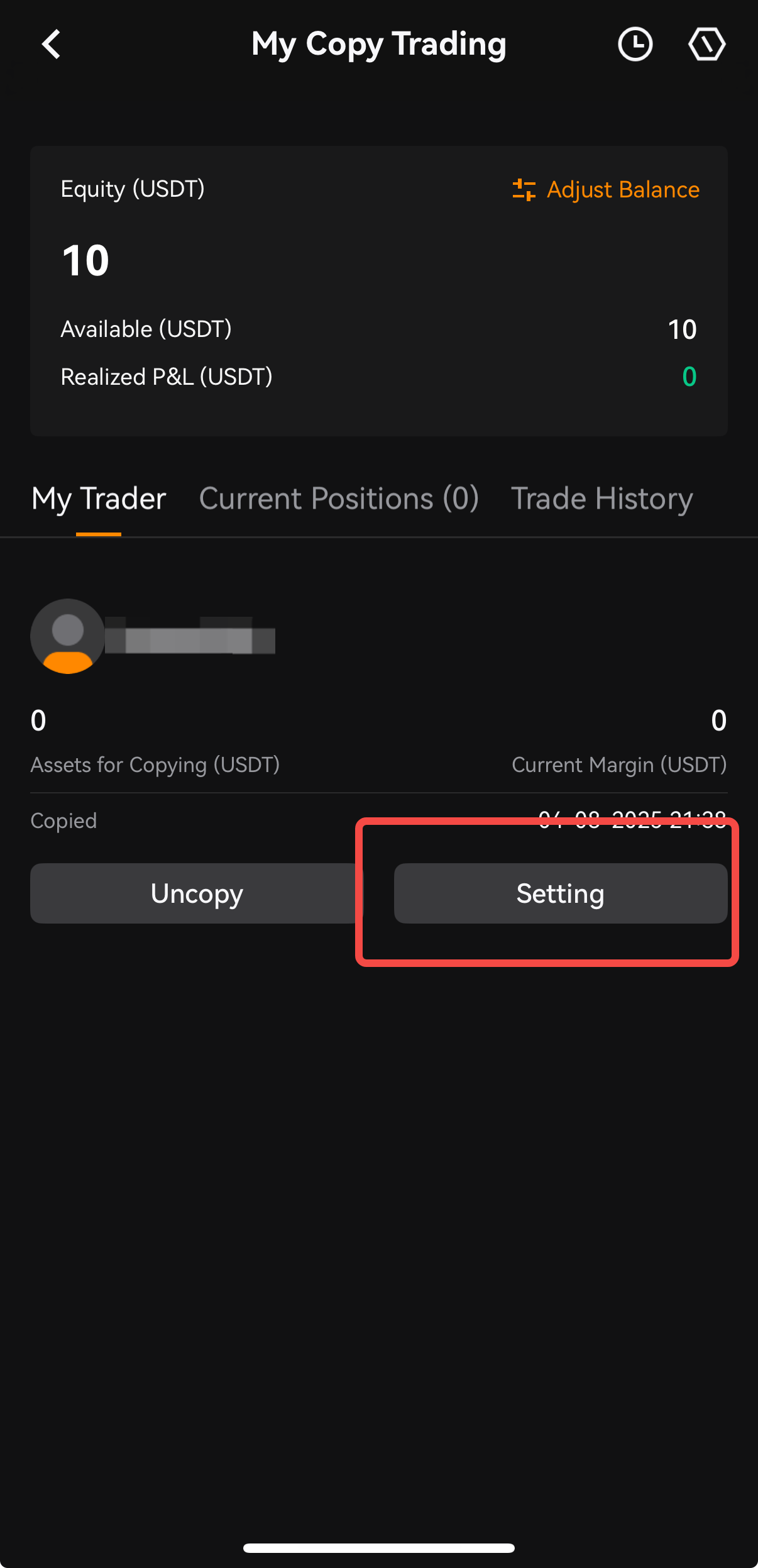
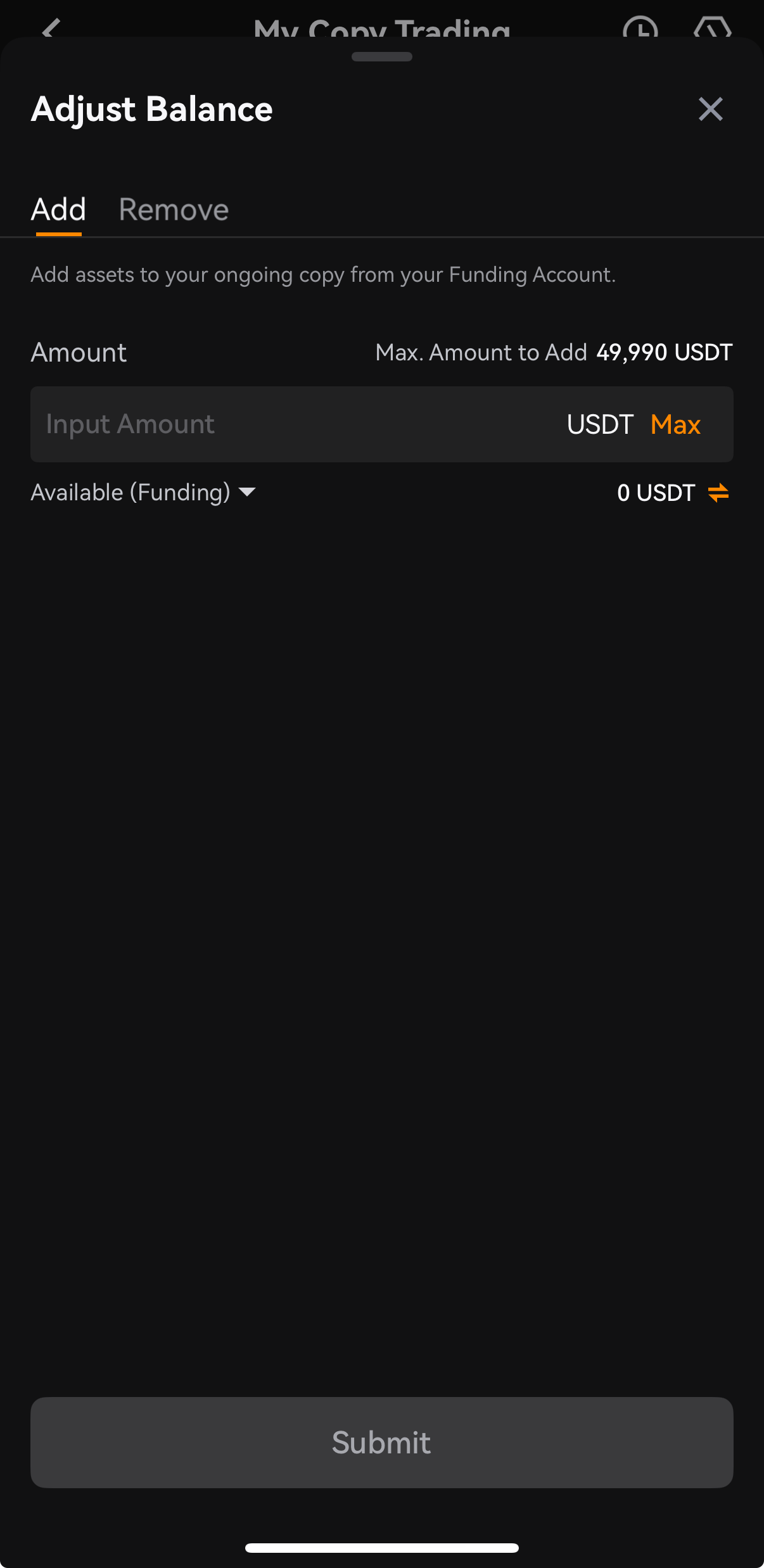
2. Tap on [Adjust Balance] to add or remove the balance in your copy trading.
Close Your Positions
Upon following a Trader to open positions, there are three position closing scenarios.
A. Lead Trader closes a position
When the Lead Trader closes a position, the system will also close the position for the copiers.
B. Copier decides to close a position
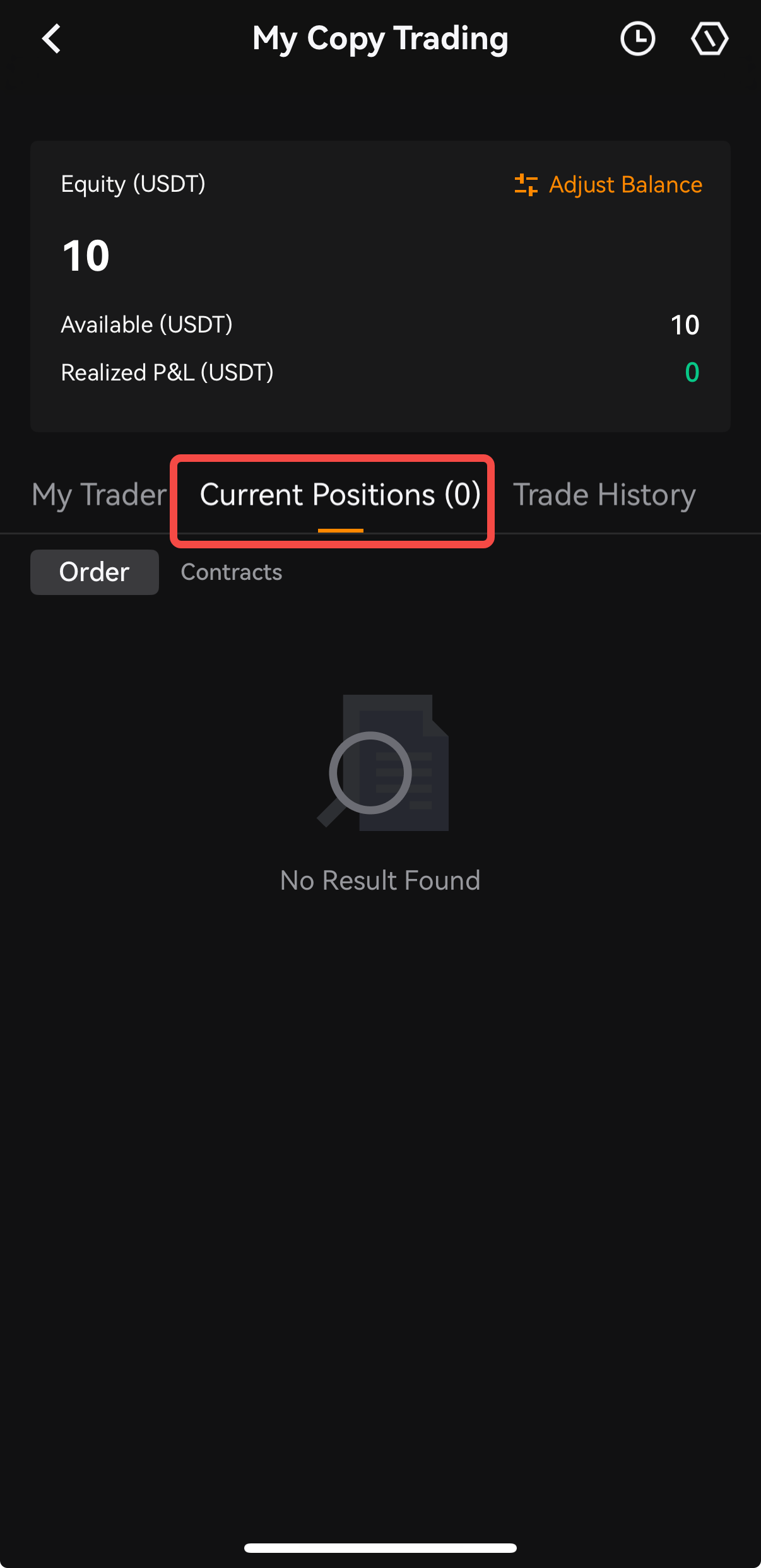
Under Copy Trades section, copiers can close the positions in their copy trades manually. Go to Copy Trading -> My copy trading -> Copy Trades -> navigate to the position -> Close to close any position.
C. The loss of current copy trades is greater than available futures assets (liquidation)
A copy trade position will be closed by the system when the current unrealized loss of the position is greater than the available assets in the copy trading account.
Uncopy Your Lead Trader
There are two ways to stop copying a Lead Trader.
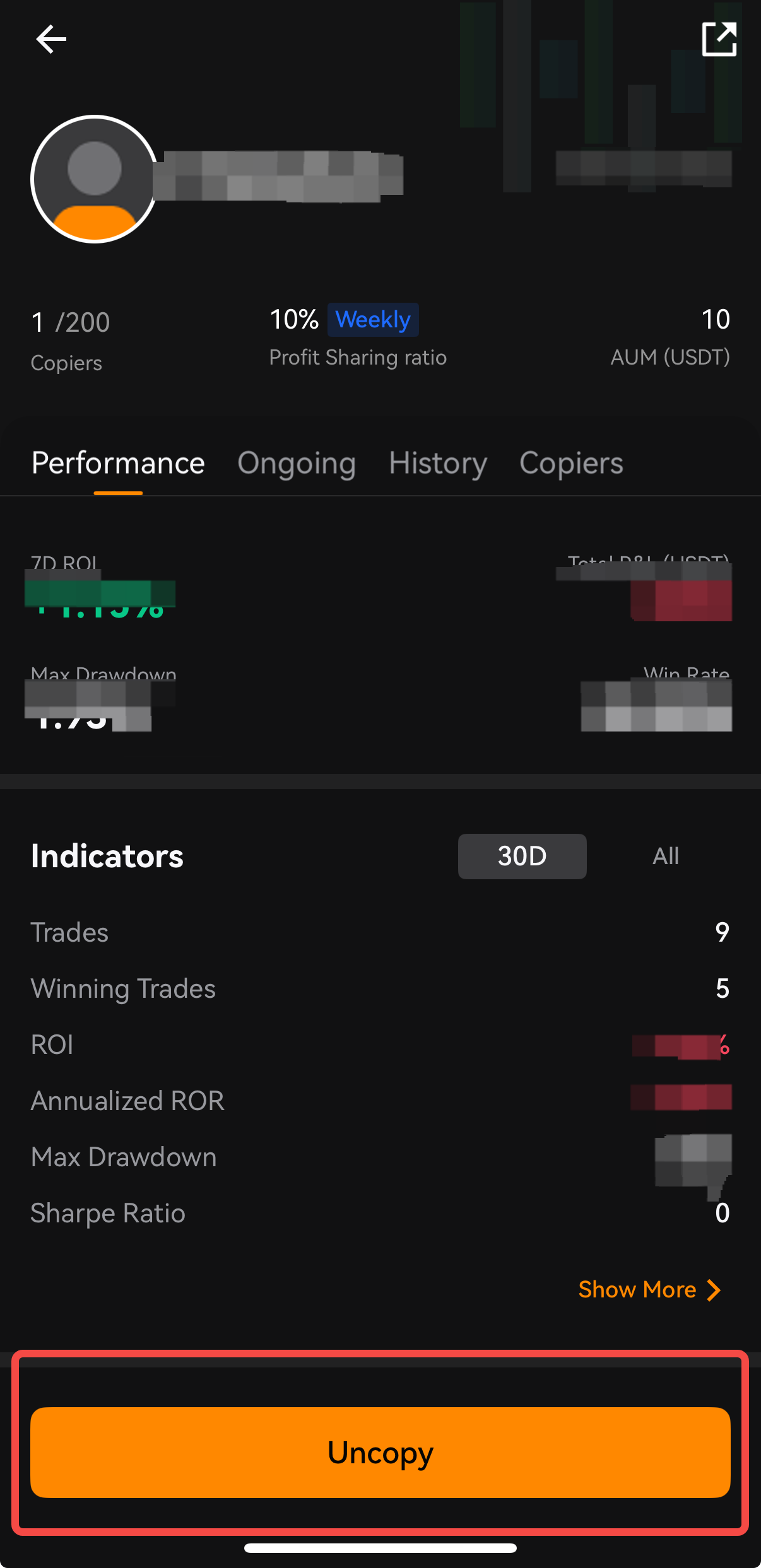
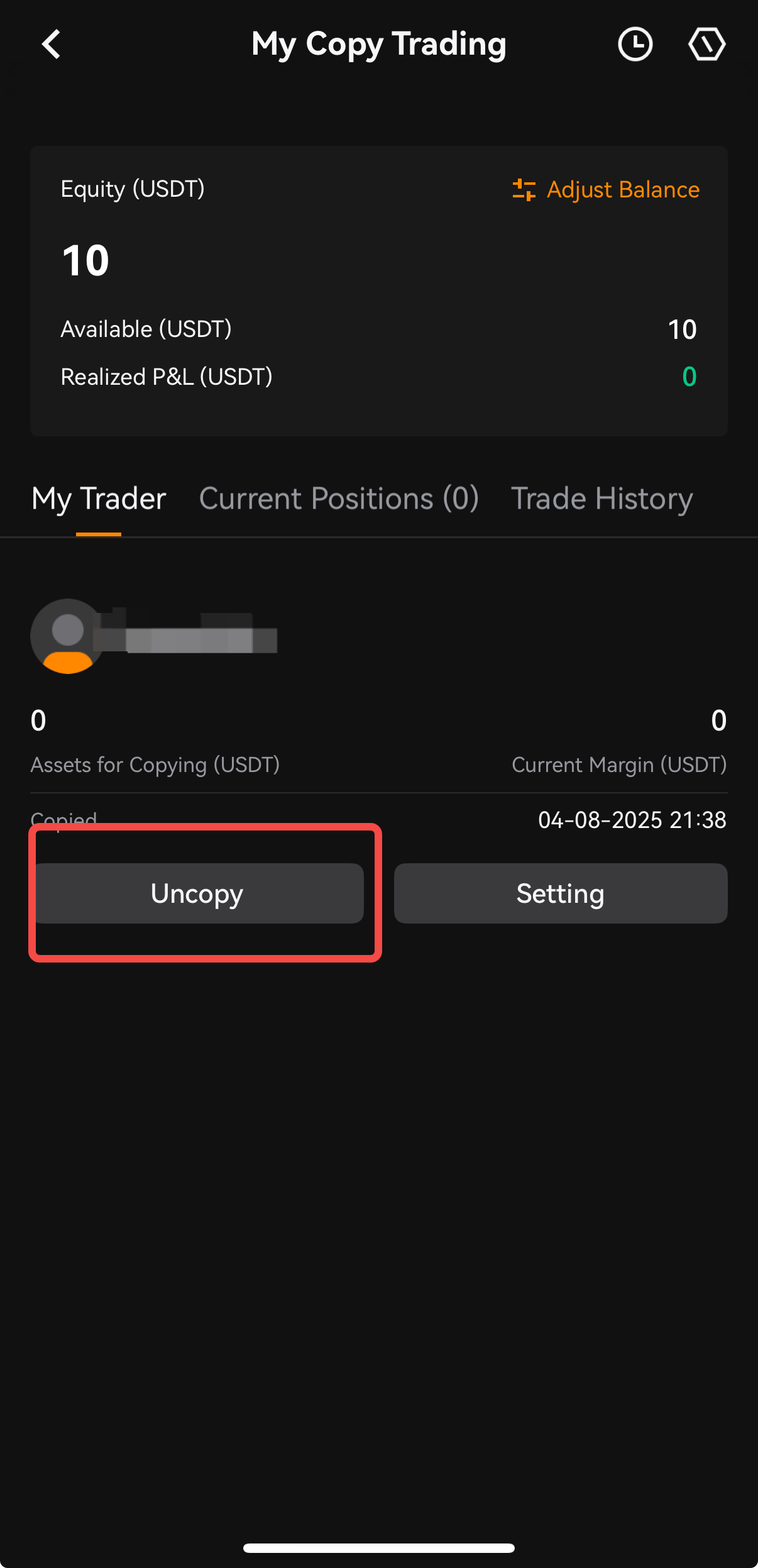
A. Under My Trader, tap on the [Uncopy] button to stop copying the trader.
B. On the All Traders list, search for your Lead Trader -> Tap on [Uncopy] to stop copying the trader.