
New in Futures Copy Trading: Add Margin to Your Positions
October 23, 2026 at 04:42 PMA sharp market swing can liquidate your copied position before your trader’s strategy plays out. Now you can add margin to give it more room.
Add Margin lets you top up open copied positions in isolated margin mode, for both USDT-margined and coin-margined futures. More margin pushes your liquidation price further away, while your leverage and copy settings stay unchanged. You’ll see the new estimated liquidation price before you confirm.
How to Add Margin
Open BloFin App > Select Copy Trading on the homepage > Tap My Copies > Tap Trades > Choose the position you want to add margin to > Tap the 🖌️ icon > Enter the amount you want to add > Confirm
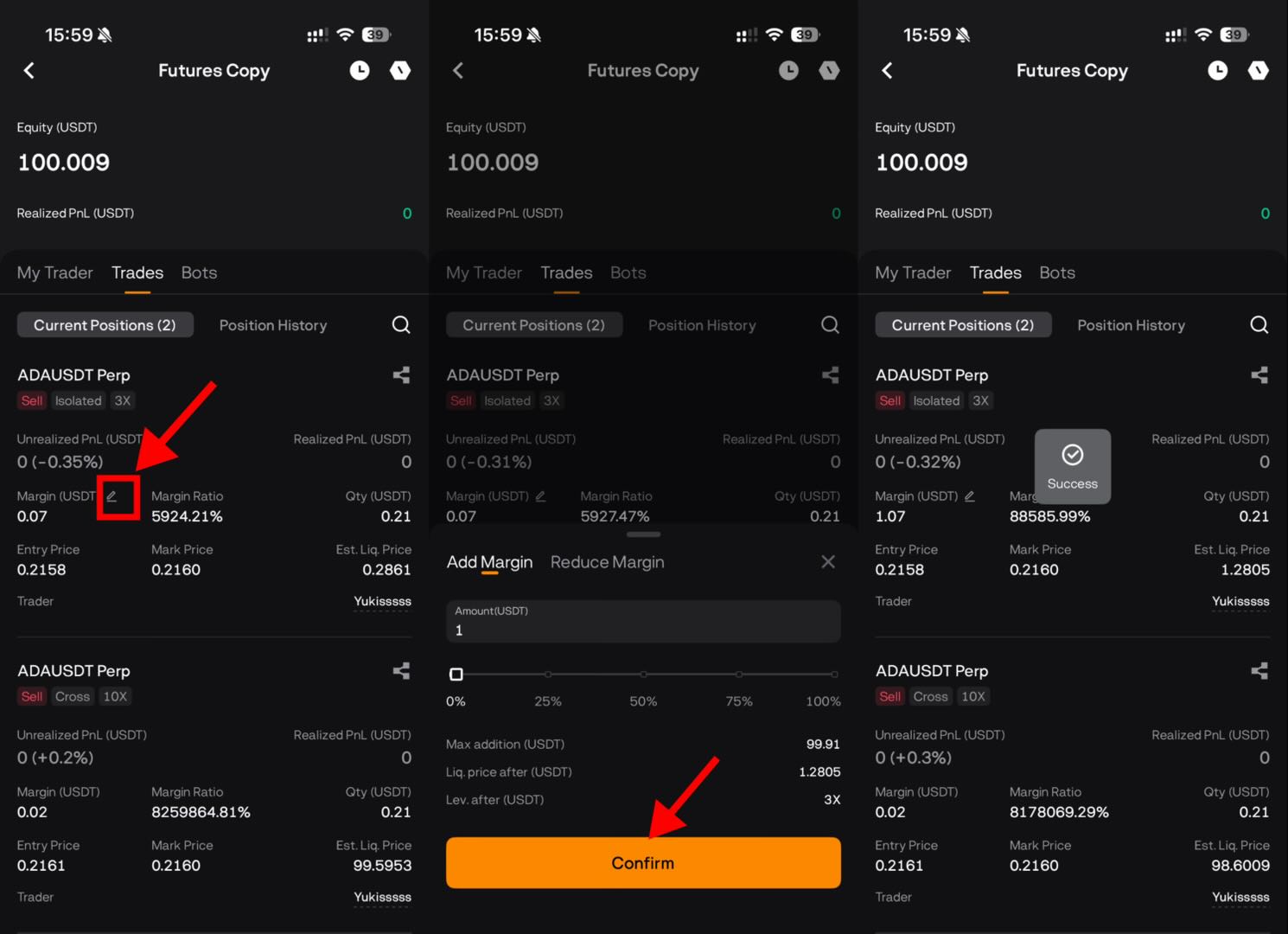
You can manage your position margin directly, whenever you need to make an adjustment.
Prices displayed on BloFin are indicative and do not constitute an offer to buy or sell at that price. Due to the inherent volatility of digital asset markets, liquidity conditions, order size, and potential delays in order transmission or blockchain confirmation, the actual execution price of any order may differ from the price displayed or quoted at the time the order is submitted (“Slippage”). Slippage may be favourable or unfavourable to the user. BloFin does not guarantee execution at any particular price and shall not be liable for any loss or shortfall resulting from Slippage. By using the service, the user acknowledges and accepts the risk of Slippage.