How to Change Your Email/Phone Number? (App)
August 19, 2025 at 01:22 AM1. All security settings are functioning normally
If all of your security items are working fine and you can log into your BloFin account successfully, please follow these steps to change your email/phone number:
Please note that withdrawals will be unavailable within 24 hours after resetting the security features to protect your assets.
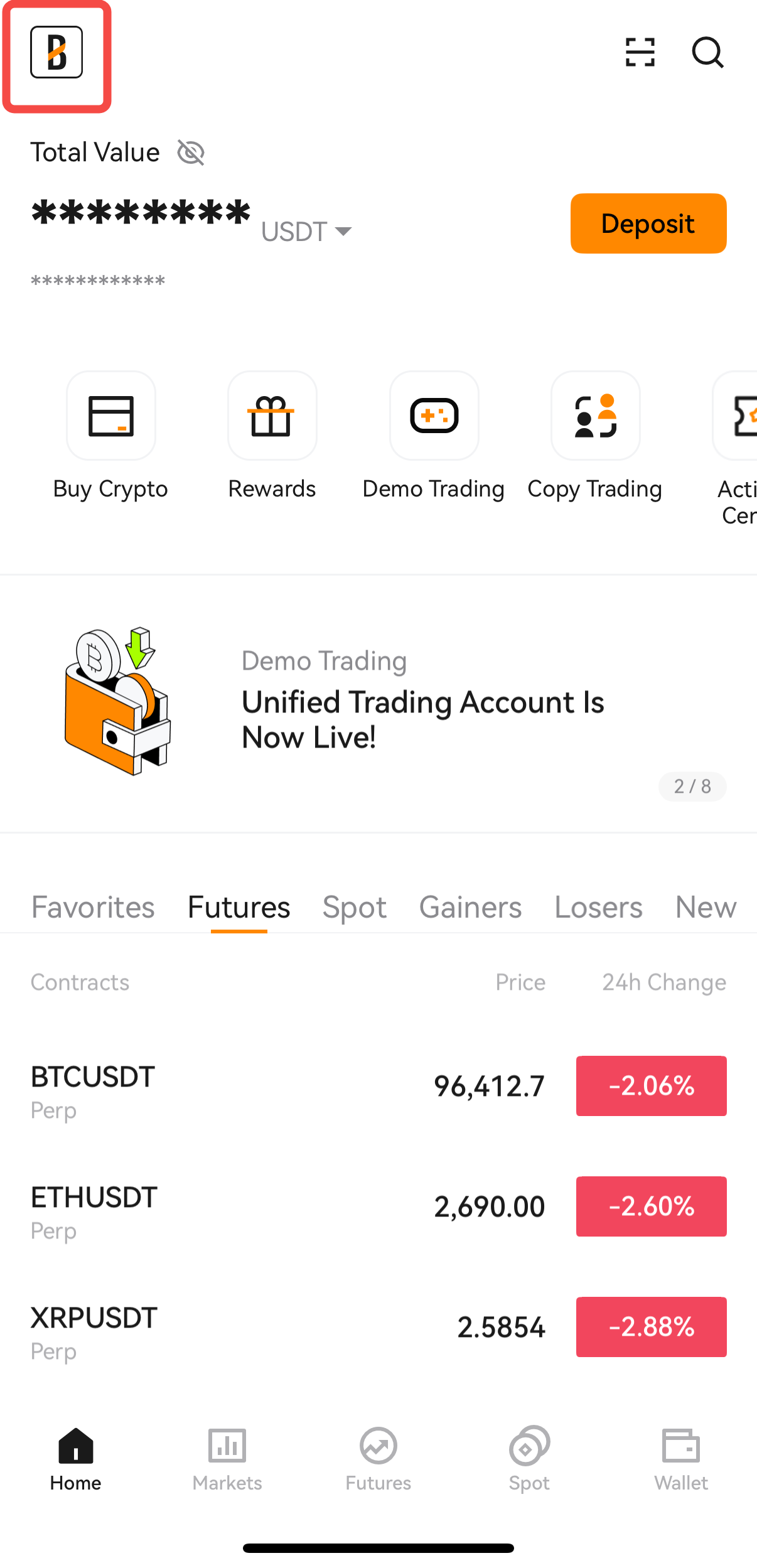
1. Log in to your BloFin account and tap on your user avatar.
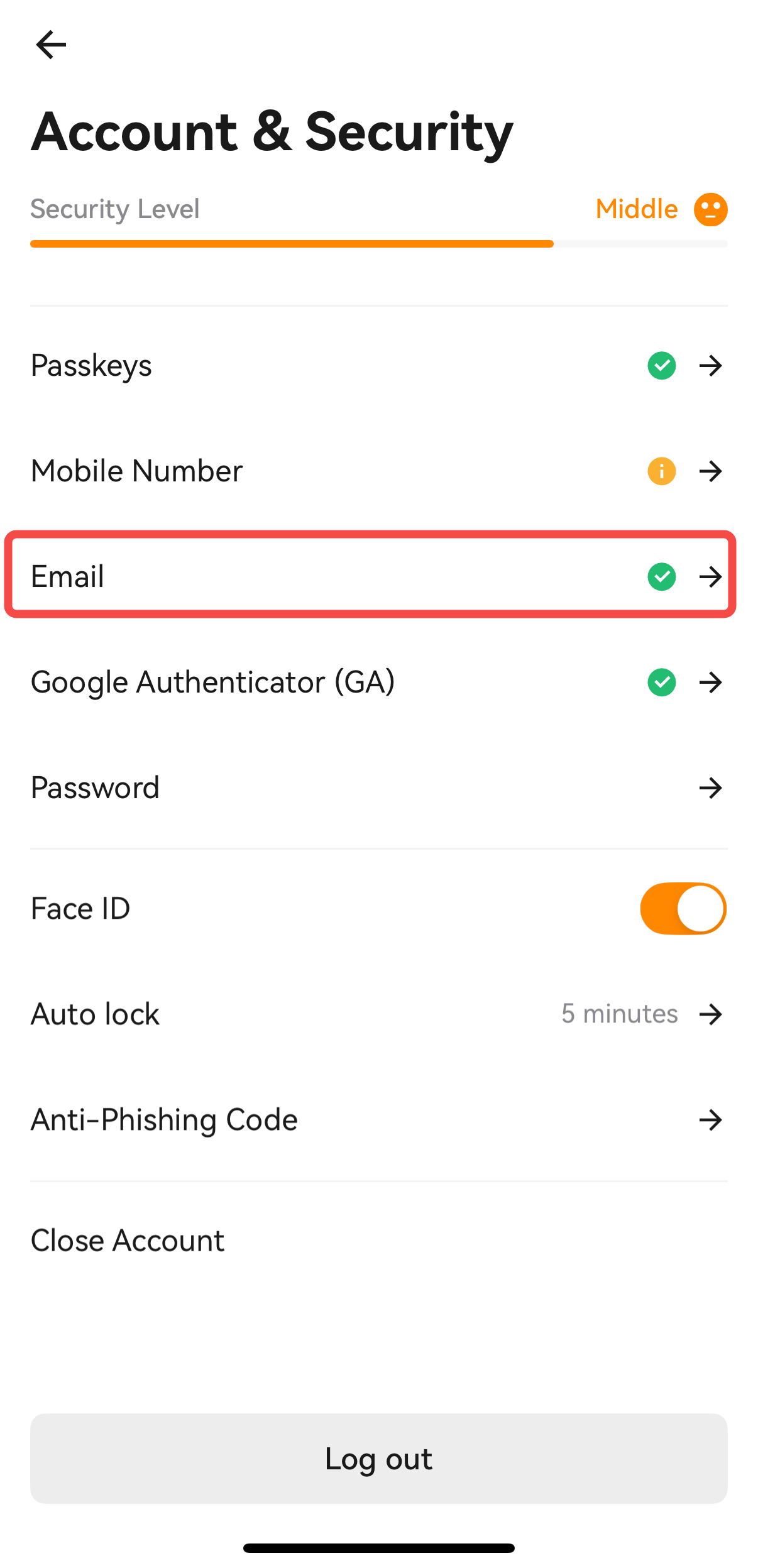
2. Select [Account & Security] from the options.
3. Go to the [Email] section and tap on the arrow [→] to access the Change Email page.
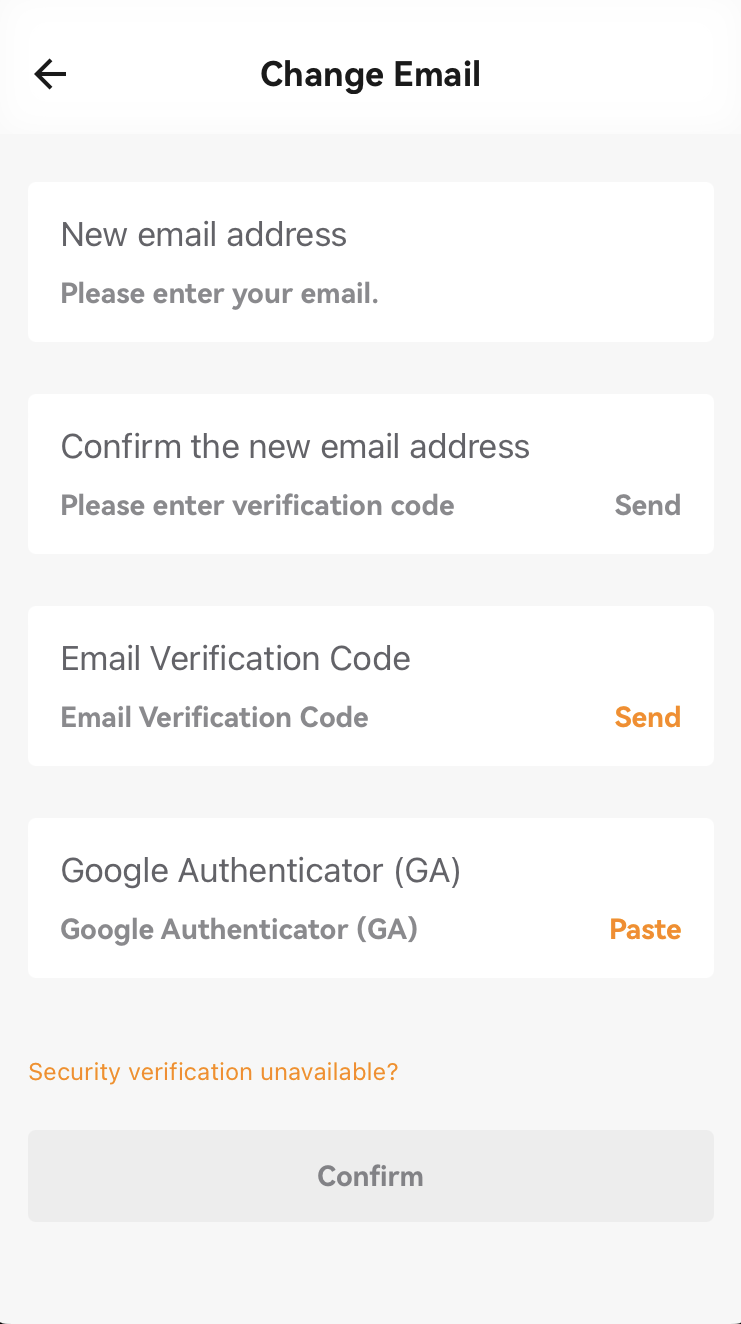
4. Enter your new email address and verify it by entering the new email code, current email code/SMS code, and Google Authenticator code (2fa).
5. Click [Confirm] to successfully change your email.
2. If your email/phone is unavailable but you still remember your login password
If your email/phone is unavailable but you still remember your login password or you can log into your account, please follow the guide below the change or remove your email/phone number.
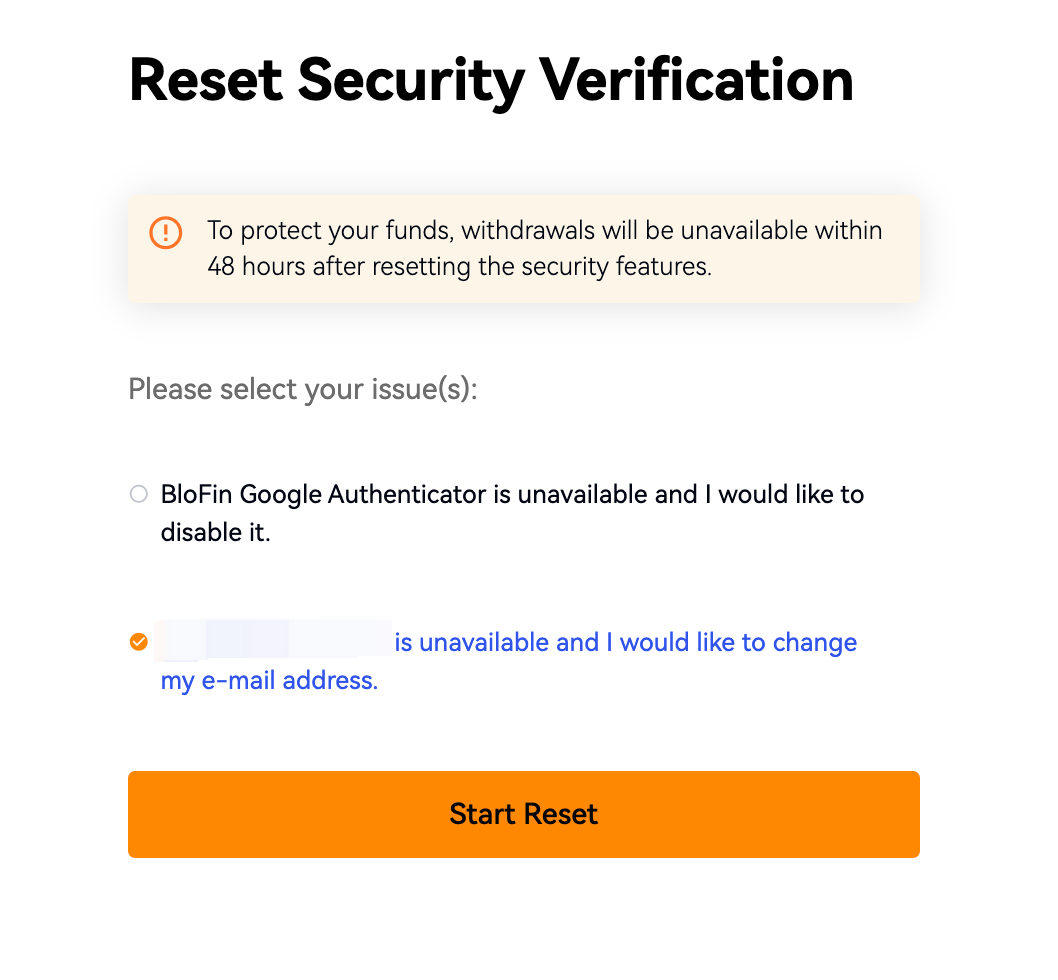
Please note that withdrawals will be unavailable within 48 hours after resetting the security features to protect your assets.
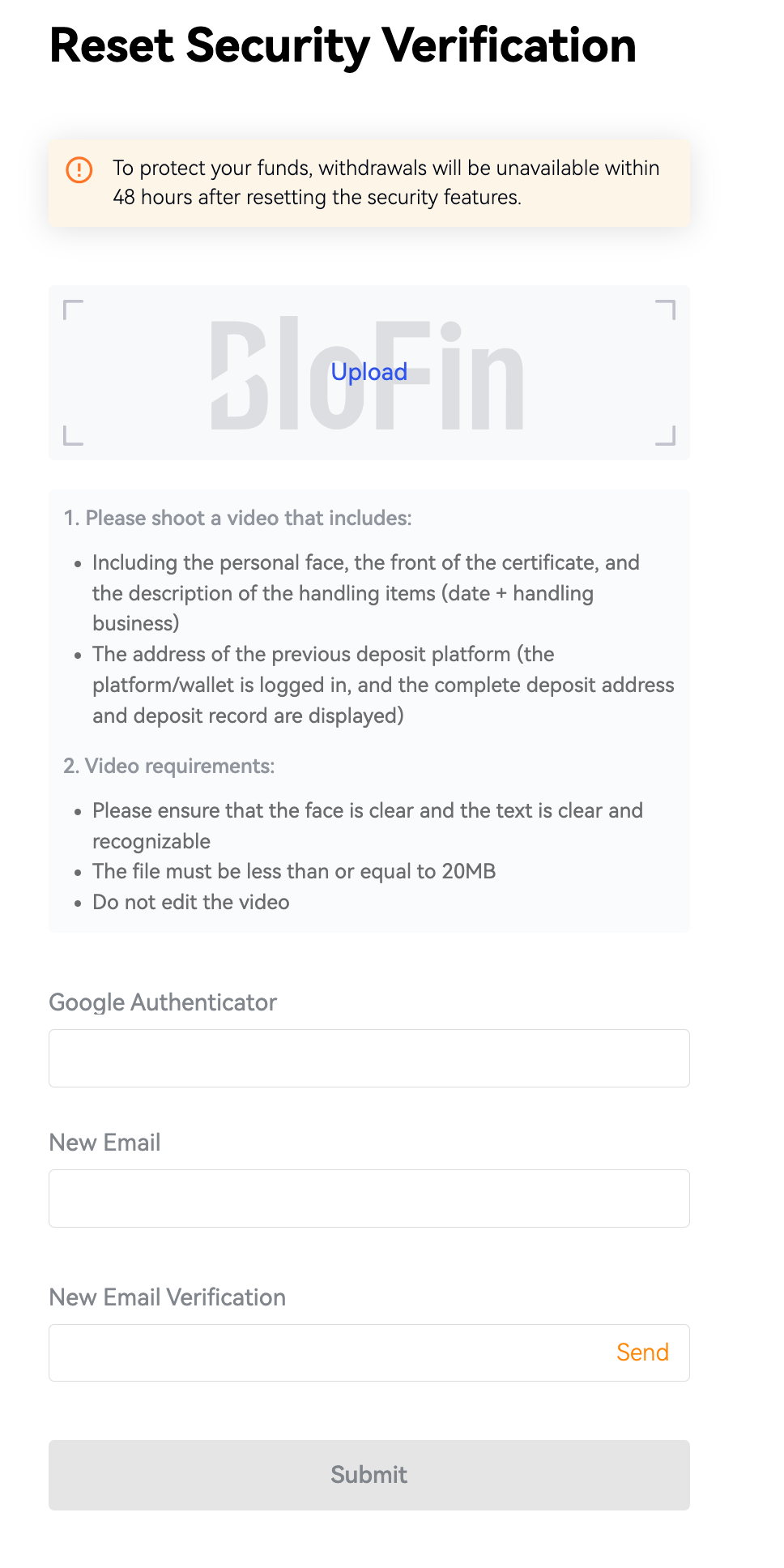
1. Tap on [Security verification unavailable] to access the Reset Security Verification interface.
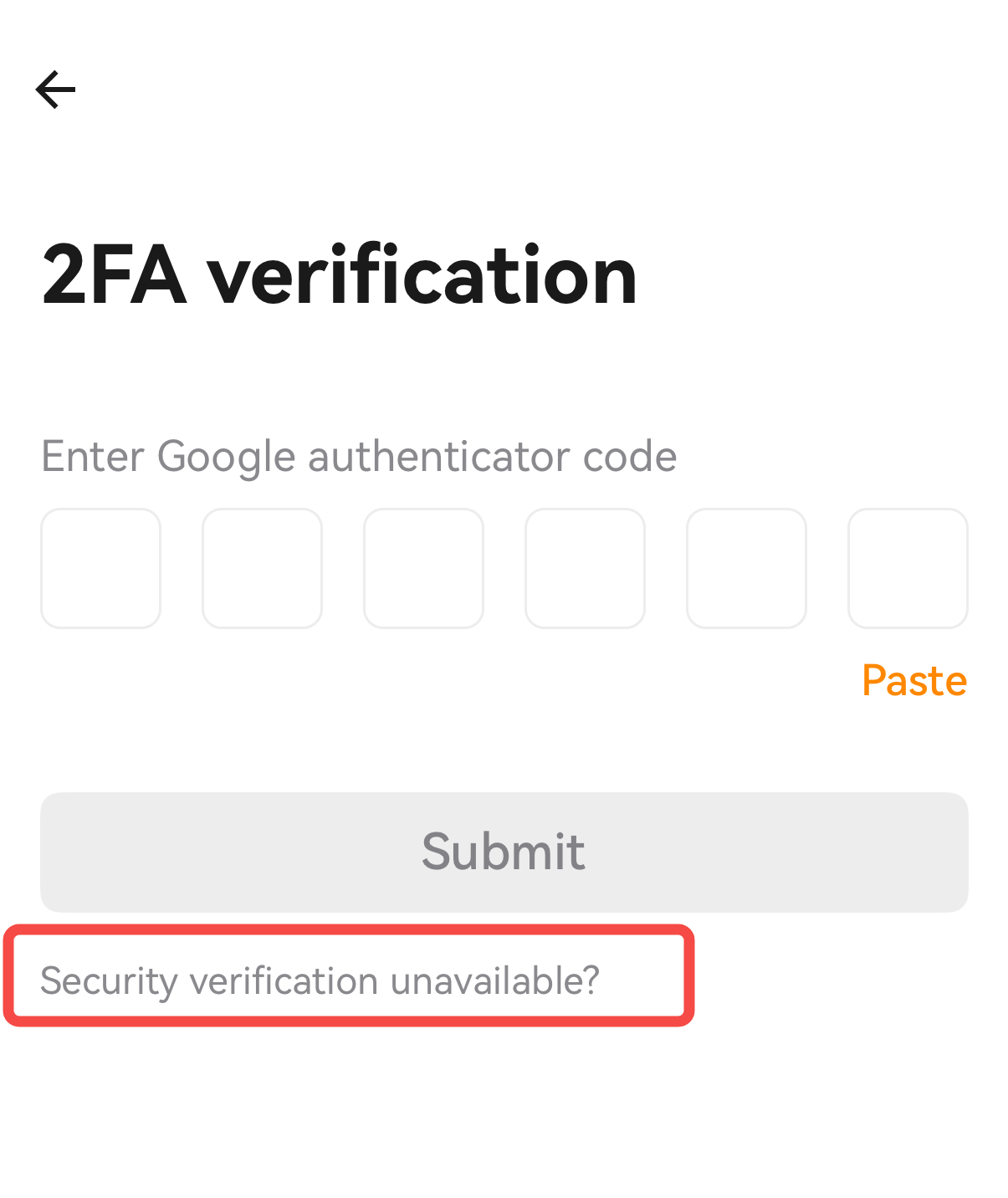
2. On the Reset Security Verification page, select the issue you are facing and click [Submit].
3. Follow the detailed instructions and requirements to prepare and upload a video.
4. Verify your email code/SMS code/Google Authenticator code and tap [Submit].
5. Please kindly note that our request will be reviewed within 24 hours, and the result will be sent to you via email. Please check your email for updates.