
How to Create a Passkey? (Web)
May 7, 2025 at 04:49 PMWhat are passkeys?
BloFin now supports Fast Identity Online (FIDO) passkeys as a two-factor authentication method. Passkeys allow you to enjoy password-free login and withdrawal without the need for verification codes while being the most secure option to protect your account.
Learn more about FIDO at: https://fidoalliance.org/fido2/
Create a passkey
1. Before you create a passkey, make sure you at least have:
- A device with Windows 10 or macOS Ventura
- A USB security key that supports the FIDO2 protocol
2. Make sure you're using a FIDO-supported browser with:
- Chrome 109 or above
- Safari 16 or above
- Edge 109 or above
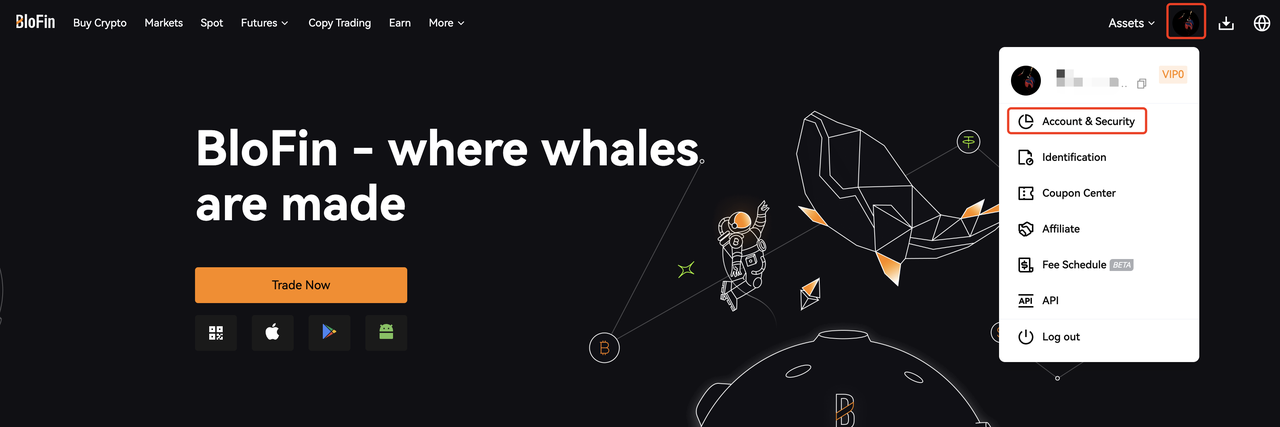
3. Log in your BloFin account and mouse over the [Profile] icon. Click [Account and Security].
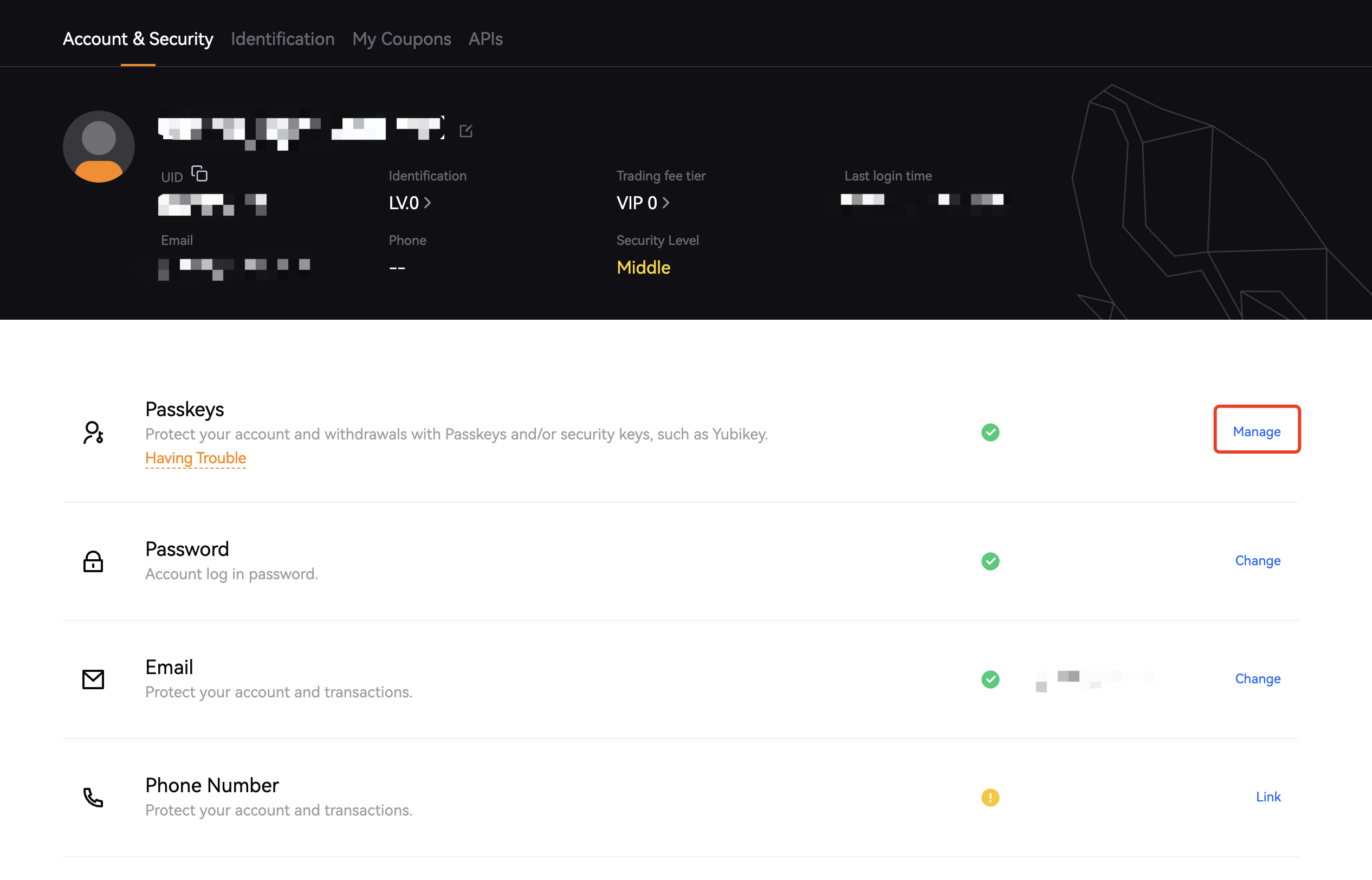
4. Click [Manage] next to [Passkeys].
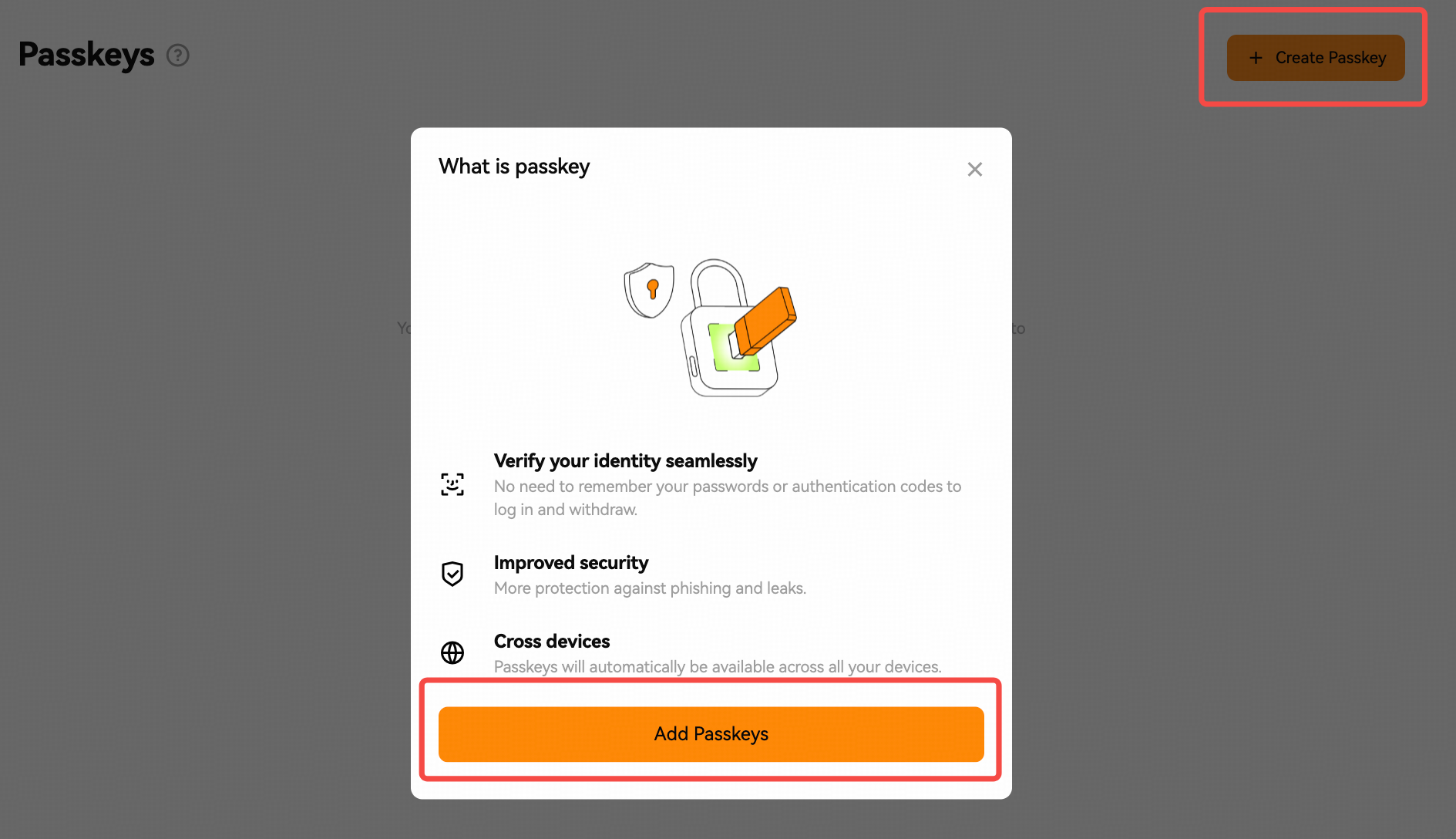
5. Click [Create Passkey] -> [Add Passkey] and complete the verification.
If your account is linked to just one of either a mobile number or email address, a pop-up prompt will remind you to bind at least two security items in your account. Click [Enable] to be redirected to the security page and complete the process.
Note: to secure your assets, link any two of the following: mobile number, email address, or Google Authenticator.
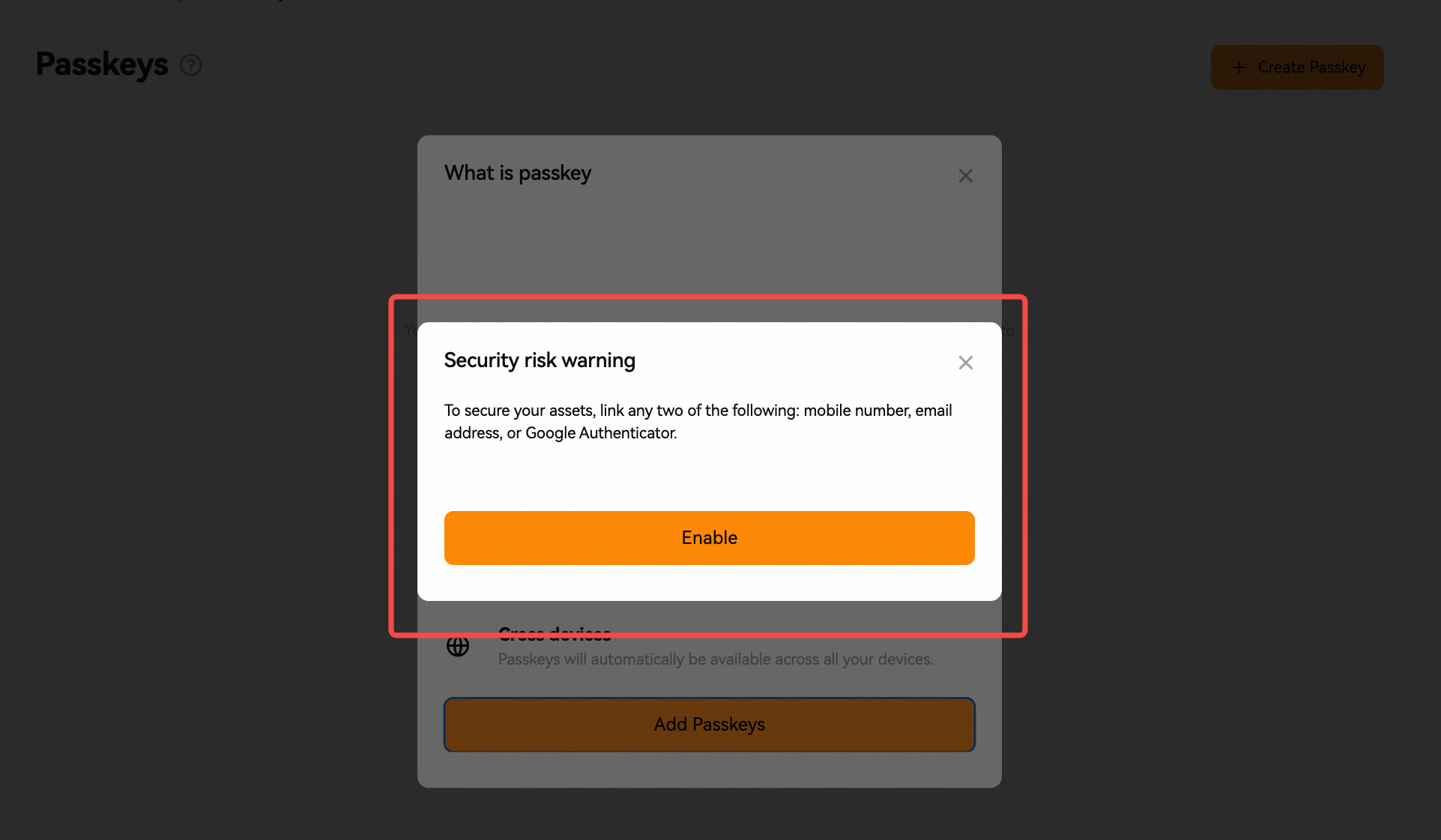
After you've completed your account security setup by binding at least two security items to your account, click [Add passkey] again to continue creating your passkey.
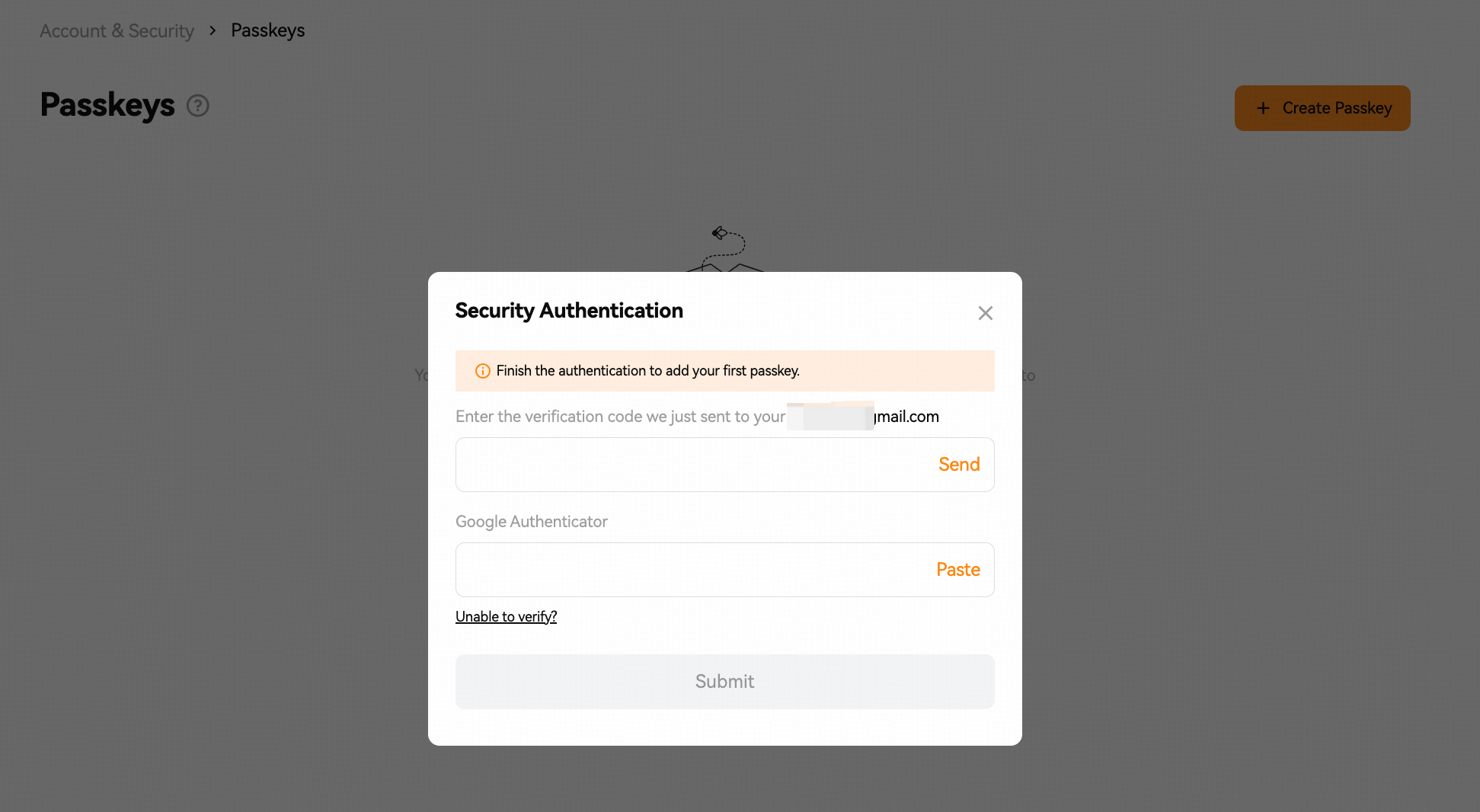
6. Select one of the available options to create your passkey.
1) Create with this device (Chrome Profile)
Click continue and complete the biometric authentication/PIN code on your device.
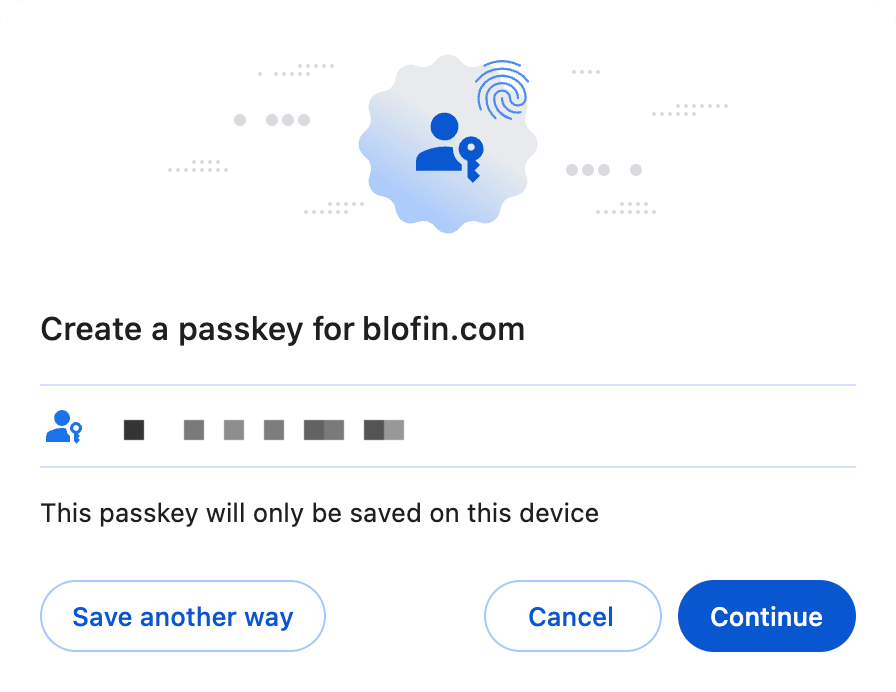
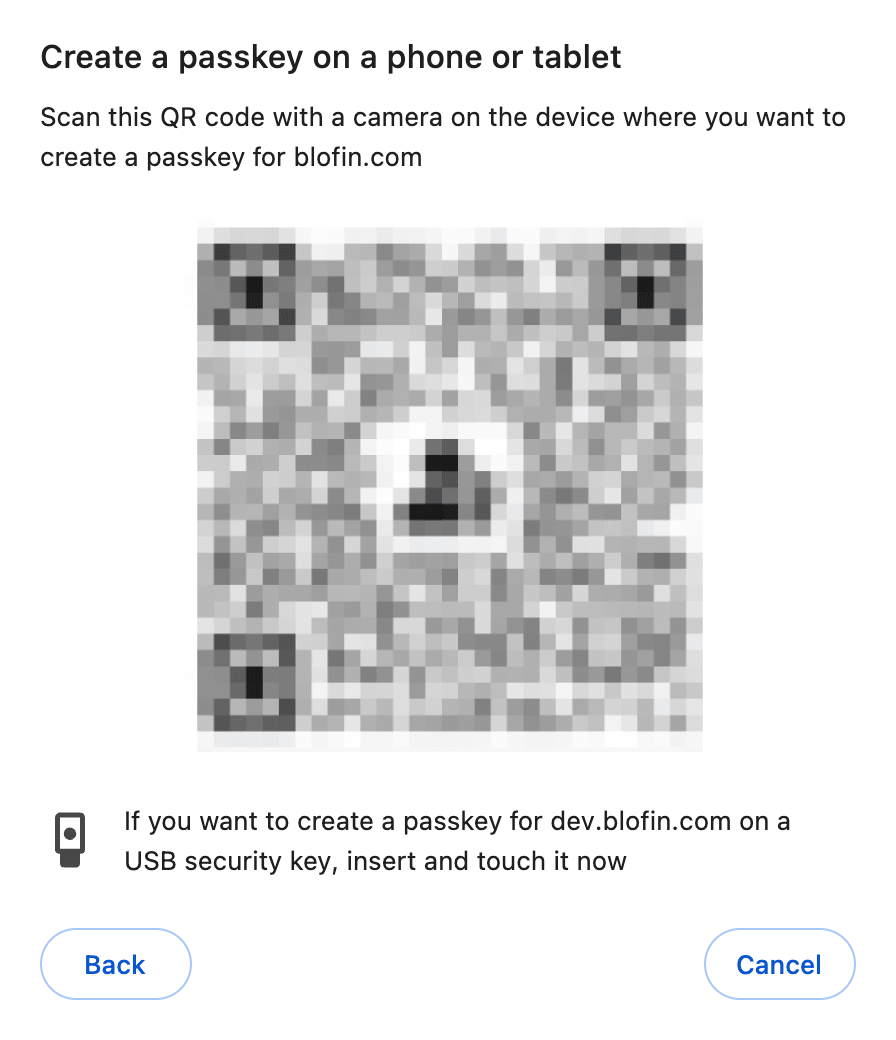
2) Use a different phone, tablet, or security key
Insert your security key and follow the instructions to create your passkey.
Scan the QR code using your phone or tablet's native QR code scanner and complete the authentication on your device.
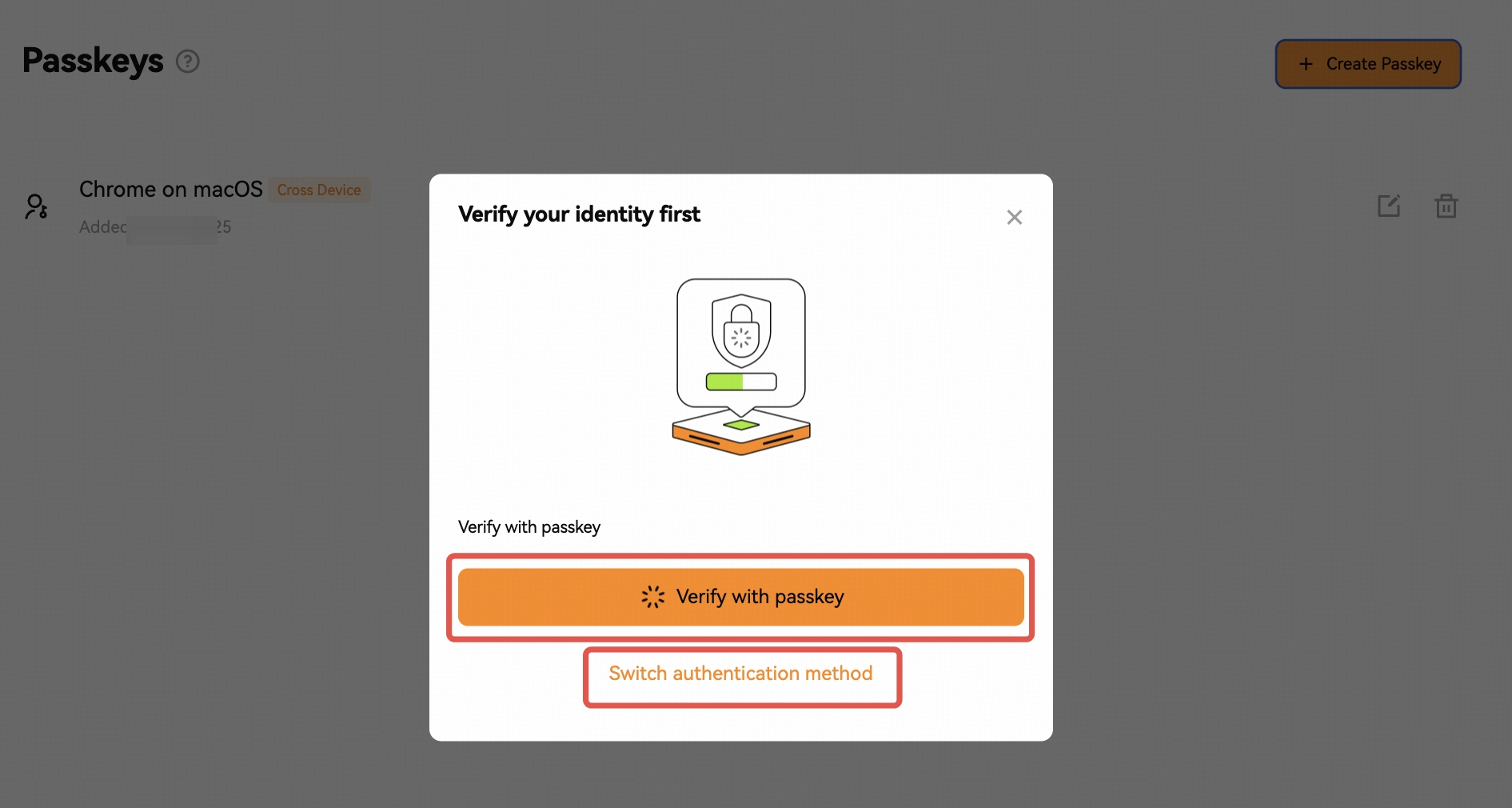
Notes: When you add two or more passkeys in your account, it requires to verify with one of created passkeys or switch to other authentication methods to complete the verification process.
How to edit or remove a passkey?
You can customize the name of your passkeys by tapping the [Edit] icon next to it.
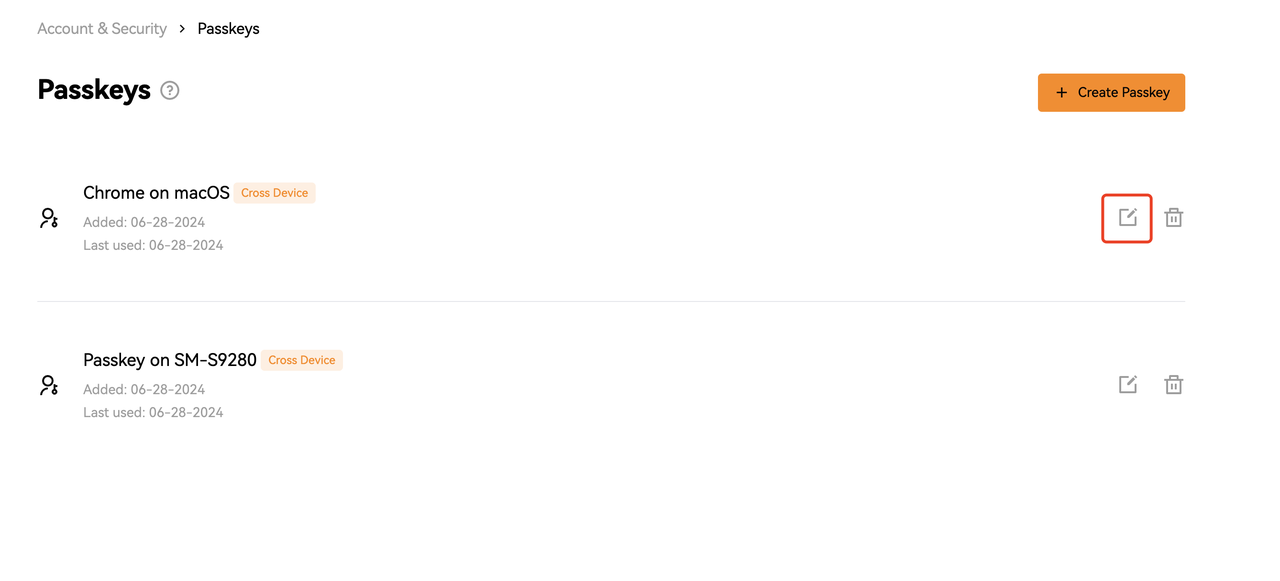
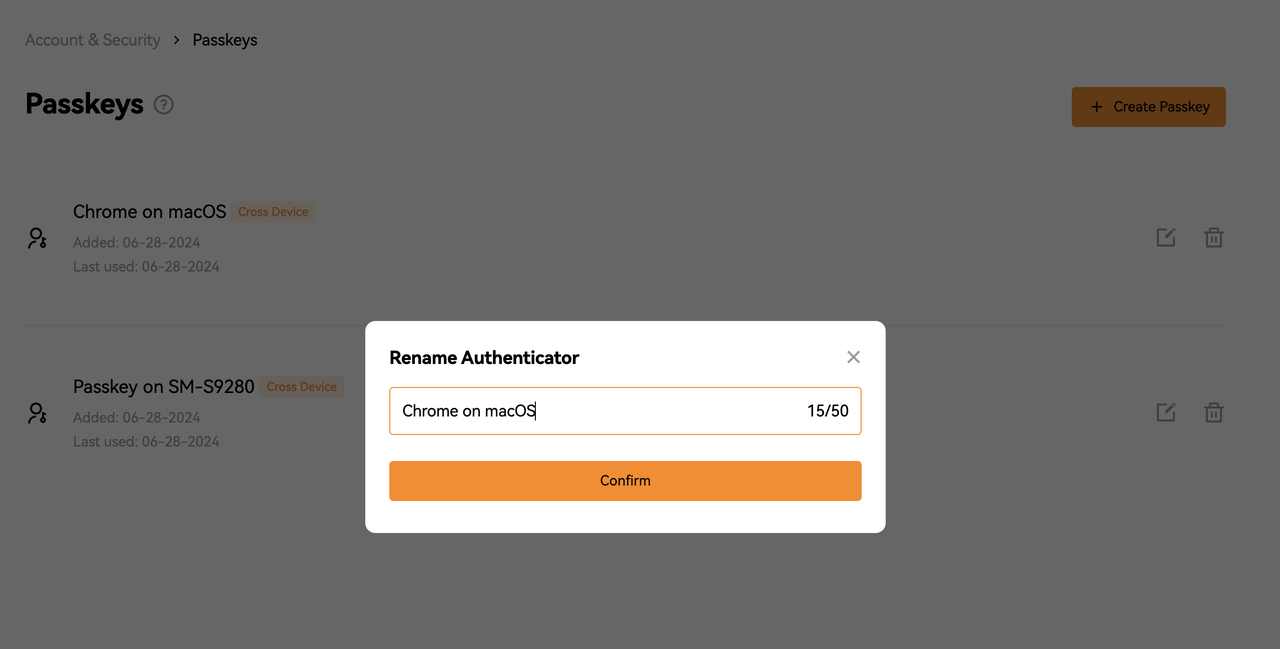
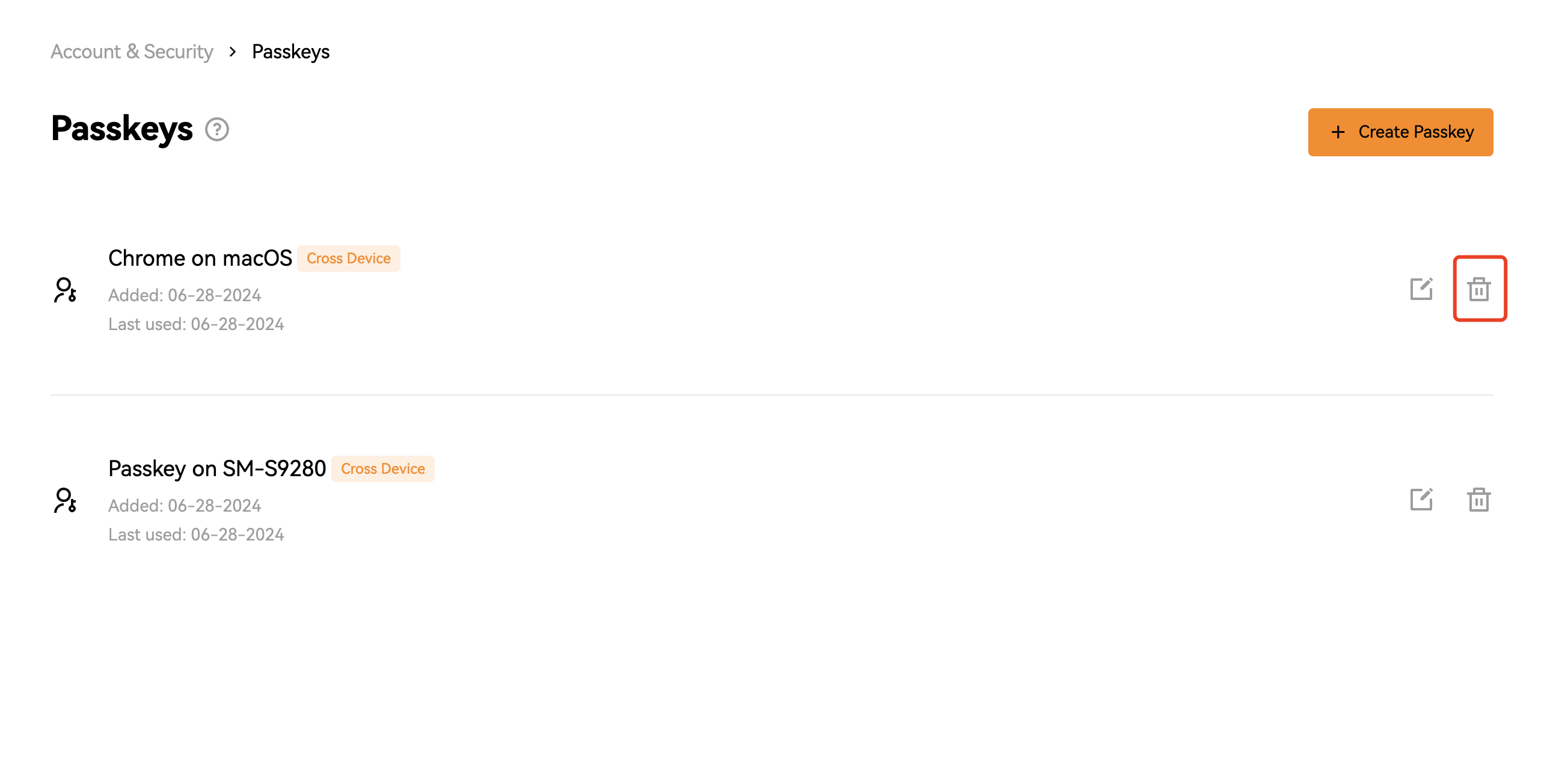
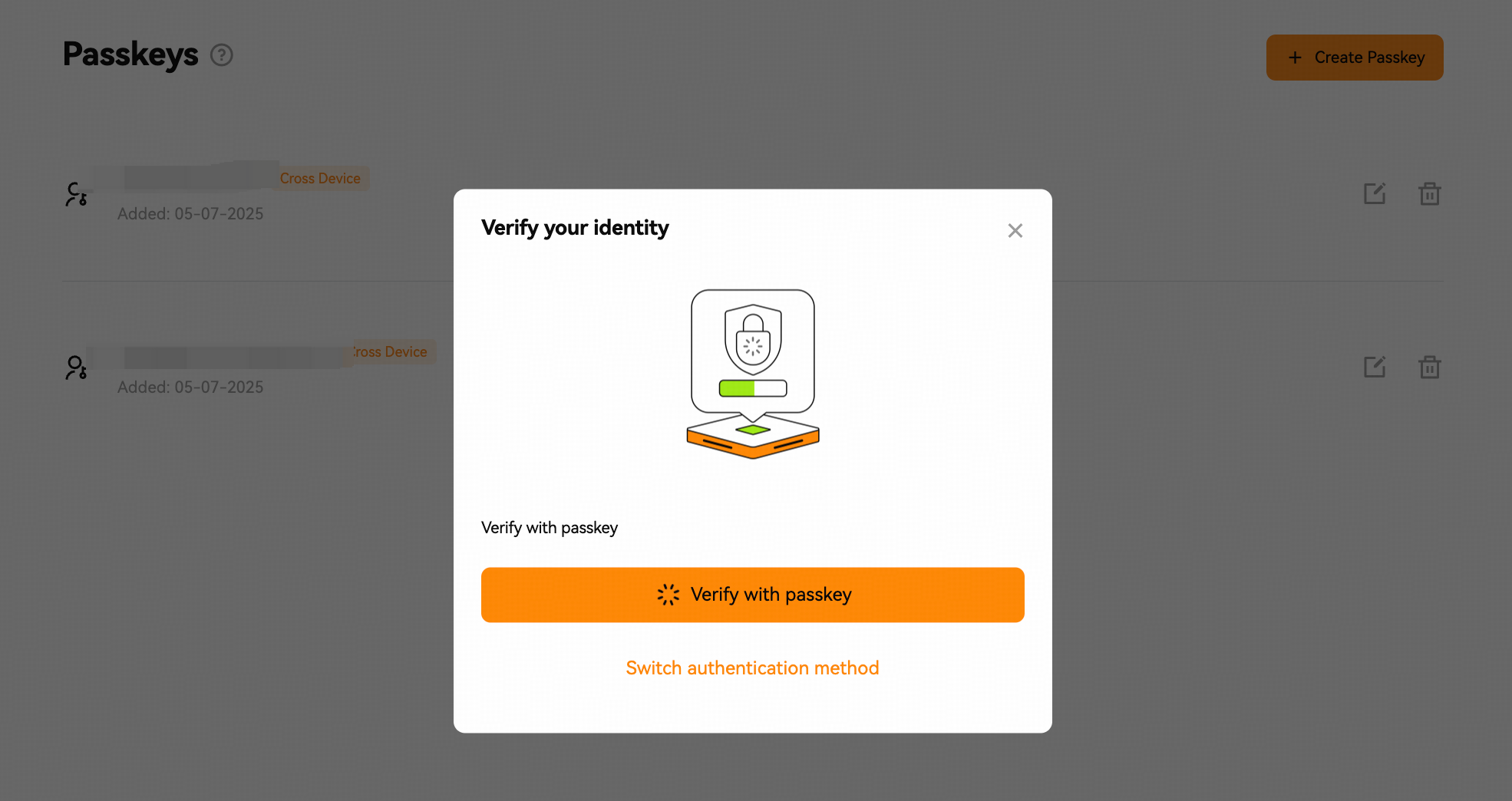
To remove a passkey, tap the [Delete] icon, verify your current passkey or switch another authentication method to complete the security verification. The passkey is deleted successfully.
Notes:
1. To secure your assets, ensure you link two of the following security settings in advance: mobile number, email address, or Google Authenticator.
2. If you happen to exceed the limit of 10 passkeys for your account, you can remove any unused passkeys.
2. If you happen to exceed the limit of 10 passkeys for your account, you can remove any unused passkeys.
3. In the process of adding or removing a passkey, you need to verify your passkey or switch to other authentication methods to complete the verification process.
4. Removing your passkeys may potentially lower the security level of your account or device. It is highly recommended to consider the associated risks before proceeding.
Was this article helpful?